🎵 MaGeSY® R-EVOLUTiON™⭐⭐⭐

  • image

    Fixing Video Exposure Problems in Premiere Pro CC TUTORiAL

    P2P | 13-09-2015 | 3.2 GB

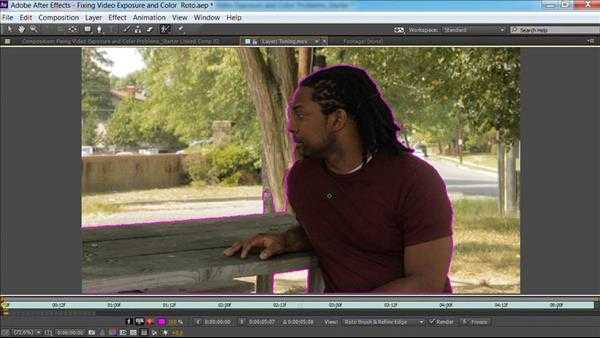
    Ever hear the refrain “let’s just fix it in post”? Even under the best lighting conditions, your footage can have exposure problems. Luckily, you can correct issues and even improve average video after the fact, aka in post production, with Premiere Pro. Rich Harrington explores various methods for fixing exposure problems: using effects, adjustment layers, toning, blend modes, and more. For more complicated footage problems or an extra boost, Rich shows you how to use the more advanced specialized tools in After Effects. Note that these techniques are designed for the Creative Cloud, but most of will work in older versions of the programs.


    Viewed 6021 By Music Producers & DJ´s.


  • image

    Premiere Pro Video Editing Essentials TUTORiAL

    P2P | 13-09-2015 | 852 MB

    Guide to video editing in Premiere Pro

    This course will get you up and running with one of the most popular video editing applications today: Premiere Pro. Premiere Pro has become the industry-leading editing software for filmmakers, television broadcasters, journalists, students, and videographers. In this course we will go through an overview of Premiere Pro CC. I’ll give a guided tour of the interface and the many tools within the program to edit video and audio in the creation of a final presentation. You will learn how to import files, all the editing essentials like how to make cuts, the basics of editing, video and audio effects. You will also learn about titles, editing video from multiple camera sources, exporting projects to various media and more! By the end of this course you will have a solid familiarity with many of the tools in Premiere Pro so that you can begin creating your own polished and professional video presentations.


    Viewed 6181 By Music Producers & DJ´s.


  • image

    Internet Nico Nico Movie Maker 2 v1.00.9 WiN

    TEAM R2R | 2015.09.08 | 118.09 MB

    NOTE: JAPAN LANGUAGE

    Nico Movie Maker (video) is to meet the commitment creator, you can also create powerful and moving work full of plenty of expressive power also Gotae listen impressive it is. Finished work can be enjoyed in a variety of ways, such as viewing and outputs directly to upload and video files to Nico Nico Douga. Equipped with a video track × 2, the voice track × 256. Even while recording a large number of video and audio effects, basic operations, such as editing and processing, intuitively perform simple design with the mouse in one of the editor. Smoothly and looking for video and still images and audio material, various editing and processing work can make work in the cut-and-try. Video and audio effects customization also performed, further production of attention is also possible.


    Viewed 10248 By Music Producers & DJ´s.


  • image

    Final Cut Pro X Layers and Animation TUTORiAL

    P2P | 05-09-2015 | 436 MB

    using Video and Photoshop Files

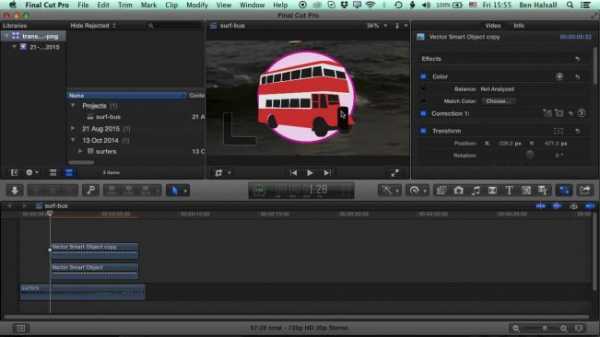
    In this course we look at how to composite and animate video and layered Photoshop files in Final Cut Pro X. In the project you will create a layered Photoshop project that draws and animates itself onto the screen. Final Cut Pro X may primarily be a video editor but with a smart fusion of Photoshop, cropping and keyframing you can create some awesome motion graphics in this application. Some previous knowledge of Photoshop is recommended for this course. A knowledge of how to create and manipulate layers to create a design will help a lot as we mostly discuss how to get layers into Final Cut Pro X then animate them. Enjoy the course and let me know if you have any questions. I check in here daily so please expect a quick response.


    Viewed 7450 By Music Producers & DJ´s.


  • Learn Final Cut Pro X Quickly TUTORiAL
    September 1st, 2015 ⚡
    Categories:

    image

    Learn Final Cut Pro X Quickly TUTORiAL

    P2P | 31-08-2015 | 401 MB

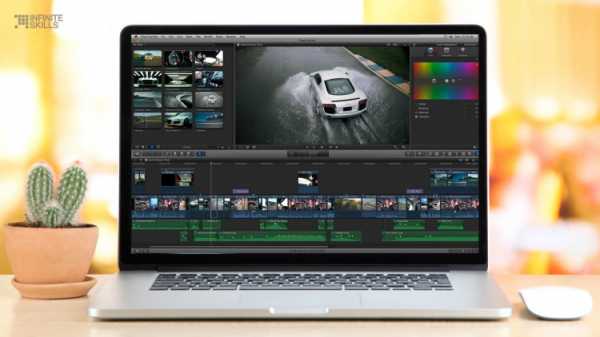
    Give me an hour and I’ll give you everything you need to know about Final Cut Pro X. You’re a busy person. You don’t have time to listen to the standard 9.5 hours of mindless robotic video content. That’s why I’m here. All I need is an hour and your full attention and I can teach everything you need to know about Final Cut Pro X. As a bonus for giving this course a shot, I’ll throw in an entertaining teaching style, witty commentary on time-waisting industry standards, as well as a few extra tips on keeping your computer speedy.


    Viewed 5427 By Music Producers & DJ´s.


  • Record your Voice for Video TUTORiAL
    August 31st, 2015 ⚡
    Categories:

    image

    Record your Voice for Video TUTORiAL

    P2P | August 31 2015 | 895 MB

    Gain Authority by having Great Sound in Your Videos

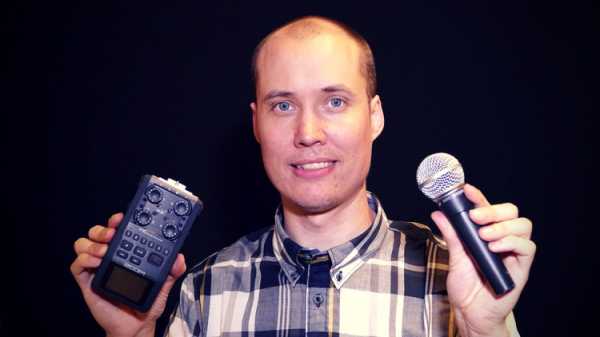
    Why take this Course?: Learn all the stages to get Good Audio in your Videos from a Professional Video/Audio-producer. I will teach you how to Prepare, Record, and Polish your Audio in your Videos. I truly believe that “Audio is King”, and that you therefore should spend some time perfecting your setup and production work flow. Getting good audio is not rocket science. Even so, most people don’t take the necessary steps to get good audio recordings for their videos. If you do, you will stand out! I have tried to condense my 15 years of experience in Video and Audio Production, into this course, so that you can get results without reading hundreds of books and articles, or recording and mixing vast amounts of music and audio tracks as I have.


    Viewed 5239 By Music Producers & DJ´s.


  • Magesy

    AViD Media Composer 8 Essential Training TUTORiAL UPDATED

    P2P | August 24 2015 | 3.84 GB

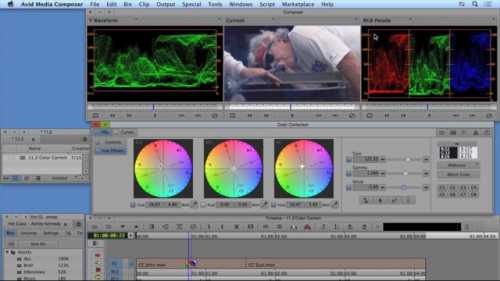
    Avid Media Composer 8 Essential Training is a start-to-finish, project-based course designed to get you up to speed on every aspect of Avid Media Composer. Staff author Ashley Kennedy begins with a fast-track chapter that breaks down the entire editing process into eight steps—great as an overview for new editors, and a good crash course in Media Composer for editors migrating from other platforms. She then focuses on getting you comfortable with each stage of the editing process—from preparation and organization to editing and refining, to audio and effects, to media management and output. Each post-production technique is explained thoroughly and concisely, using real-world examples from a documentary-style promo project. Dive in and learn how to take your projects from concept to creation.


    Viewed 9757 By Music Producers & DJ´s.


MaGeSY TeleGram Subscribe & Stay up to date with all the Posts that are published in MaGeSY MaGeSY Podcast: Subscribe & Stay up to date with all the Audio Posts that are published in MaGeSY MaGeSY Instagram Official MaGeSY-Youtube Official MaGeSY-X Official MaGeSY-Facebook Official MaGeSY-Pinterest Official MaGeSY-WhatsApp Channel Official

With Adblocker the page loads slower & avoid enhanced new search


ಮ್ಯಾಜೆಸ್ಯ್