
JavaScript disabled

This website requires JavaScript to function properly.
Please enable it in your browser and reload the page.

Download using | MaGeSY ®™⭐
🎵 MaGeSY® R-EVOLUTiON™⭐⭐⭐

  • Using MASCHiNE with Ableton Live TUTORiAL
    October 29th, 2016 ⚡
    Categories:

    image

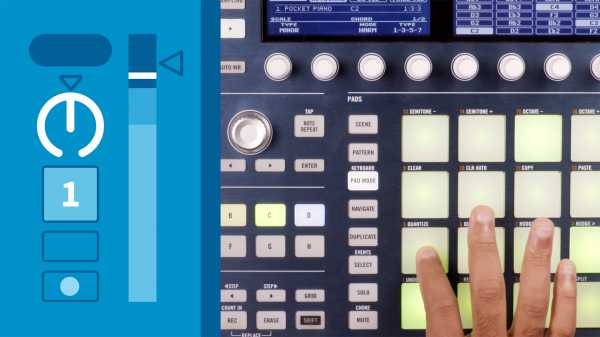
    Using MASCHiNE with Ableton Live TUTORiAL

    P2P | October 28 2016 | 278 MB

    MASCHINE and Ableton Live are two of the hottest products in the DAW market these days. Luckily for music producers, they work really well together. Ableton Certified Trainer JK Swopes gives you tips to make the integration as seamless as possible and start recording live performances, MIDI, and loops with MASCHINE for use in Ableton Live. Learn how to properly route MIDI, export MASCHINE project files for use as Ableton audio clips, and trigger kits and instruments with MIDI controllers and Ableton Push. Plus, find out how to use MASCHINE for real-time MIDI recording and for JK’s favorite setup: recording audio directly into Ableton Live tracks.


    Viewed 3696 By Music Producers & DJ´s.


  • image

    Using Synthesis for Music Production Intro Class TUTORiAL

    P2P | 14 Oct 2016 | 142 MB

    This classes uses the same system I’ve used for years in my college courses for teaching sound design: Identify and master the 4 main pieces of any synthesizer, and you will be flying when you first approach any other unit in the future. This system keeps the technical jargon to a minimum and gets you making your own sounds quick. Dr. Jason Allen is an Ableton Certified Trainer, and a PhD in Music Composition and master of Electronic Sounds. His music has been heard internationally in film, radio, video games, and industrial sound, as well as the concert hall and theater.


    Viewed 7227 By Music Producers & DJ´s.


  • image

    Mastering EDM in Ableton Live Using Native Plugins TUTORiAL

    P2P | 02.10.2016 | 632 MB

    Professional sounding EDM tracks using only native plugins, forget about expensive plugins. Everything is done in Ableton Live, Loudness, punch, depth and clarity Balanced and polished sounding tracks …all in an easy to follow course with everything clearly explained. Today, you can start making your tracks sound better, more professional, easily and quickly without expensive plugins or complicated techniques.


    Viewed 8706 By Music Producers & DJ´s.


  • Using Ableton Link TUTORiAL
    May 14th, 2016 ⚡
    Categories:

    image

    Using Ableton Link TUTORiAL

    P2P | May 13 2016 | 41 MB

    Ableton Link is a simple but vital utility that helps musicians collaborate. With Link, they can sync Ableton Live tracks with the sounds captured on other computers and any Link-enabled iOS music-making apps. It’s one of the easiest ways to make sure everyone in your sessions is “in time”—no cables required. In this short course, author Yeuda Ben-Atar quickly demonstrates his techniques for using Ableton Link to set up and synchronize multiple computers and iOS devices, and demos the Link workflow in a short jam session featuring Ableton Live and the Ableton Push controller.


    Viewed 3764 By Music Producers & DJ´s.


  • How To Remix Using Logic Pro TUTORiAL
    April 28th, 2016 ⚡
    Categories:

    image

    How To Remix Using Logic Pro TUTORiAL

    English | FLV | 960×600 | 12 fps | 476 MB

    AVC ~ 400 kbps | AAC ~ 128 kbps

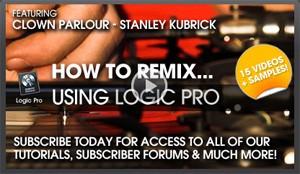
    Get inside the mind of remixer and Logic Pro expert, Chris Agnelli and find out how he used (and abused) Apples Logic Pro 9 to put together this massive remix. From thundering drums to distorted vocoded vocals he flips this remix on its head. Don’t expect a nice trance mix here folks – the dirt is turn all the way up to 10!


    Viewed 6123 By Music Producers & DJ´s.


  • image

    Using Audio Units in a VST Environment TUTORiAL

    SYNTHiC4TE | March 14 2016 | 174 MB

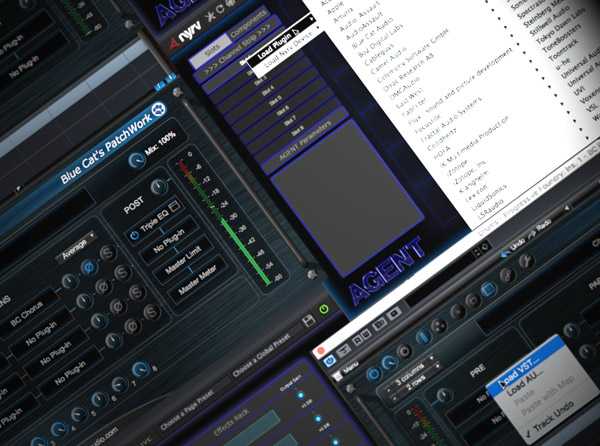
    Do you have some great Audio Unit plug-ins but your DAW only supports VST? Well studio master comes to the rescue with a video tutorial series demonstrating how you can use your Audio Unit plug-ins in a “VST plug-in only” environment. Yeah! Brock begins by explaining how plug-ins like Blue Cat Audio’s Patchwork and Nyrv System’s AGENT allow you to use Audio Units in a VST environment and vise versa. He then explores Blue Cat’s Patchwork, diving deep into its flexible routing capabilities and demonstrating how you can use it in your VST host. Nyrv’s AGENT is up next, and Brock walks you through how you can set this plug-in up as a channel strip. Wrapping it up, Brock demonstrates how to use AGENT in a mix to create the “ultimate vocal channel”.


    Viewed 4028 By Music Producers & DJ´s.


MaGeSY TeleGram Subscribe & Stay up to date with all the Posts that are published in MaGeSY MaGeSY Podcast: Subscribe & Stay up to date with all the Audio Posts that are published in MaGeSY MaGeSY Instagram Official MaGeSY-Youtube Official MaGeSY-X Official MaGeSY-Facebook Official Social Networks:MaGeSY-Pinterest Official MaGeSY-WhatsApp Channel Official  MaGeSY-TiK-TOK Channel Official

Total Posts: ❨ 🎵➡48 ❩ | Paged: ➡ 6


ಮ್ಯಾಜೆಸ್ಯ್