🎅 MaGeSY® R-EVOLUTiON™⭐⭐⭐

  • image

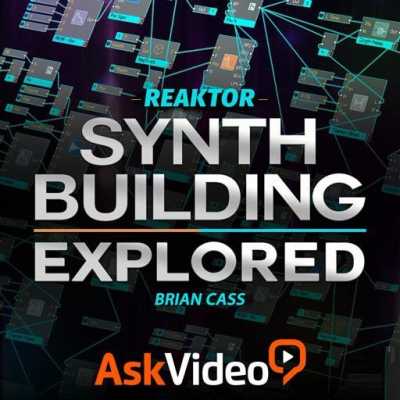
    Synth Building Explored Reaktor 6 TUTORiAL

    SYNTHiC4TE | Sept 12 2015 | 126 MB

    Reaktor 6 is here! And so is Brian Cass to show us what’s new and how it works! Along the way, you see how to build an instrument with Reaktor’s modules! So build a DIY synth now with Reaktor 6. There’s no one better to teach Reaktor than Brian Cass. Why? Because he knows Reaktor inside and out. Add to that his enormous experience as a sound designer and synthesist and his skill as a professional educator and you’ve got the makings of an amazing Reaktor 6 course! You learn everything about the fundamentals of Reaktor 6 and its modular, object-oriented programming system. Brian first explains the geography and anatomy of the Reaktor GUI. Next, you learn about both the Basic and Advanced panels and all the tools that are available for you to program and design a Reaktor instrument.


    Viewed 4253 By Music Producers & DJ´s.

  • Logic Pro X Alchemy Explored TUTORiAL-SYNTHiC4TE
    September 7th, 2015 ⚡
    Categories:

    image

    Logic Pro X Alchemy Explored TUTORiAL

    SYNTHiC4TE | Sept 06 2015 | 197 MB

    Alchemy = mind-blowing synthesis. It’s that simple…. and Apple’s reimagining of this deep instrument gives Logic users an exclusive, musical tool that ushers in a new era of music production. Learn Alchemy right here with David Earl! Alchemy, unlike any other synth on the market, can do anything and everything in the world of electronic music. It has an amazing variety of synth engines, audio processing and modulation sources. Add to that virtually unlimited audio and control routings and what you end up with is a synth that can do it all… and do it well!


    Viewed 3319 By Music Producers & DJ´s.


  • image

    Logic Pro X 10.2 Update Explained TUTORiAL

    SYNTHiC4TE | Sept 06 2015 | 217 MB

    LOGICAL EVOLUTION

    Now that Logic Pro X 10.2 is released, let Logic expert Eli Krantzberg guide you through all the new features and functions, as well as how to use them! Eli begins with explaining all the new Features, Settings, and Improvements in 10.2, such as how to use the cloud-based storage and collaboration service Gobbler within Logic, the new Record Mode settings and new the Piano Roll improvements. You’ll then learn how to use Custom Icons, explore the Drum Machine Designer improvements, Region Inspector and Take Folder changes, as well as new Main Windows functions, new Key Commands, enhancements to Markers, and MIDI Clock functions.


    Viewed 3858 By Music Producers & DJ´s.


  • image

    Recording & Editing MIDI in Studio One 3 TUTORiAL

    SYNTHiC4TE | Sept 06 2015 | 282 MB

    MAKE SOME MIDI MAGIC

    Studio One 3 adds extremely powerful new MIDI features, and Scott Fritz shows you how to use and abuse them! In these 12 videos, you’ll learn everything from MIDI basics to advanced tips & tricks and MIDI workflow techniques. Scott starts by showing you how to connect your MIDI controllers into Studio One 3, then moves to adding and controlling Virtual Instruments to your song. Next, Scott demonstrates how to use the MIDI Editor for Drum Editing, as well as the Track List in the MIDI editor for deeper editing. With the basics covered, Scott focuses on useful actions and musical functions, from the common, to the less common that can help improve your MIDI workflow in Studio One 3.


    Viewed 4699 By Music Producers & DJ´s.


  • image

    Builds Fills and FX in Logic Pro X TUTORiAL

    SYNTHiC4TE | Sept 06 2015 | 323 MB

    THE HOLY TRINITY OF EDM

    Dance music master Timothy Allan is back with a tutorial on how to make your dance tracks pop! Builds, fills, and creative use of effects are what separate an exceptional dance production from the rest, and Timothy shows you how to use Logic Pro X’s powerful dance-oriented features to make your dance tracks keep people on their feet. Timothy starts with showing you how you can use the built-in Drummer in Logic Pro X to create top-notch sounding Drum Fills, including Using Effects, Blending Kits, and how to use the Generated Fills feature. Next, Timothy tackles Build ups, showing you how you can take your existing content and use Smart Controls to create interesting and dynamic build ups. From there, Timothy gives you 2 videos exploring advanced techniques for making Pitched Risers,and ends with 2 more videos explaining some of his favorite tools, the “Panther Fill” that uses Reverse Effects to create tension and accent effects to add motion and spice to your production.


    Viewed 4088 By Music Producers & DJ´s.


MaGeSY TeleGram Subscribe & Stay up to date with all the Posts that are published in MaGeSY MaGeSY Podcast: Subscribe & Stay up to date with all the Audio Posts that are published in MaGeSY MaGeSY Instagram Official MaGeSY-Youtube Official MaGeSY-X Official MaGeSY-Facebook Official MaGeSY-Pinterest Official MaGeSY-WhatsApp Channel Official

With Adblocker the page loads slower & avoid enhanced new search


ಮ್ಯಾಜೆಸ್ಯ್

MaGeSY ® R-EVOLUTiON™⭐⭐⭐