🎵 MaGeSY® R-EVOLUTiON™⭐⭐⭐

  • Mastering Essentials Studio One 4 TUTORiAL
    February 1st, 2019 ⚡
    Categories:

    image

    Mastering Essentials Studio One 4

    FANTASTiC | 31 January 2019 | 335 MB

    Studio One 4 is an extremely powerful mastering environment. Learn the essentials of mastering in Studio One with trainer and mastering engineer! With its robust plugin suite and its integrated Project window, Studio One 4 more than excels at mastering. This course, by Studio One expert Joshua Carney, reveals everything you need to know about mastering using Studio One’s built-in plugins and features exclusively! Joshua starts the course by explaining how to import your songs in the Project window to start the mastering session. You’ll see and understand why this Project window is one of the biggest advantages of mastering with Studio One. After covering all the included metering tools and some important mastering terminology, Joshua dives deep into all the different mastering effects (Pro EQ, Tricomp Multiband Dynamics, etc.). You learn how to set up a mid/side routing matrix, how to improve the stereo image of your songs, and how to put the final loudness touch with the limiter. The course contains three complete mastering demonstrations: a Pop/EDM song, a country song, and a 3-song rock EP. And when your mastering is completed, it’s time to export your songs or burn them to CD!


    Viewed 4704 By Music Producers & DJ´s.

  • Mixing and Automation Studio One 4 TUTORiAL
    January 12th, 2019 ⚡
    Categories:

    image

    Mixing & Automation Studio One 4

    FANTASTiC | 11 January 2019 | 363 MB

    Studio One includes all the tools you need to create that pro-sounding mix, and then some! Join mixing engineer and educator in this course to learn the art and science of mixing with Studio One 4. Now that your audio and MIDI tracks are all recorded, you’re ready to start mixing… and producer and trainer Joshua Carney will show you how it’s done! In this comprehensive 25-tutorial course, you get the chance to see and hear Joshua as he mixes a full song right before your eyes using Studio One’s stock plugins exclusively.  Joshua starts the course with an overview of Studio One’s mixer where he explains how to do a rough mix of your project. Next, you learn tips to handle bigger projects using grouping, busses and VCA channels. You discover how to polish up your productions using the built-in plugins such as the Pro EQ, Compressor, Open AIR (a very cool reverb plugin!), and Groove Delay. Once you understand the basics compression, EQ and other effects, Joshua explores the extremely useful Studio One’s Fat channel XT and demonstrates it on bass, drums, guitars, keys and vocals. Continuing with the course, you learn how to tune vocals with the included Melodyne Essential, how to automate your project, and how to fine-tune your mix before the final export!


    Viewed 5318 By Music Producers & DJ´s.


  • image

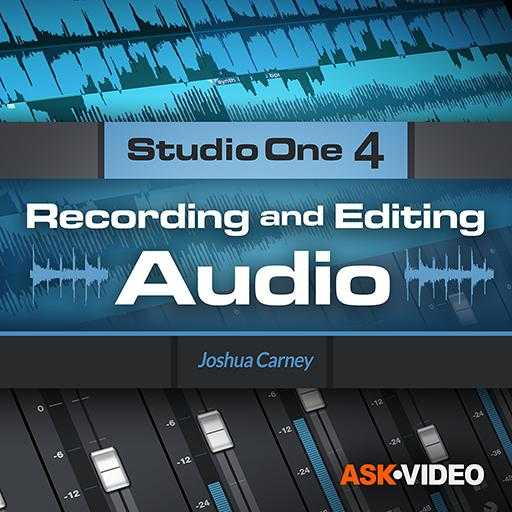
    Recording & Editing Audio: Studio One 4

    FANTASTiC | 23 November 2018 | 390 MB

    PreSonus Studio One 4 is an amazing DAW for recording audio. Join educator and audio engineer Joshua Carney in this course to master all audio recording and editing features included in Studio One! Recording and editing audio doesn’t have to be a daunting task. In this in-depth course full of real-world examples, expert trainer Joshua Carney will teach you the skills, tools, essential technique, and workflows you need to master to make great audio recordings! The course begins by explaining how to set up your audio interface and preferences for recording. You learn various ways to import audio and loops, and make everything conform to your song’s tempo. Next, all audio editing tools are covered in detail, and important shortcuts for editing and zooming are also explained. With plenty of recording examples, Joshua demonstrates various techniques for recording electric & acoustic guitar, bass, vocals and multi-tracked acoustic drums. You learn to record both DI and with a microphone, how to do Auto Punch, how to quickly create an arrangement with the Arranger track, how to layer, comp and tune vocals, create a rough mix, and a lot lot more…


    Viewed 5880 By Music Producers & DJ´s.


  • How To Make Tech Trance in Studio One 4 TUTORiAL
    November 12th, 2018 ⚡
    Categories:

    image

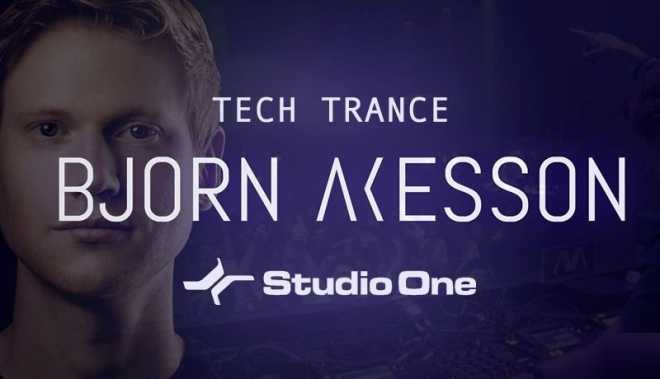
    How To Make Tech Trance in Studio One 4

    P2P | 10.11.2018 | 4.73 GB

    This week proudly welcomes back Swedish born 138 Trance legend Bjorn Akesson for a brand new course in How To Make Tech Trance. We’re also excited as for the first time here at Sonic Academy this awesome monster of a track is created in Presonus Studio One. Bjorn builds this entirely new tune from the ground up starting with a blank slate firstly creating the drums before moving on to the layered sub and mid bass. We then arrange the basic layout to give the foundation of the track before adding effects, creating the drop and main theme, adding atmosphere, along with a dope acid line and stabs. Throughout this course we check out Bjorn’s easy-to-follow, methodical approach to workflow and organisation along with his clever use of automation lines to create tension and move through the transitions of the breakdown and drop.


    Viewed 6302 By Music Producers & DJ´s.


  • Composing Tools with Studio One TUTORiAL
    October 12th, 2018 ⚡
    Categories:

    image

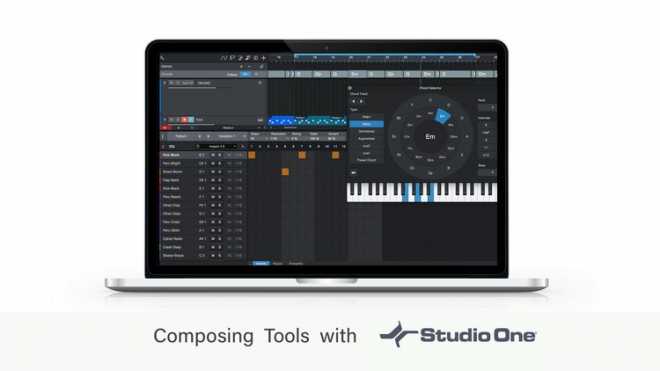
    Composing Tools with Studio One

    FANTASTiC | 12 Oct 2018 | 1.39 GB

    If you want to improve your song composing in Studio One, this is the perfect course for you!  Learn how to use the Composing Tools within Studio One to improve your songs. This is a complete course teaching you how to use all the composing tools and feature sets in Studio One to allow you to explore new and different directions with your songs. With easy-to-follow tutorials and a real-world examples of a song composing tips and tricks, you’ll enjoy learning while taking action.


    Viewed 4809 By Music Producers & DJ´s.


  • image

    Quick Start Guide Studio One 4

    SYNTHiC4TE | August 30 2018 | 248 MB

    Studio One 4 is PreSonus’ latest and greatest music production software. Get a thorough introduction to this powerful DAW in this quick start guide by trainer and producer! With its powerful audio and MIDI features and huge sound library, Studio One is certainly one of the best DAW available for musicians, songwriters and producers. This course, by Studio One expert Joshua Carney, is designed to show you how to start recording, arranging and mixing your songs with Studio One 4 as fast as possible. The course begins with an overview of Studio One where you learn how to set up your audio and MIDI devices, navigate the user interface, and create a new project. Step by step, Joshua explains everything you need to know to start recording, sharing lots of workflow tips and essential key commands along the way. You learn different ways to edit and quantize MIDI, how to record and fine-tune a vocal performance, how to record an electric guitar and get the exact tone you want, and more…


    Viewed 5463 By Music Producers & DJ´s.


MaGeSY TeleGram Subscribe & Stay up to date with all the Posts that are published in MaGeSY MaGeSY Podcast: Subscribe & Stay up to date with all the Audio Posts that are published in MaGeSY MaGeSY Instagram Official MaGeSY-Youtube Official MaGeSY-X Official MaGeSY-Facebook Official MaGeSY-Pinterest Official MaGeSY-WhatsApp Channel Official

With Adblocker the page loads slower & avoid enhanced new search


ಮ್ಯಾಜೆಸ್ಯ್