JavaScript disabled

This website requires JavaScript to function properly.
Please enable it in your browser and reload the page.

Download audio recording | MaGeSY ®™⭐
🎵 MaGeSY® R-EVOLUTiON™⭐⭐⭐

  • Piezo v1.9.9 macOS-TNT
    May 30th, 2026 ⚡
    Categories:

    Piezo v1.9.9 macOS-TNT

    Piezo v1.9.9 macOS

    TNT | 30 May 2026 | 15.03 MB

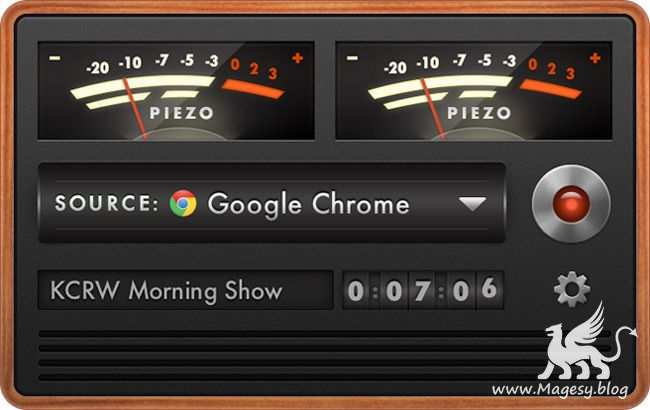
    Charmingly Simple Audio Recording

    Piezo makes it a snap to record audio on your Mac. In seconds, you’ll be recording audio from any application or from audio inputs like microphones. Piezo requires almost no configuration, and it’s a blast to use. Simple and inexpensive – that’s a winning combination.


    Viewed 101765 By Music Producers & DJ´s.


  • Vinyl Studio v15.2.4 WiN-SND
    May 16th, 2026 ⚡
    Categories:

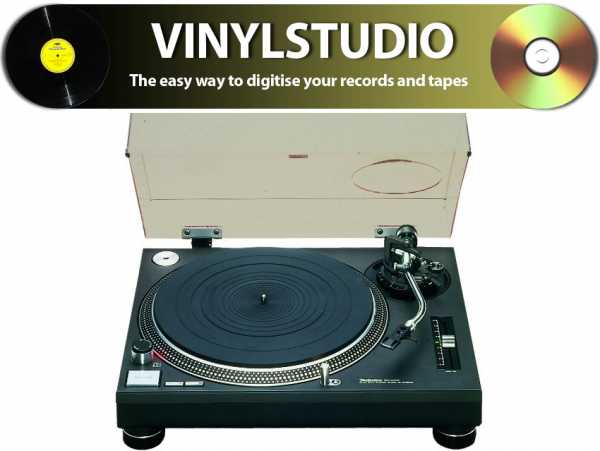
    Vinyl Studio v15.2.4 WiN-SND

    Vinyl Studio v15.2.4 WiN

    Team SND | 16 May 2026 | 6.7 MB

    VinylStudio is the easy way to convert your records and tapes to CD, MP3 and other digital formats. The powerful sound-cleaning filters can help rescue precious, damaged recordings and VinylStudio’s intuitive user interface makes digitising your music collection a pleasure rather than a chore. Download a copy and see why using a conventional audio editor and CD-burning program for this task is doing it the hard way.


    Viewed 14196 By Music Producers & DJ´s.


  • Logic Pro Quick Start for Songwriters TUTORiAL-HiDERA-MaGeSY

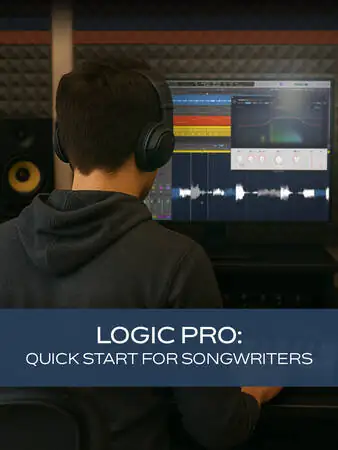
    Logic Pro: Quick Start for Songwriters

    HiDERA | 30 August 2025 | 237 MB

    If you’re a songwriter ready to start recording your songs in Logic Pro, this Logic Pro video course is designed to get you up and running quickly with all the essentials you need. In Logic Pro: Quick Start for Songwriters, Logic Pro guru Stephen O’Connell takes you step by step through the most important tools and workflows, ensuring you can focus on writing and producing music right away instead of getting bogged down in technical details. These Logic Pro videos are designed for new Logic Pro users. Stephen begins by introducing the course and guiding you through a tour of Logic Pro’s user interface. You’ll see how the various panels, workspaces, Apple Loops, and the toolbar all come together to create a flexible and intuitive workspace tailored to your needs as a songwriter.


    Viewed 15561 By Music Producers & DJ´s.


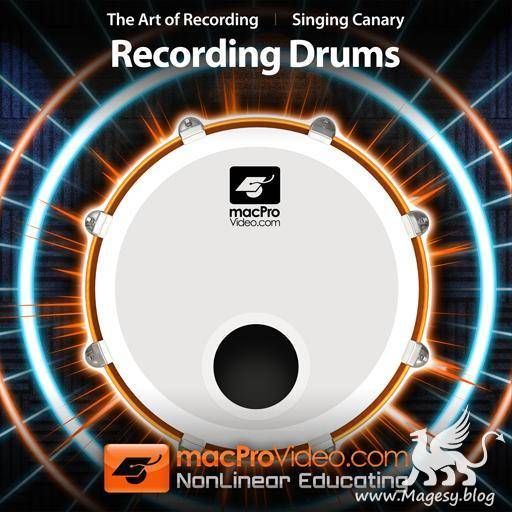
  • The Art of Audio Recording Recording Drums TUTORiAL DVDR-SONiTUS

    Recording Drums TUTORiAL

    Team SONiTUS | 08.2012 | 1.10 GB

    In this tutorial the audio experts at Singing Canary reveal the secrets of getting those platinum sounding drum sounds every band covets … elevate your tracks to next level with this 2-hour tutorial! Recording the the sound and energy of the magesy drum kit is essential knowledge that you’ve got to know if you’re going to be making great sounding tracks. In this tutorial the audio experts at Singing Canary bring you into the studio and share with you everything they know about capturing the essence of the drums. This tutorial features producer Greg Haver and engineer Clint Murphy. Greg has worked with artists such as Super Furry Animals, Catatonia, Lost Prophets, Bullet For My Valentine, and Manic Street Preachers. Clint is an award winning recording/mix engineer with numerous chart successes in the UK, Europe and New Zealand.


    Viewed 9770 By Music Producers & DJ´s.


  • image

    Audio Recording & Editing Cubase 10

    FANTASTiC | 01 April 2019 | 354 MB

    Cubase 10 offers powerful tools for recording and editing audio. Join our Cubase guru. Hepworth in this course, and get ready to master the audio side of this amazing DAW! Recording and editing audio doesn’t have to be a difficult task. In fact, after learning the right skills, recording audio with Cubase can be a lot of fun! Thankfully, Cubase specialist Matt Hepworth is here to teach you everything you need to know about working with audio in Cubase 10… First, Matthew explains how to set up your projects for recording. You learn to set your input levels on your audio interface, how software and hardware monitoring works, and how to configure your project settings for recording. Then, you discover the different recording modes and options available in Cubase, including cycle recording, comping lanes, and punching. Once your audio is recorded, it’s time to get that perfect take using Cubase’s arsenal of editing tools. Matthew also explores audio effects, inserts, sends, as well as more advanced features like folder tracks and grouping… and more!


    Viewed 5904 By Music Producers & DJ´s.

MaGeSY TeleGram Subscribe & Stay up to date with all the Posts that are published in MaGeSY MaGeSY Podcast: Subscribe & Stay up to date with all the Audio Posts that are published in MaGeSY MaGeSY Instagram Official MaGeSY-Youtube Official MaGeSY-X Official MaGeSY-Facebook Official Social Networks:MaGeSY-Pinterest Official MaGeSY-WhatsApp Channel Official  MaGeSY-TiK-TOK Channel Official

1 2 3 Next

Total Posts: ❨ 🎵➡15 ❩ | Paged: ➡ 0


ಮ್ಯಾಜೆಸ್ಯ್