JavaScript disabled

This website requires JavaScript to function properly.
Please enable it in your browser and reload the page.

REAL & OFFiCiAL MaGeSY ® R-EVOLUTiON™⭐
🎵 MaGeSY® R-EVOLUTiON™⭐⭐⭐

  • Continuous Loudness Control And Stereo v2.1.3 WiN-R2R
    March 20th, 2026 ⚡MaGeSY®
    Categories: AAX, Audio Software, VST, VST3, x64, x64

    Continuous Loudness Control Stereo-MaGeSY

    Continuous Loudness Control & Stereo

    Team R2R | 20 March 2026 | STEREO:36.43MB | CONTROL:36.40MB

    PLATFORMs: STANDALONE/VST2/VST3/AAX(MODiFiED)

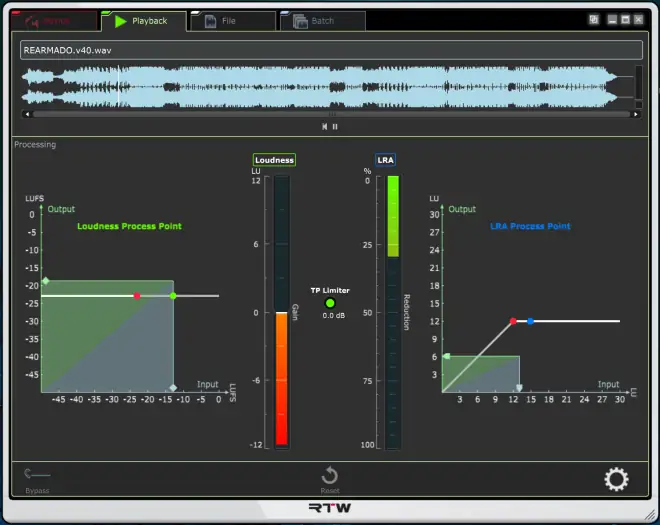
    Continuous Loudness Control from RTW is a plugin or standalone software for automated adjustment of the loudness of audio files. It is used by home users and professionals alike who want to quickly edit unknown or long audio files in terms of volume, for example in the postproduction of live audio files, DAW audio and broadcast preparation for TV and radio. Thanks to its design as standalone software instead of just a plug-in, CLC can also be used without a host application, allowing the software to be used in third-party application environments without any additional DAW software.


    Viewed 4299 By Music Producers.
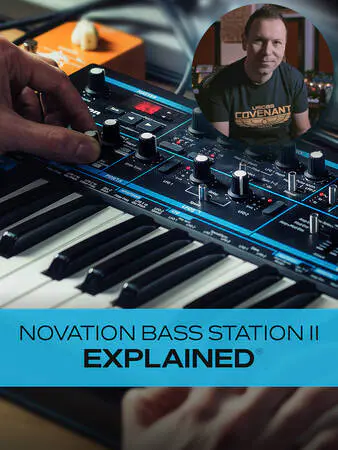

    • Novation Bass Station II Explained TUTORiAL-HiDERA
      March 19th, 2026 ⚡MaGeSY®
      Categories: TUTORiALS

      Novation Bass Station II Explained TUTORiAL-HiDERA-MaGeSY

      Novation Bass Station II Explained®

      HiDERA | 02 February 2025 | 3.2 GB

      Join analog synth expert Albert Rizzo Schettino for a detailed Novation Bass Station II video course! In this Bass Station II course, Alberto will not only familiarize you with all of the synth’s components, controls, and parameters, but he’ll also share many tips and techniques he’s learned during his extensive experience with this legendary modern monosynth. By the time you complete this Bass Station II course, you’ll be well on your way to creating your own custom bass, lead, and arp tones with skill and confidence! These Bass Station II videos are designed for new Bass Station II users, but there’s plenty of info more intermediate-level users as well. After welcoming you to the course, Alberto begins with a brief overview of the synth’s layout and main components. Though it can look dizzying to the synth beginner, Alberto methodically explains each section in an easy-to-grasp fashion that will bring even the complete neophyte up to speed. Then it’s on to some of the most central components of the Bass Station II, starting with the Mixer, which is where you’ll control the levels of the various components, followed by a look at the Oscillator and LFO sections, both of which are hugely integral to the sounds created by the synth. Next, you’ll fully explore the Arpeggiator/Sequencer, which you’ll use when creating those dazzling arp effects or sequenced bass or lead runs. You’ll see how to use the various Arpeggiator patterns as well as create your own custom sequences (up to 32 notes), both of which can add energy and momentum to your productions.


      Viewed 38090 By Music Producers.


      • Using AI for Music Production Explained TUTORiAL-HiDERA
        March 19th, 2026 ⚡MaGeSY®

        Using AI for Music Production Explained TUTORiAL-HiDERA-MaGeSY

        Using AI for Music Production

        HiDERA | 02 February 2025 | 280 MB

        Join music production expert Larry Holcombe for an engaging, comprehensive video course on using AI for music production. If you’re curious about creating music with AI, this course is definitely for you. Larry covers many different AI sources and plugins, describing how they can be used and demonstrating how to take advantage of their AI tools in numerous ways – from creating new content (lyrics, chord progressions, etc.) or improving/rearranging existing content to replacing vocals, creating samples, and much more. By the end of this music production course, you’ll be ready to start using these AI tools and concepts in your very next production. These music production videos are designed for those new to AI for music production. Larry welcomes you and briefly introduces some of the topics you’ll look at throughout the course, but then jumps right in, showing you how to quickly generate four different song snippets with Udio. You’ll then see ways to extend these ideas and flesh them out with other sections like intros, bridges, and more. Next, you’ll learn how to use Udio’s Remix feature to generate new ideas from an existing track, which can then be bounced out as a stereo WAV file or individual stems or tracks. Larry then demonstrates how to use the previously created sample and generate a new beat in Logic Pro (with Serato Sample) that’s ready to send to a rapper!


        Viewed 43217 By Music Producers.


        • Drift Reverb v1.0.0 WiN MAC-BUBBiX
          March 19th, 2026 ⚡MaGeSY®
          Categories: AAX, AU, VST3, WiNDOWS, x64

          Drift Reverb v1.0.0 WiN MAC-BUBBiX-MaGeSY

          Drift Reverb v1.0.0 WiN MAC

          BUBBiX | 02 February 2025 | WiN:12.17MB | MAC:72.34MB

          Audio Unit, VST3, (Currently AAX For Mac Only)

          Drift might look simple, but under the hood, it’s a powerhouse for crafting deep, evolving, and textured reverbs. Whether you’re working with synths, instruments, drums, vocals, or any other sound, this plugin gives you creative depths.


          Viewed 27157 By Music Producers.


          • DynaBit v1.0.0 AAX VST3 x64 WiN READ NFO-BUBBiX
            March 19th, 2026 ⚡MaGeSY®
            Categories: AAX, VST3, x64

            DynaBit-MaGeSY

            DynaBit v1.0.0 WiN

            BUBBiX | 02 February 2025 | 5 MB

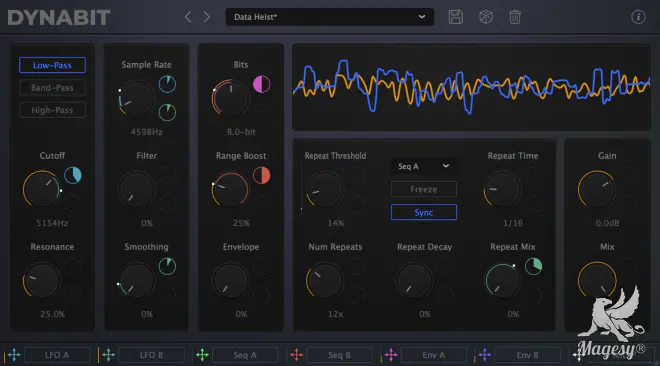
            Create rich, energetic and detailed bitcrushed textures.

            Explore a wide range of tones, from refined, graceful characters to glitchy mutilated mayhem. Animate your tracks with dynamic audio-chopping and expressive modulations. Enjoy the straightforward, elegant design in your new and powerful bitcrush effect.


            Viewed 32999 By Music Producers.


            • Keyboard Soundboard v2.0 WiN
              March 19th, 2026 ⚡MaGeSY®
              Categories: APPS, Audio Software, WiNDOWS

              Keyboard Soundboard v2.0 WiN-MaGeSY

              Keyboard Soundboard v2.0 WiN

              P2P | 19 March 2026 | 5 MB

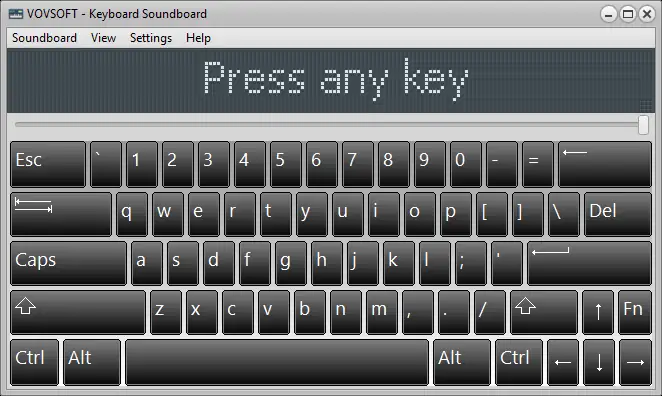
              Keyboard Soundboard is a fun and practical application that lets you assign sounds to keyboard keys, turning your PC into a powerful sound trigger and musical instrument. If you’ve ever wondered how to make a soundboard on your keyboard, this software gives you an easy and intuitive solution. It displays a virtual keyboard where each key can be bound to a different sound file, allowing you to instantly play effects, music notes, or samples with a simple key press.


              Viewed 4288 By Music Producers.


              • Mezcla de Coros Avanzado TUTORiAL-FANTASTiC
                March 19th, 2026 ⚡MaGeSY®
                Categories: TUTORiALS

                Mezcla de Coros Avanzado TUTORiAL-FANTASTiC-MaGeSY

                Mezcla de Coros Avanzado

                FANTASTiC | 04 April 2025 | 130 MB

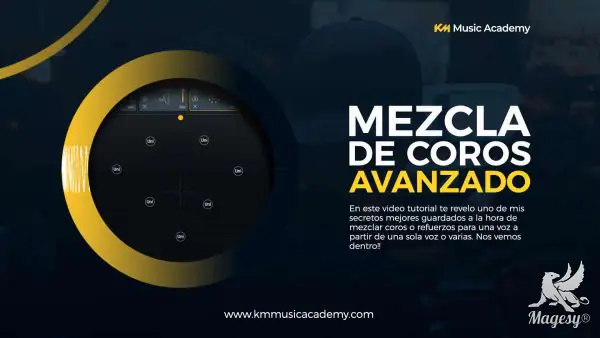
                He compartido en este curso uno de los trucos que te ayudaran a mezclar armonías, coros y refuerzos de una manera controlada y fácil. Te sorprenderás de lo fácil que sera para ti mezclar armonías después de tomar este curso. Te preguntaras porque hice este curso verdad?. La verdad es que soy una persona que suele pensar cada que hace una cosa, como podría simplificar esto y hacerlo mucho mas fácil y controlado, es decir soy una persona que adora el orden. Por lo que cuando mezclaba armonías y veía ese poco de voces no evitaba pensar en debe haber una manera super fácil que me pueda ayudar a que esto se haga con precisión y total control de cada paso que conlleve .Por lo que me puse a estudiar y escuchar diferentes ejemplos de canciones, con coros, armonías y refuerzos que mas me gustaran. Y note que los que mas gustan son aquellos muy precisos, por lo que me dio una pista para pensar que esto podría ser medible y calculado de alguna manera. y adivina que?. Es posible crear armonías a partir de una sola, posicionarlas con total precisión, balancearlas y procesarlas estando consciente y controlando el proceso durante todo el camino. Asi que como soy de los que ama hacerle la vida mas facil a las personas aqui esta el curso explicando los pasos mas importantes para lograrlo. Aunque me baso unicamente en armonias a partir de una unica voz que me parecio lo mas complicado, puede usarse tanto para coros, refuerzos e incluso otros instrumentos.


                Viewed 16918 By Music Producers.


ಮ್ಯಾಜೆಸ್ಯ್