JavaScript disabled

This website requires JavaScript to function properly.
Please enable it in your browser and reload the page.

Download TUTORiAL | MaGeSY ®™⭐
🎵 MaGeSY® R-EVOLUTiON™⭐⭐⭐

  • Lo-Fi Masterclass TUTORiAL-SYNTHiC4TE
    January 16th, 2019 ⚡
    Categories:

    image

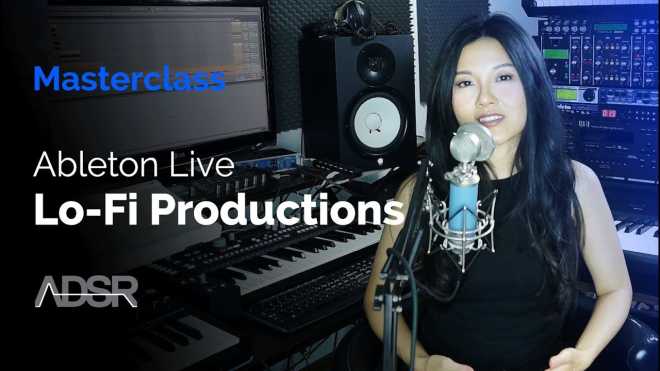
    Lo-Fi Masterclass TUTORiAL

    SYNTHiC4TE | Jan 15 2019 | 506 MB

    The course will teach you all the techniques you need for making Lo Fi Hip Hop and Lo Fi House. Learn how you can use vintage drum machines as well as modern VSTs to get an authentic vintage sound in a DAW. Led by creative powerhouse KayKay, this course will massively improve your understanding of how to capture lo-fi sounds while boosting your general creative output. Get pro tricks and tips on exactly how to mix and apply effects that sound authentically Lo Fi; capture sounds around the house and your environment to achieve a more organic feel in your productions; and get valuable insights into 15+ VSTs that KayKay uses regularly to get a grimier and more textured sound that you can use in all styles of production, not just Lo Fi music!


    Viewed 4864 By Music Producers & DJ´s.

  • Top Down Mixing Explained TUTORiAL-SYNTHiC4TE
    January 16th, 2019 ⚡
    Categories:

    image

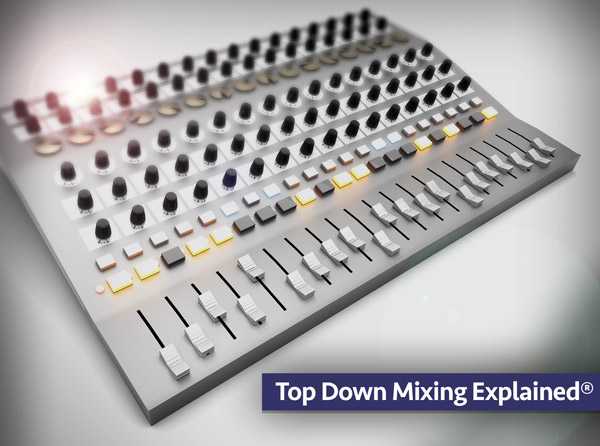
    Top Down Mixing Explained TUTORiAL

    SYNTHiC4TE | Jan 16 2019 | 1.28 GB

    In-depth video tutorial series on the popular mixing technique “Top Down Mixing”! Learn all about this interesting and effective process, and why and how you should use it to mix your songs and productions. The individual tracks used in the video series are also included for you to download and follow along with in your DAW. Eli starts by welcoming you and then goes over why you should care about Top Down Mixing. He then plays the track you’ll be mixing together using this technique, and then goes over the mix track by track, showing you exactly what each track contains. Building a Static Mix is next, and you’ll see how to form the foundation for the Top Down Mix technique, as well as setting up a processing chain with the goal of enhancing the entire mix as a whole. See how tape saturation, EQ, multi-band compression, and stereo compression are used to paint the broad strokes and tighten up and glue the entire mix together.


    Viewed 5460 By Music Producers & DJ´s.


  • How To Use Chipspeech TUTORiAL-SYNTHiC4TE
    January 14th, 2019 ⚡
    Categories:

    image

    How To Use Chipspeech TUTORiAL

    SYNTHiC4TE | Jan 14 2019 | 949 MB

    This time he’s checking out a very unique plugin in How To Use Chipspeech. A vintage-style speech synthesizer, Chipspeech recreates the sound of famous 80′s voice synthesis chips. Featuring 12 different voices, each with its own characteristic timbre, it also features circuit bending emulation and a multitude of different controls so the sound can be extensively modified for easy and expressive performances. Once you’ve typed in your lyrics, you then then play the syllables on your MIDI keyboard. Over these 4 videos, Bluffmunkey runs through all of the controls and how to automate parameters in your DAW before layering a chord progression to showcase what it can do. This is something not to be missed as you won’t find another plugin like this one!


    Viewed 6212 By Music Producers & DJ´s.


  • Mixing and Automation Studio One 4 TUTORiAL
    January 12th, 2019 ⚡
    Categories:

    image

    Mixing & Automation Studio One 4

    FANTASTiC | 11 January 2019 | 363 MB

    Studio One includes all the tools you need to create that pro-sounding mix, and then some! Join mixing engineer and educator in this course to learn the art and science of mixing with Studio One 4. Now that your audio and MIDI tracks are all recorded, you’re ready to start mixing… and producer and trainer Joshua Carney will show you how it’s done! In this comprehensive 25-tutorial course, you get the chance to see and hear Joshua as he mixes a full song right before your eyes using Studio One’s stock plugins exclusively.  Joshua starts the course with an overview of Studio One’s mixer where he explains how to do a rough mix of your project. Next, you learn tips to handle bigger projects using grouping, busses and VCA channels. You discover how to polish up your productions using the built-in plugins such as the Pro EQ, Compressor, Open AIR (a very cool reverb plugin!), and Groove Delay. Once you understand the basics compression, EQ and other effects, Joshua explores the extremely useful Studio One’s Fat channel XT and demonstrates it on bass, drums, guitars, keys and vocals. Continuing with the course, you learn how to tune vocals with the included Melodyne Essential, how to automate your project, and how to fine-tune your mix before the final export!


    Viewed 5729 By Music Producers & DJ´s.


  • How To Use Synclavier-V TUTORiAL-SYNTHiC4TE
    January 10th, 2019 ⚡
    Categories:

    image

    How To Use Synclavier-V

    SYNTHiC4TE | Jan 09 2019 | 2.51 GB

    Yes, he’s back! Our go-to vintage synth guru is with us again this week, and this time he’s checking out the monster that is the Synclavier-V When it was first released back in the ’70’s this incredibly expensive piece of kit was groundbreaking, and used by artists such as Chick Corea, Michael Jackson, Frank Zappa, and Stevie Wonder. Fortunately for us, have worked their magic once again to make this beast available to those who have opted against remortgaging their house, and over these 17 videos, Matt gives us a detailed walkthrough of how to get our heads around making the Synclavier work for us.


    Viewed 3853 By Music Producers & DJ´s.


  • image

    Recording Vocals at Home like a Professional Sound Engineer TUTORiAL

    P2P | 16 May 2017 | 1.63 GB

    The Complete Guide to introduce Video Course Creators and YouTubers to Professional Audio Concepts and Techniques. I’ve been working in the music industry for almost 9 years now. I’ve worked on countless professional recordings and with a wide variety of vocal artists such as singers, rappers, poets and voice over artists. Now, I’m gonna share with you all the secrets I picked up over the years. How to obtain the most professional results with almost no investment as long as you’re willing to learn. I take that you wanna know how to record better audio for your videos. Maybe make your voice appear clearer, without any background noise, clicks, pops and or distortion. Even put a little music on the back to emphasize certain topics or create a bit of a mood.


    Viewed 5693 By Music Producers & DJ´s.


  • image

    Progressive Psytrance Course TUTORiAL

    SYNTHiC4TE | 31.01.2013 | 5.58 GB

    This course teaches you everything you need to know to create a professional Progressive Psytrance track from beginning to end. If you are having problems with your production then you need this course. It covers everything you need to know and will answer all of your questions about Progressive Psytrance production. The course is over 7 hours long and is made using Ableton Live. It has also been followed successfully using Cubase 5 and Cubase 6.5 so there are no issues translating the course to any other DAWS. There are 9 tutorial videos along with original samples files, patch files, the full Ableton project file, plus individual wav files…


    Viewed 5567 By Music Producers & DJ´s.


MaGeSY TeleGram Subscribe & Stay up to date with all the Posts that are published in MaGeSY MaGeSY Podcast: Subscribe & Stay up to date with all the Audio Posts that are published in MaGeSY MaGeSY Instagram Official MaGeSY-Youtube Official MaGeSY-X Official MaGeSY-Facebook Official Social Networks:MaGeSY-Pinterest Official MaGeSY-WhatsApp Channel Official  MaGeSY-TiK-TOK Channel Official

Total Posts: ❨ 🎵➡4480 ❩ | Paged: ➡ 310


ಮ್ಯಾಜೆಸ್ಯ್