Viewed 7241 By Music Producers & DJ´s.
Tags:


Logic Pro X Templates are produced exclusively using original instruments from Logic Pro X, and royalty free samples from Big Sound.
Logic Pro X Templates are produced exclusively using original instruments from Logic Pro X, and royalty free samples from Big Sound.
Mixing electronic music is tough! Electronic sounds, by their very nature, are extremely rich in harmonics. They share a lot of the same waveforms and transient characteristics and are often filtered and processed in similar ways. Unlike their acoustic cousins, electronic instruments inherently fight for the same, limited sonic space. In this course, designed by Mo Volans, you learn tons of mixing tips to help you make all the sounds in your mixed track sound their best and achieve clarity via the use of EQ, compression, spatial tools and more.
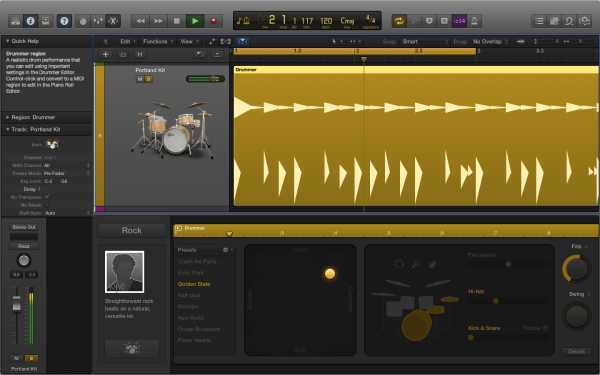
Getting good drums and beats is one of the most important and difficult aspects of working with Logic Pro X. How do you create something original or unique? How do you create a realistic roll, flam, or fill? Can you avoid sounding like everybody else? This course will give you full access to all the creative tools you need to get absolute control over the rhythms of your music.
If you’re new to Logic Pro X, or just want to better understand the art of routing and signal flow, this is the series to watch. Logic Superman Eli Krantzberg breaks down everything you need to know about both basic and advanced routing and signal flow in Logic Pro X, making your workflow more efficient and inspired. Eli starts with the important foundations such as what audio and MIDI are, how Sound Waves and Microphones work, Cable and Pre Amp overviews, and audio and MIDI interface basics and setup. Eli then opens Logic Pro X and starts your guided journey with tutorials on Buffers and Latency, Audio Input, Audio and Software Instrument Output Channel Strips, Panning and Balance, the Direction Mixer Plug-in, using Sends & Busses, Auxiliary Channel Strips and more!
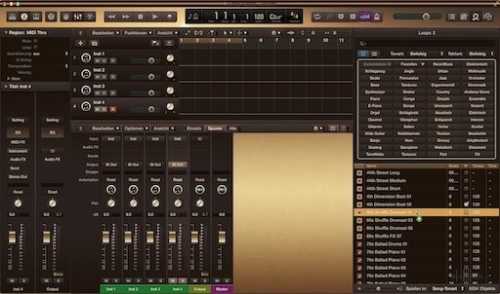
This is a warm dark Logic theme, preferably for use in a dark environment Hundreds of images and preference list strings have been changed. Many strings are now scripted in sRGBColor instead of GrayColor. F.e. Mixer ChannelStrip has now four sRGBColor zones instead of two GrayColor zones.