JavaScript disabled

This website requires JavaScript to function properly.
Please enable it in your browser and reload the page.

Download Learn | MaGeSY ®™⭐
🎵 MaGeSY® R-EVOLUTiON™⭐⭐⭐

  • 12 Week Drum Program TUTORiAL
    May 29th, 2017 ⚡
    Categories:

    image

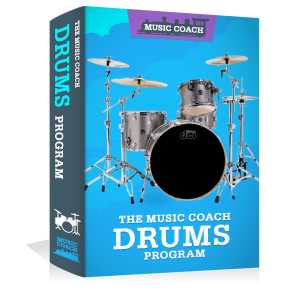
    12 Week Drum Program TUTORiAL

    ilfsn | 28.05.2017 | 2.29 GB

    Duration: 2.5 Hours

    Learn To Play The Drums In Just 30 Minutes Per Week! Practice Videos Included. Play the drums in a group setting, Play drum fills and different patterns This is the perfect place to start for beginner drummers! Take all the guess work out of how and what to practice.


    Viewed 6742 By Music Producers & DJ´s.


  • image

    Learn to Play Your Favorite Guitar Songs by Ear

    P2P | May 28 2017 | 642 MB

    Get a structured step-by-step map to playing guitar by ear in just a few days! Have you ever wondered how some people can just pick up a guitar and play any song by ear? What if I told you, it´s much easier than you think and YOU can do this too!!! This course provides you with a step-by-step, note-by-note plan, that will guide you to play by ear in a very fast period of time. There are no shortcuts, but there are things you can do that can speed up the process by months!!!


    Viewed 6817 By Music Producers & DJ´s.


  • image

    Learn How To Master Songs Like A Pro TUTORiAL

    P2P | 09 May 2017 | 958 MB

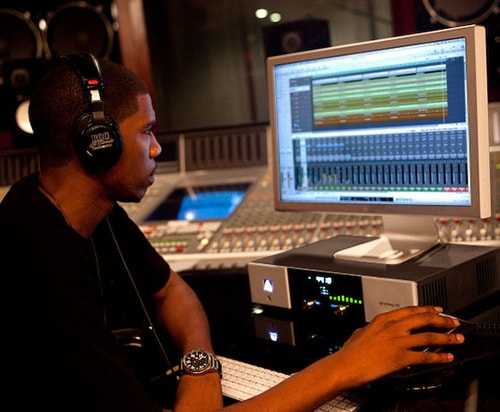
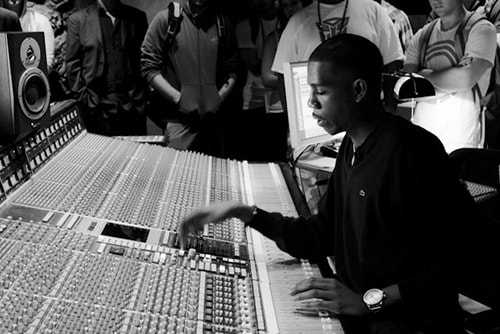
    Go behind-the-scenes with Jay Z’s audio engineer as he breaks down how you can capture professional sound quality in a DIY recording setup. In this 45-minute class, you’ll learn how to identify your audio needs, set up your space, avoid common mistakes, and create a great track. This class is perfect for aspiring audio engineers, producers, musicians, and enthusiasts. Learn what you need — and what you don’t — so you can make the music you want.


    Viewed 4737 By Music Producers & DJ´s.


  • image

    Learn Introduction to Audio Recording TUTORiAL

    P2P | 09 May 2017 | 826 MB

    I’ve created this class to best help you bring your recordings to life with the effects you want, regardless of the pricepoint of your equipment. This will all be presented through exclusive videos and written direction.


    Viewed 4358 By Music Producers & DJ´s.


  • image

    Learn How To Sell Music Online TUTORiAL

    P2P | 12 October 2016 | 367 MB

    Learn How To License And Sell Music Online On AudioJungle: Promote And Sell Music On Envato Market Audiojungle. AudioJungle Course, How To Make Money From Licensing And Selling Music Online is a course about promoting and selling music online from scratch on the biggest Envato music stock – AudioJungle Discover how to upload your music, do a great SEO to rank higher, manage your account and settings and increase your income form selling music and tracks. This course is a step-by-step guide to your successful and profitable AudioJungle account which will help you to make big sells of your music everyday It is very easy for novice to master and can be completed within 1 hour. After that you can start uploading music on AudioJungle.


    Viewed 5227 By Music Producers & DJ´s.


  • image

    Learn How to Build a Business Making Music TUTORiAL

    P2P | Sept 26 2016 | 495 MB

    Learn to have a music career by doing what music business pros do to fund bands, solo artists, and other music projects Learn how to build a profitable business with your music! Learn the various options used by industry pros to fund music projects. Don’t put off a career in the music industry any longer! Enroll Now!…


    Viewed 5064 By Music Producers & DJ´s.


  • Learn REAPER 5: The Basics TUTORiAL
    August 27th, 2016 ⚡
    Categories:

    image

    Learn REAPER 5: The Basics TUTORiAL

    P2P | August 26 2016 | 756 MB

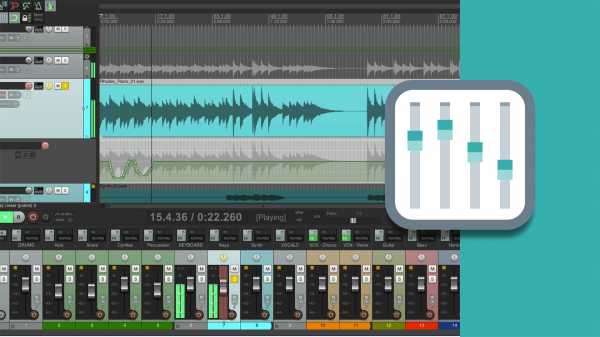
    Get up and running with REAPER, the lightweight and flexible DAW for Windows and OS X. Sound designer demonstrates all the major features of the software and prepares you to use them on real-world projects—multitrack recording, audio editing, effects processing, and mixing and mastering. First, get comfortable with the most important parts of the REAPER interface. Brian then dives into recording a brand-new project, demonstrating the record modes, input settings, and auto-punch features. Next, he discusses editing techniques, such as trimming, ripple editing, creating fades, and looping. Finally, he looks at REAPER’s mixing features, including applying effects, using folders to create submixes, adding automation, mixing down the final track, and exporting.


    Viewed 6225 By Music Producers & DJ´s.


MaGeSY TeleGram Subscribe & Stay up to date with all the Posts that are published in MaGeSY MaGeSY Podcast: Subscribe & Stay up to date with all the Audio Posts that are published in MaGeSY MaGeSY Instagram Official MaGeSY-Youtube Official MaGeSY-X Official MaGeSY-Facebook Official Social Networks:MaGeSY-Pinterest Official MaGeSY-WhatsApp Channel Official  MaGeSY-TiK-TOK Channel Official

Total Posts: ❨ 🎵➡134 ❩ | Paged: ➡ 14


ಮ್ಯಾಜೆಸ್ಯ್