Viewed 7210 By Music Producers & DJ´s.



Our Beginners-Intermediate course provides students with all the knowledge necessary to start mixing right away. As well as being guided through all the different types of DJing equipment available, the modules also provide more detailed information about each stage of the mixing process, such as how to setup decks and a mixer, how to cue tracks, choosing the right track to play and knowing when to mix it, how to set levels and EQ, as well as more advanced effects processing and mixing techniques. Furthermore, exercises are provided, with accompanying audio files, to enable students to improve their jogging and beatmatching skills. The course has been designed and presented by our very own certified trainer, music producer and DJ – Rob Jones, and is presented in a series of online videos that you can watch where and when you prefer – with a full complement of accompanying downloadable materials for your future reference, which consists of comprehensive written notes and customized mp3s for you to practice mixing with. If you own some DJ kit, or even if you don’t yet, and you want to learn all the skills required to DJ with ease, take our Beginners-Intermediate DJ course today and you’ll be mixing in no time. We offer a free sample module that you can watch to see if you think our online video training is the right solution for you, accessable from the Media tab.
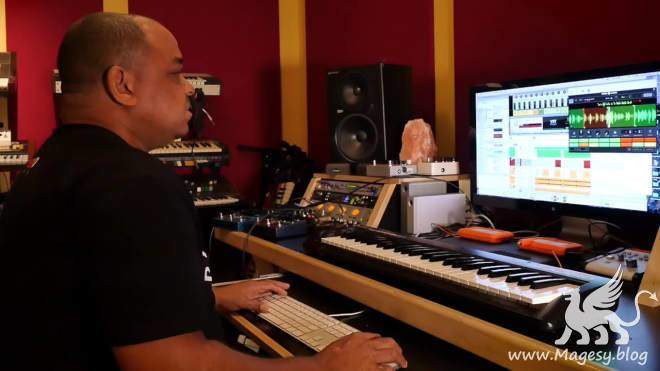
The signature sound of an LA legend6 packing funky kits and vintage synths from his own collection.

Total Length: 00:25:00, Genres: Samples & Loops
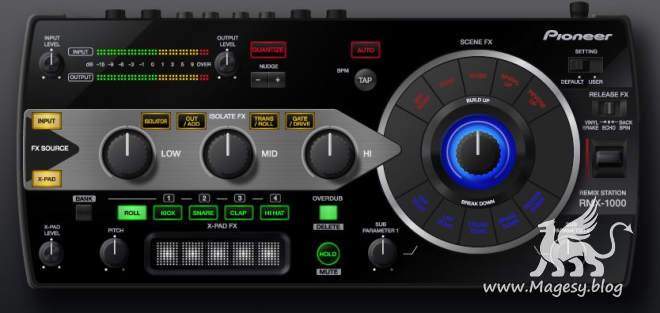
RMX-1000 Plug-in is a plug-in software application. To use this software, the plug-in must be running within a host application supporting the plug-in (VST or Audio Units). By using RMX-1000 Plug-in, the same effects as during DJ performances can be used on a music creation application. In this way, the RMX-1000 can be connected to a computer and used as a controller, so the various functions can be used to create music intuitively, in the same way as when holding DJ performances.
In this video course, Josh Bess explains how to setup and control a professional lighting rig within Ableton Live. Although Bess is using Ableton Live, the information and principles provided in this course are applicable using other software-based programs. Bess covers getting started with MIDI, DMX, Ableton Live, and more, along with demonstrating advanced tips and tricks to apply live visual lighting to your live performance.