🎵 MaGeSY® R-EVOLUTiON™⭐⭐⭐

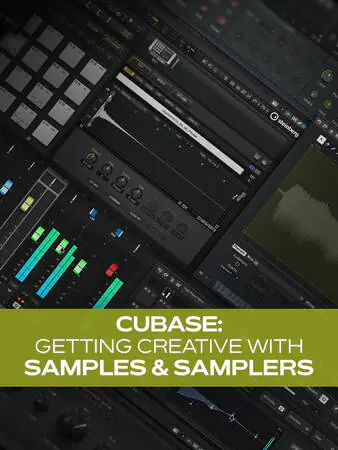
  • Cubase Getting Creative with Samples And Samplers TUTORiAL-MaGeSY

    Cubase: Getting Creative

    HiDERA | 26 April 2025 | 190 MB

    If you’re looking for ways to level up your productions in Cubase, how about designing your own sounds? In this Cubase video tutorial series, expert Gary Hiebner will show you many different ways of getting crafty with Cubase’s samplers and instruments to build your own unique instruments. From creating your own drum kit with Groove Agent to designing sustained synth sounds in Vocal Sample, you’ll learn plenty of ideas, all of which can be used to help your productions stand out from the masses. These videos are designed for beginner to intermediate Cubase users. Gary welcomes you to the course and begins by showing you how to create your own drum kit in Groove Agent by importing your own sounds, editing each one, and then sending each drum pad sound to its own output for individual processing. Then you’ll see a similar process with the Drum Machine instrument, in which you can combine your samples with synthetic drum elements and processing each sound with the Pad FX.


    Viewed 44217 By Music Producers & DJ´s.
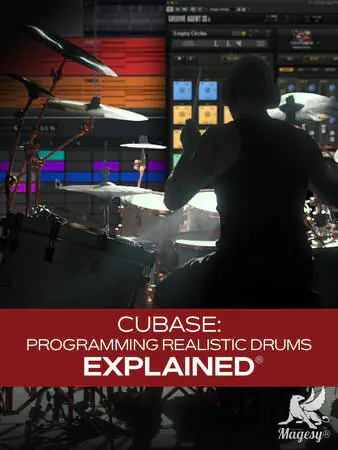

  • Cubase Programming Realistic Drums Explained TUTORiAL-HiDERA-MaGeSY

    Cubase: Programming Realistic Drums

    HiDERA | 21 June 2025 | 365 MB

    Getting tired of trying to record great-sounding drum tracks at home? It’s certainly not an easy task. In this Cubase video course, Cubase expert Gary Hiebner walks you through the process of building a virtual drum track that sounds 100% authentic and mix-ready professional. From selecting and tweaking sounds to programming, editing, quantizing, creating multiple outputs, and more, you’ll learn all you need to know to get awesome results. By the time you’re through with this Cubase course, you’ll be completely ready to start programming your next drum track right away! These Cubase videos are designed for Cubase users who’d like to start using virtual drums. Gary begins by showing you how to add drum instrument tracks with a MIDI part or pattern. You’ll also see how to set up your MIDI devices properly and learn the difference between instrument tracks and drum tracks. Then Gary illustrates the differences between the Key Editor and the Drum Editor, showing why and how the Drum Editor is often a better choice when working with drum tracks.


    Viewed 41982 By Music Producers & DJ´s.


  • Cubase Mastering Explained TUTORiAL-FANTASTiC
    December 21st, 2025 ⚡
    Categories:

    Cubase Mastering Explained TUTORiAL-FANTASTiC-MaGeSY

    Cubase Mastering Explained®

    FANTASTiC | 21 December 2025 | 685 MB

    If you’ve ever wondered how to take your Cubase mixes from “pretty good” to “release ready,” this comprehensive video course with Gary Hiebner walks you through the entire mastering process step by step. Using only Cubase’s stock tools (plus a few optional third-party plug-ins), Gary demonstrates exactly how to turn your finished mix into a polished, balanced, and professional-sounding master. By the end of the course, you’ll be ready to start using these ideas right away. These videos are designed for Cubase users new to the mastering process. You’ll start by preparing your mix for mastering, setting up your Cubase project, and learning best practices for exporting your final mixdown. Then, Gary guides you through building an effective mastering session — routing your tracks, using reference mixes, and applying essential processors like EQ, compression, saturation, stereo imaging, and limiting. Next, you’ll see how to apply subtle EQ correction with Frequency 2, use single-band and multiband compression to control dynamics, and add warmth, color, and width using tools like Quadrafuzz, Magneto II, and Imager.


    Viewed 5585 By Music Producers & DJ´s.


  • Cubase Remixing Explained TUTORiAL-FANTASTiC
    September 21st, 2025 ⚡
    Categories:

    Cubase Remixing Explained TUTORiAL-FANTASTiC-MaGeSY

    Cubase Remixing Explained®

    FANTASTiC | 21 September 2025 | 1.35 GB

    This remixing in Cubase video course by production wiz Gary Hiebner is designed for producers, musicians, and remix enthusiasts who want to learn how to transform existing songs into unique, professional-sounding remixes using Cubase. Through this step-by-step Cubase video course, you’ll explore techniques for tempo detection, stem separation, chord analysis/enhancement, and remix arrangement, all within the Cubase environment. Gary Hiebner provides clear guidance and practical examples to help you take full control of your remix workflow. These Cubase videos are designed for those who are familiar with Cubase basics and want to do their first remix. This Cubase course begins with essential foundational skills: detecting the tempo of a song and learning how to separate stems using SpectraLayers. These initial steps give you the raw materials needed to start reshaping any track.


    Viewed 4677 By Music Producers & DJ´s.


  • Cubase Automation Explained TUTORiAL-HiDERA

    Cubase Automation Explained®

    HiDERA | 15 November 2024 | 1.5 GB

    Join Cubase expert Gary Hiebner for an in-depth video course on using automation in Cubase to produce more interesting, dynamic mixes, solve issues, and create engaging effects. If you haven’t tried using automation before, you don’t know what you’re missing. This course will provide numerous examples that illustrate the usefulness and creativity of automation. Whether you want to simply create some auto-panning effects or get a bit more creative with delay throws and more, you’ll learn how to do it quickly and easily. These videos are designed for Cubase users new to the subject of automation. Gary begins the course with an overview of everything that’s going to be covered—a bird’s-eye view of automation and some common things that can be done with it. Then he starts to get specific, first looking at panning automation. He presents several possible uses for this idea, such as panning instruments narrower in verses and wider for the chorus. Then it’s on to volume automation, where you’ll learn how to create more interest in the mix by keeping the levels dynamic and fluid. Gary then demonstrates how combining two can yield a range of effects, from subtle to extreme.


    Viewed 123169 By Music Producers & DJ´s.


MaGeSY TeleGram Subscribe & Stay up to date with all the Posts that are published in MaGeSY MaGeSY Podcast: Subscribe & Stay up to date with all the Audio Posts that are published in MaGeSY MaGeSY Instagram Official MaGeSY-Youtube Official MaGeSY-X Official MaGeSY-Facebook Official MaGeSY-Pinterest Official MaGeSY-WhatsApp Channel Official

With Adblocker the page loads slower & avoid enhanced new search


ಮ್ಯಾಜೆಸ್ಯ್