🎅 MaGeSY® R-EVOLUTiON™⭐⭐⭐

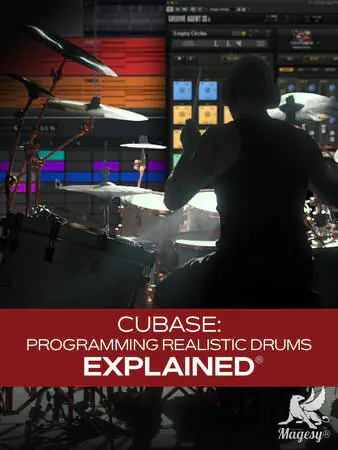
  • Cubase Programming Realistic Drums Explained TUTORiAL-HiDERA-MaGeSY

    Cubase: Programming Realistic Drums

    HiDERA | 21 June 2025 | 365 MB

    Getting tired of trying to record great-sounding drum tracks at home? It’s certainly not an easy task. In this Cubase video course, Cubase expert Gary Hiebner walks you through the process of building a virtual drum track that sounds 100% authentic and mix-ready professional. From selecting and tweaking sounds to programming, editing, quantizing, creating multiple outputs, and more, you’ll learn all you need to know to get awesome results. By the time you’re through with this Cubase course, you’ll be completely ready to start programming your next drum track right away! These Cubase videos are designed for Cubase users who’d like to start using virtual drums. Gary begins by showing you how to add drum instrument tracks with a MIDI part or pattern. You’ll also see how to set up your MIDI devices properly and learn the difference between instrument tracks and drum tracks. Then Gary illustrates the differences between the Key Editor and the Drum Editor, showing why and how the Drum Editor is often a better choice when working with drum tracks.


    Viewed 35583 By Music Producers & DJ´s.


  • Cubase Remixing Explained TUTORiAL-FANTASTiC
    September 21st, 2025 ⚡
    Categories:

    Cubase Remixing Explained TUTORiAL-FANTASTiC-MaGeSY

    Cubase Remixing Explained®

    FANTASTiC | 21 September 2025 | 1.35 GB

    This remixing in Cubase video course by production wiz Gary Hiebner is designed for producers, musicians, and remix enthusiasts who want to learn how to transform existing songs into unique, professional-sounding remixes using Cubase. Through this step-by-step Cubase video course, you’ll explore techniques for tempo detection, stem separation, chord analysis/enhancement, and remix arrangement, all within the Cubase environment. Gary Hiebner provides clear guidance and practical examples to help you take full control of your remix workflow. These Cubase videos are designed for those who are familiar with Cubase basics and want to do their first remix. This Cubase course begins with essential foundational skills: detecting the tempo of a song and learning how to separate stems using SpectraLayers. These initial steps give you the raw materials needed to start reshaping any track.


    Viewed 3377 By Music Producers & DJ´s.


  • Everything About Cubase And Nuendo MasterClass TUTORiAL-MaGeSY

    Everything About: Cubase & Nuendo

    P2P | 20 August 2025 | 6.4 GB

    ..: Step by Step Masterclass :..

    DISCLAIMER: This Course will NOT make you a pro overnight. But it’ll get you in the right direction. Becoming a pro requires consistent practice and passion. If you have that, eventually, also thanks to completing this course, you will make it. You have my full, thoughtful support. Alright letsgooo! Ok, You are someone who wants to communicate. It’s no secret that Daws are the center of everything when it comes to Pro Audio. It can really change one’s life if you master all the facets. The problem with that is that it takes about 10 years to reach such a result for free, and some people don’t wanna wait that long, that’s why this gig is my present to you: You will take the absolute shortcut to proficiency. Doesn’t matter if you use Cubase, FL Studio, Ableton, Pro Tools, Nuendo or Wwise; With a series of advanced live sessions (1:1 or even group classes) or a series of customized tutorials that solve all your issues, you’ll be in the right place. Some of you will want to make music or beats from scratch, others want a technical feedback or advice or a review on their music; others will play piano/keyboard and midi controllers and sequencers or synths, or master / mix their song, others do sound design or will compose or produce music for their album or music video. Let’s talk.


    Viewed 11144 By Music Producers & DJ´s.


  • Cubase Automation Explained TUTORiAL-HiDERA

    Cubase Automation Explained®

    HiDERA | 15 November 2024 | 1.5 GB

    Join Cubase expert Gary Hiebner for an in-depth video course on using automation in Cubase to produce more interesting, dynamic mixes, solve issues, and create engaging effects. If you haven’t tried using automation before, you don’t know what you’re missing. This course will provide numerous examples that illustrate the usefulness and creativity of automation. Whether you want to simply create some auto-panning effects or get a bit more creative with delay throws and more, you’ll learn how to do it quickly and easily. These videos are designed for Cubase users new to the subject of automation. Gary begins the course with an overview of everything that’s going to be covered—a bird’s-eye view of automation and some common things that can be done with it. Then he starts to get specific, first looking at panning automation. He presents several possible uses for this idea, such as panning instruments narrower in verses and wider for the chorus. Then it’s on to volume automation, where you’ll learn how to create more interest in the mix by keeping the levels dynamic and fluid. Gary then demonstrates how combining two can yield a range of effects, from subtle to extreme.


    Viewed 118215 By Music Producers & DJ´s.


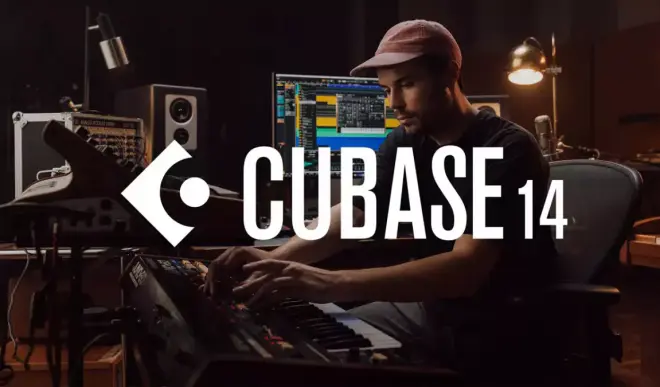
  • Cubase 14 New Features And Updates Explained TUTORiAL-HiDERA-MaGeSY

    Cubase 14 New Features & Updates Explained®

    HiDERA | 07 December 2024 | 446 MB

    In this Cubase 14 video course with Cubase wiz Gary Hiebner, you’ll get the lowdown on all that’s new and shiny in version 14—from the major additions like new plugins and instruments to other practical things like workflow improvements and the like. By the end of this Cubase course, you’ll be well-versed in the new features and ready to begin using them on your very next production. These videos are for users new to Cubase 14. Gary starts the course by highlighting the improvements to MixConsole in the Lower Zone, where you can now see all your faders, inserts, and sends in one convenient place, followed by a look at using key commands to open and close your insert slots. Then it’s on to the LFO Modulator, where you’ll learn how to assign modulators to various instrument/plugin parameters, such as the filter cutoff of a synth. Next, you’ll examine other modulators, beginning with the Shaper, which allows you to draw in your own curves to create your own waveform. You’ll then see how to use Envelope Follower as a side-chain input source for a modulator and tweak the envelope shape for different effects. The Step Modulator is then covered, which allows you to assign each step sequence to a parameter you’d like to modulate.


    Viewed 42585 By Music Producers & DJ´s.


MaGeSY TeleGram Subscribe & Stay up to date with all the Posts that are published in MaGeSY MaGeSY Podcast: Subscribe & Stay up to date with all the Audio Posts that are published in MaGeSY MaGeSY Instagram Official MaGeSY-Youtube Official MaGeSY-X Official MaGeSY-Facebook Official MaGeSY-Pinterest Official MaGeSY-WhatsApp Channel Official

With Adblocker the page loads slower & avoid enhanced new search


ಮ್ಯಾಜೆಸ್ಯ್

MaGeSY ® R-EVOLUTiON™⭐⭐⭐