🎵 MaGeSY® R-EVOLUTiON™⭐⭐⭐

  • Best Served Chilled WAV-AUDIOSTRiKE
    September 20th, 2015 ⚡
    Categories:

    image

    Best Served Chilled WAV

    AUDIOSTRiKE | 19/09/2015 | 439 MB

    ‘Best Served Chilled’ combines three of their best packs Construction Kits packs covering Chillout, Downtempo, Lounge and Pop. Guaranteed to fuel your next Downtempo masterpiece, these inspirational Kits will deliver and lift your productions to the next level.


    Viewed 6386 By Music Producers & DJ´s.


  • image

    Progressive House Studio Melodies WAV MiDi

    AUDIOSTRiKE | 19/09/2015 | 96 MB

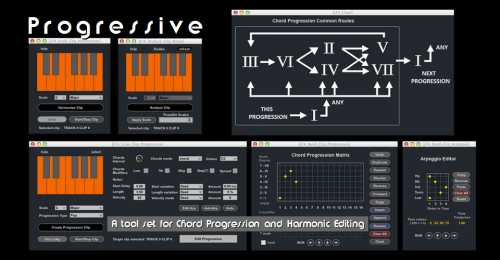
    Progressive House Studio Melodies within our brand new range of professional sample packs for your studio productions. Progressive house studio melodies is full to the bucket of essential sounds for any producer wanting to add some progressive house melodies and chords into your tracks and music productions, inside this pack there is an arrange of inspiring melodies and chords to bring that progressive house sound into your productions.


    Viewed 5679 By Music Producers & DJ´s.


  • Slam Dawg v1.0.0 AU VST AAX WiN MAC-UNiON
    September 19th, 2015 ⚡
    Categories:

    image

    Slam Dawg v1.0.0 AU VST AAX WiN MAC

    TEAM UNION | 09/19/15 | WiN: 65.21 MB | MAC: 90.2 MB

    As a creative Musician, Artist, Producer or Engineer today, you need speed, inspiration, and Club, Radio ready mixes fast. The Slam Dawg is an audio processing plugin that can get your mixes to sound pro with easy controls. The SLAM DAWG was designed to take your mixes to the next level from just one plugin. We have carefully designed this plugin to be extremely intuitive, and easy to get “PHAT” results within minutes. Easily “HEAT” up your beats , busses, tracks or entire mixes by easily dialing in Tube Harmonics, making your sounds “FULL” & “RICH”, widen your tracks with full mono compatibility with just one dial, or dial in some “AIR” (High Frequency Clarity). Your tracks today need great Low End Management, and we have designed the perfect controls for that, just use the “BOOM” “THUMP!” & “MUD OUT” controls for just HUGE Low end without the problems.


    Viewed 9237 By Music Producers & DJ´s.

    Tags:

  • Creative DJing Vol.1 TUTORiAL-SYNTHiC4TE
    September 19th, 2015 ⚡
    Categories:

    image

    Creative DJing Vol.1 TUTORiAL-SYNTHiC4TE

    SYNTHiC4TE | Sept 19 2015 | 394 MB

    MAKE YOUR DJ SET COME ALIVE

    Today’s creative DJ does so much more than just spin tracks. Master shows you how you can use Ableton Live, a AKAI Pro Rhythm Wolf, and a AKAI APCmkII to keep your beats live and your set exciting! Alex begins by showing you the capabilities of the hardware and software used, and what they offer to the DJ. He then shows you how to optimally configure Ableton Live for a DJ set. Next, Alex reveals how to set up an Analog Beat Box / Synthesizer like the AKAI Rhythm Wolf to add a sense of live excitement to your DJ set and avoid problems like tempo drift. He then follows up with a video on how the APCmkII makes an ideal DJ controller. The last three videos are all about performance. Alex shows you how to use Ableton’s Session View to drag in Clips and Loops and trigger them during your set. Following that, Alex explores the Effects Racks in Live and how to use them in your set. And finally, he walks you through the full workflow of performing the entire set.


    Viewed 3874 By Music Producers & DJ´s.


  • First Song with MASCHINE TUTORiAL-SYNTHiC4TE
    September 19th, 2015 ⚡
    Categories:

    image

    First Song with MASCHINE TUTORiAL

    SYNTHiC4TE | Sept 19 2015 | 656 MB

    YOU ALWAYS REMEMBER YOUR FIRST

    Ready to make your first song with Native Instrument MASCHINE? Let Maschine guru show you step by step, how you can use it to create an entire song from start to finish. Mic starts you off at the beginning with a basic intro to MASCHINE and how to get it ready to capture your ideas. Mic then reveals how to Find Sounds, Make Your First Beat, and use the Step Sequencer. Once you have your beat laid down, Mic explores how to Add Chords, Melody, a Bass Line, and use MASCHINE’s powerful Sampler. With your parts now created, Mic demonstrates how to Arrange, Mix, and Export your song, for all to hear. If you just picked up MASCHINE and are ready to make your first production, or if you’re a MASCHINE user looking for new song writing techniques, watch “First Song with MASCHINE” today!


    Viewed 4492 By Music Producers & DJ´s.


MaGeSY TeleGram Subscribe & Stay up to date with all the Posts that are published in MaGeSY MaGeSY Podcast: Subscribe & Stay up to date with all the Audio Posts that are published in MaGeSY MaGeSY Instagram Official MaGeSY-Youtube Official MaGeSY-X Official MaGeSY-Facebook Official Social Networks:MaGeSY-Pinterest Official MaGeSY-WhatsApp Channel Official  MaGeSY-TiK-TOK Channel Official

Total Posts: ❨ 🎵➡47239 ❩ | Paged: ➡ 5515

With Adblocker the page loads slower & avoid enhanced new search


ಮ್ಯಾಜೆಸ್ಯ್