🎵 MaGeSY® R-EVOLUTiON™⭐⭐⭐

  • image

    Songwriting with Vocal Acapellas

    SYNTHiC4TE | Sept 05 2019 | 745 MB

    Detailed videos on songwriting with vocal acapellas! Learn how to take a vocal acapella, and create an entire production behind it, including editing the vocals, tuning them, writing the chords and other production elements, arrangement, mixing and much, much more. This series is shown in Logic Pro X, but anyone can benefit from the information and apply it to their own DAW. You also get the acapella tracks so you can follow along and write your own song. Eli welcomes you and lets you hear a before and after of the vocal acapella track, as well as the finished production that is built up throughout this series. He then goes right into it, showing you how to align the vocal tracks to your DAW tempo and grid, develop chord progressions for the different sections, and then tune and edit the vocals so they feel and sound right for the groove. Next, you’ll see how to get a beat going, add some keyboard sounds, and then hone in the kick, snare, hats and bass parts so they are supporting the vocals just right. The arrangement is then focused on, and you’ll discover how to support and enhance each section of the song, including adding in synth lead lines and more.


    Viewed 9033 By Music Producers & DJ´s.


  • image

    How to Write Melodies Full Course

    P2P | 05.09.2019 | 10.37 GB

    Do you have problems writing catchy Melodies? Then this Step by Step guide is for you! ✓ Write melodies. Starting with the basic concepts around melodies, you’ll learn how to come up with awesome melodies for your own music. ✓ Practical. This course is made for electronic music producers, offering many practial examples and writing sessions for different styles. ✓ Detailed. It’s like being together in the studio. We are commenting and explaining every step in detail so you can follow along.


    Viewed 6152 By Music Producers & DJ´s.


  • image

    How To Make Detroit Techno TUTORiAL

    SYNTHiC4TE | Oct 20 2019 | 6.16 GB

    It’s been a while but he’s is back! Techno legend gives us an epic 5 hour tutorial – ‘How To Make Detroit Techno’. In this massive start to finish course he recreates his track ‘Second Wave’ taken from his album DNA. This mind-blowing track is constantly evolving with different randomised loop lengths, lush ethereal pads and the beautiful sounding DX7 synths, along with a flowing percussive groove to get that signature ‘Detroit’ sound. An enormous sounding work of art that uses very little in the way of plugins proving Vince is still top of his game when it comes to creative skill and production techniques. Massive amounts of creative learning in this course!


    Viewed 8799 By Music Producers & DJ´s.


  • Tech Tips Vol.63 TUTORiAL
    July 4th, 2021 ⚡
    Categories:

    Tech Tips Vol.63 TUTORiAL

    Tech Tips Vol.63 TUTORiAL

    HiDERA | 4 July 2021 | 1.38 GB

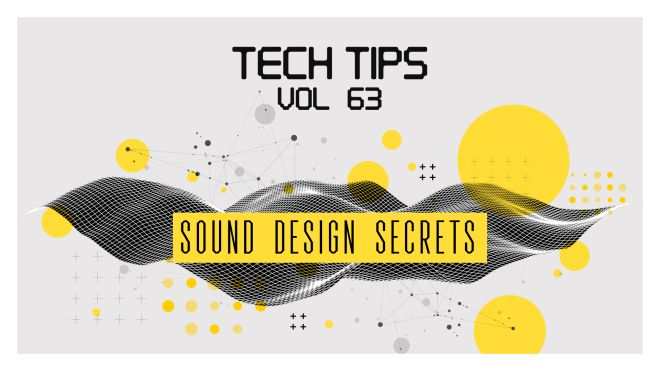
    Welcome to Tech Tips Volume 63! Helpful insights into the world of Sound Design. If you’re just starting out in synthesis and making your own patches or even if you’re a seasoned shaper of sounds, these Tech Tips are guaranteed to help you along the way to making some awesome sounds with your synth collection. Delving into envelopes, filters, oscillators, samples and more, you’ll be moving away from just loading up presets in no time! Check it out!


    Viewed 5748 By Music Producers & DJ´s.


  • Logic Pro: Bouncing And Exporting Explained®

    Bouncing & Exporting Explained®

    HiDERA | 4 July 2021 | 266 MB

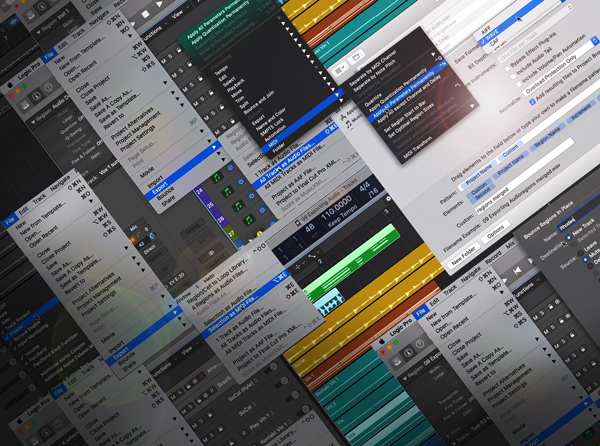
    Logic Pro expert delivers comprehensive Logic Pro video tutorials! Learn everything about bouncing and exporting your audio and project files in Logic Pro, so you can quickly make stems, freeze tracks for better CPU performance, share stems and projects with other Logic users, different DAW users, back projects up for archival, and much more. These videos are designed for those who want to really learn and use the available bounce and export options available in Logic Pro. Doug welcomes you and talks about what you’ll learn in this series, and then jumps right in with tutorials on all the available options found in the “Bounce In Place” function, how they work, and when to use them. Then he goes in-depth on how to utilize the “Bounce Tracks In Place” feature which is great for archiving and creating files to share.


    Viewed 6704 By Music Producers & DJ´s.


  • Timeless 3 Explained TUTORiAL
    July 4th, 2021 ⚡
    Categories:

    Timeless 3 Explained TUTORiAL

    Timeless 3 Explained®

    HiDERA | 4 July 2021 | 730 MB

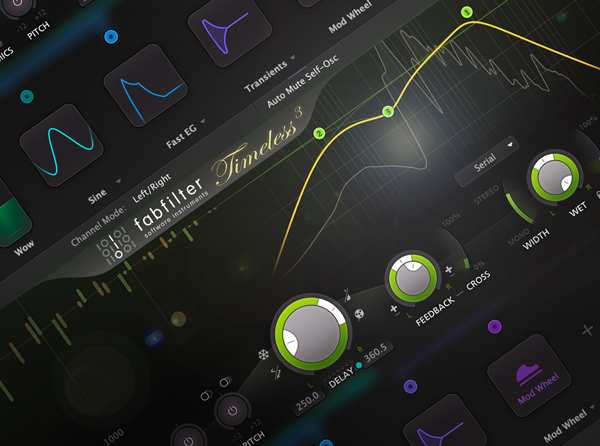
    Studio pro Delivers in-depth Timeless 3 video tutorials! If you want to learn this powerful delay plug-in fully and get the most out of it, this video series is for you. Discover how to take advantage of all the features and functions available in Timeless 3 and use them to create awesome effects ranging from the small and colorful, to the vast and never-ending. These videos are for new FabFilter Timeless 3 users. Larry greets you and begins with a detailed overview of the plug-in and its user interface, followed by a tutorial teaching you what all the different knobs and controls are and what they do to your sound. Larry then shows you how to set the number of repeats as well as tweak their stereo image for cool psychoacoustic effects, and then reveals how to create custom delay patterns by making your own delay taps and altering their delay time, panning and volume.


    Viewed 7071 By Music Producers & DJ´s.


MaGeSY TeleGram Subscribe & Stay up to date with all the Posts that are published in MaGeSY MaGeSY Podcast: Subscribe & Stay up to date with all the Audio Posts that are published in MaGeSY MaGeSY Instagram Official MaGeSY-Youtube Official MaGeSY-X Official MaGeSY-Facebook Official MaGeSY-Pinterest Official MaGeSY-WhatsApp Channel Official

With Adblocker the page loads slower & avoid enhanced new search


ಮ್ಯಾಜೆಸ್ಯ್