🎅 MaGeSY® R-EVOLUTiON™⭐⭐⭐

  • Tech Tips Vol.20 TUTORiAL
    June 1st, 2018 ⚡
    Categories:

    image

    Tech Tips Vol.20 TUTORiAL

    SYNTHiC4TE | 15 November 2015 | 341 MB

    ‘Tech Tips Volume 20’ – 8 brand new tech tips in Logic Pro X to help you get the best from your DAW, speed up your workflow and take your production skills to the next level. In this collection delivered by both ‘Echo Sound Works’ and ‘Chris Agnelli’, you will get essential production tips like how to tempo sync a reverb for those big room lead lines, make super big super saws in NI’s ‘Massive’, Mid Side EQing for synths, and lastly, quick and easy sample search in Logic’s EXS24.


    Viewed 3940 By Music Producers & DJ´s.


  • Tech Tips Vol. 11 TUTORiAL
    May 29th, 2018 ⚡
    Categories:

    image

    Tech Tips Vol. 11 TUTORiAL

    Team MATRiX | 25 December 2013 | 154 MB

    Yet more useful Tech Tips and Get that Sounds to spark some fresh ideas!


    Viewed 3583 By Music Producers & DJ´s.


  • image

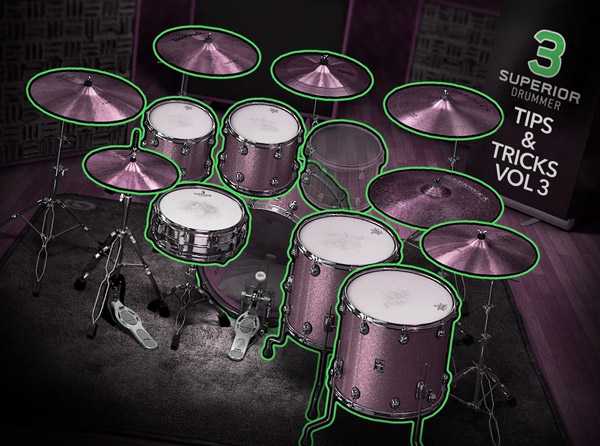
    Superior Drummer 3 Tips & Tricks Vol.3

    iLFSN | 05.05.2018 | 1.5 Hours | 692 MB

    In this video tutorial series, SD3 guru delivers his final volume of tips and tricks, this time focusing on SD3’s Macro Parameter controls which give you incredible control over settings, making for very cool and creative sounds! Luke starts the series by working with the Creative Filter and shows you how to control Frequency, Resonance and Modulation to produce filtered rhythmic effects with Macro Controls. He then moves on, revealing all five distortion effects and how you can get creative and distinct distortion sounds by adjusting multiple parameters at once when binding them to Macro Controls. Next, Luke discusses some of his favorite ways to use the Reverb effect, showing ways to make elaborate adjustments to multiple reverb parameters using Macro Controls, as well as how to use the Transient effect to manipulate the room sound. Then see how you can use the Attack/Sustain parameters of the Transient effect along with Macro Controls in a variety of ways to produce punchy and roomy drum sounds, as well as Envelope release and room channel fade parameters and how you can bind them to Macro Controls and make simultaneous adjustments creating a variety of room sounds.


    Viewed 9291 By Music Producers & DJ´s.


  • image

    27 Practical Tips for Songwriters TUTORiAL

    P2P | 04.05.2018 | MP4 (720p) | English | Duration: 1h 9m | 96.61 MB

    Genre: eLearning | Language: English | Level: Intermediate

    Songwriting can be a thrilling and rewarding profession, but it’s not without its challenges. In this course, join professional songwriter Cliff Goldmacher as he explores the craft—and business—of songwriting through a series of short, self-contained lessons that offer practical solutions to common problems. Cliff shares creative workarounds for songwriting issues, explaining what to do when you’re stuck finding the perfect line or you can’t tell if a song is finished. He also goes over problems—and offers solutions—for songwriters that are working in the recording studio or trying to pursue a career in music.


    Viewed 3605 By Music Producers & DJ´s.


  • Tech Tips Vol.35 TUTORiAL-SYNTHiC4TE
    April 20th, 2018 ⚡
    Categories:

    image

    Tech Tips Vol.35 TUTORiAL

    SYNTHiC4TE | April 20 2018 | 917 MB

    Welcome to Tech Tips Volume 35, an all new set of tips in both the updated Logic Pro X and Ableton 10 to help get the most from your DAW. In these ten videos, Rory from Hyper Production looks at various tips and tricks which include creating cool bass lines from scratch, helping different elements from percussion to lead and pad sounds cut through the mix with compression and EQ matching, creating your own audio rack to help give your sounds a more random, human feel, and syncing a sidechain release to your tempo. Whether you’re a beginner or seasoned pro, our Tech Tips series are always worth checking out for tips and tricks you weren’t aware of before, helping you streamline your workflow, understanding your DAW to make it work better for you, and ultimately giving you the techniques to make your tracks more awesome! Enjoy!


    Viewed 2695 By Music Producers & DJ´s.


  • image

    Superior Drummer 3 Tips & Tricks Vol.2

    SYNTHiC4TE | April 06 2018 | 626 MB

    In this video tutorial series, SD3 guru Luke Oswald returns and walks you through a variety of tips and tricks that focus on manipulating your drum sounds by using the built-in FX within Superior Drummer 3! Luke starts off with videos that utilize one of his favorite plug-ins within Superior Drummer 3, the Tape Simulator. Get familiar with all of its options, and then see how you can use it to enhance individual instruments and bus channels, create full Tom and Room Sounds, and how to use its presets as a creative starting point to design juicy, analog saturation and distortion tones and more. Next, Luke demonstrates several ways to augment your drum sound using a variety of mixer plug-ins within Superior Drummer 3, starting with how to create a “Pseudo Spring Reverb” sound from scratch, using a specific FX chain in SD3.


    Viewed 5430 By Music Producers & DJ´s.


MaGeSY TeleGram Subscribe & Stay up to date with all the Posts that are published in MaGeSY MaGeSY Podcast: Subscribe & Stay up to date with all the Audio Posts that are published in MaGeSY MaGeSY Instagram Official MaGeSY-Youtube Official MaGeSY-X Official MaGeSY-Facebook Official MaGeSY-Pinterest Official MaGeSY-WhatsApp Channel Official

With Adblocker the page loads slower & avoid enhanced new search


ಮ್ಯಾಜೆಸ್ಯ್

MaGeSY ® R-EVOLUTiON™⭐⭐⭐