JavaScript disabled

This website requires JavaScript to function properly.
Please enable it in your browser and reload the page.

Download SYNTHiC4TE | MaGeSY ®™⭐
🎵 MaGeSY® R-EVOLUTiON™⭐⭐⭐

  • image

    Loop Based Production Explained®

    SYNTHiC4TE | Dec 27 2019 | 457 MB

    Studio guru delivers a loop based production video tutorial series! If you’re new to producing with loops, Kenny will show you how to produce a full track from scratch using only loops and basic DAW plug-ins. The loops used in the videos are also included so you can follow along with your DAW. This series is perfect for those who are just starting out producing beats and tracks. Kenny welcomes you and then plays the track you’ll be producing together, followed by how to expand the included .zip file, readying your DAW for importing loops, and setting the main song tempo. Then it’s onto the first loop, which is a piano loop, where Kenny uses elastic audio to make the loops match to the song’s tempo, with the highest quality sound possible. Kenny is using Pro Tools for this series, but many other DAWs have similar ways to stretch, warp and adjust loops as well, so you can apply what Kenny shows you to your DAW. Next, you’ll see how to add a variety of loops such as kick drums, claps, hi-hats, tambourine, shaker, synths, bass and more, so that they all work together rhythmically and melodically, creating a solid groove for your song. After the loops are all in place, Kenny jumps over to the mixing side of things and shows you how to EQ and Compress the loops to tighten them up more, and make them sound their best.


    Viewed 4936 By Music Producers & DJ´s.

  • image

    Novation Circuit Advanced Circuitry TUTORiAL

    SYNTHiC4TE | August 09 2016 | 328 MB

    Now that you know your way around Novation Circuit, it’s time to get into some Advanced Circuitry! Dive deeper into Circuit as Thavius Beck expertly shares his electronic music knowledge in this 20-tutorial course. Start out your Circuit enlightenment with a section on audio and MIDI recording. Here’s where you see how Circuit interacts with your audio interface and your DAW. You soon learn how to build and record effective drum and synth parts! Next, is an extensive section where Thavius explains how to use Circuit as a MIDI controller. This is where you see how to set up scales, edit velocities, drums, synth parts and map the macro knobs to do some serious sequencing!


    Viewed 5440 By Music Producers & DJ´s.


  • SynthMaster One Explained®
    July 2nd, 2021 ⚡
    Categories:

    SynthMaster One Explained®

    SynthMaster One Explained®

    SYNTHiC4TE | June 26 2020 | 352 MB

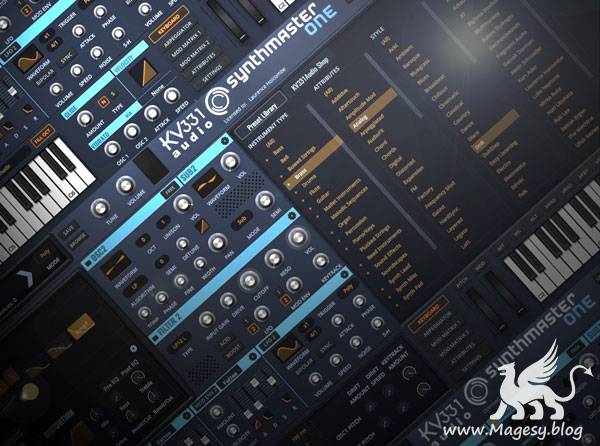
    Synth wiz SynthMaster One tutorials! Explore this in-depth video manual awesome SynthMaster One virtual synth plug-in, and learn all of its features and functions, including how to use them to create killer synth sounds. These videos are designed for new SynthMaster One users. Larry welcomes you and gives an in-depth introduction to SynthMaster One including its basic layout, architecture and user interface, plus helpful preset management info. Then it’s on to SynthMaster One’s powerful oscillators and all of their available types, including Sync, Pulse Width and Bit Crush algorithms that make for endless sonic possibilities. Throughout the video series you’ll learn how to import your own waveforms, use the different Filters and Filter Routing options, Envelopes, Modulation, LFOs, Mod Matrix, the powerful Arpeggiator and Sequencer, full featured Effects, amazing Vocoder and more. You even get videos showing you how to do sound design and make fat analog sounding kick drums, white noise snare sounds, and a cool 16th note accented arpeggio sound with evolving wavetables, phaser and reverb, all from scratch.


    Viewed 7328 By Music Producers & DJ´s.


  • image

    Studio One 4.6 Update Explained®

    SYNTHiC4TE | Dec 29 2019 | 88 MB

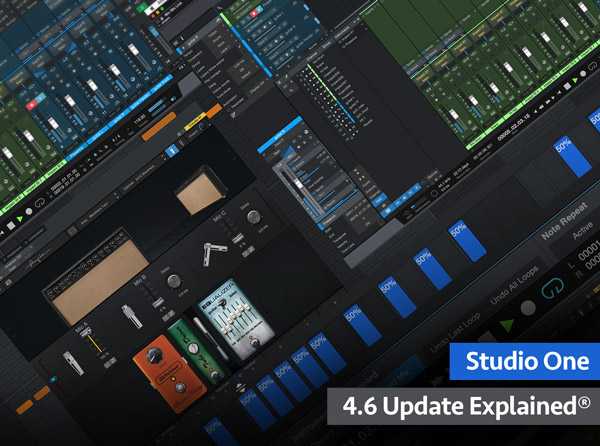
    DAW wiz gives you a detailed look at all the new features and functions added in Presonus Studio One version 4.6, as well as how to use them effectively. These videos are for those who already know how to use Studio One, but want more information about the new features added to version 4.6. Eli greets you and then starts with the meat of the 4.6 update, the revised Ampire guitar amp and speaker emulation. Learn all about what’s new with Ampire, as well as hear the different amp, cabinet, stomp box, and mic settings, including how to load 3rd party User Cabinet impulse responses for custom tones. Next, Eli dives deep into the updated Studio One Browser which features new Shop and Exchange tabs, a new Gallery view, and enhanced navigation options. Then it’s onto the improved copying and pasting of Arranger sections which now includes time signature and tempo changes.


    Viewed 5574 By Music Producers & DJ´s.


  • image

    Drum Direktor FNK-4 v2.0 KONTAKT

    SYNTHiC4TE | Jan 01 2016 | 1.27 GB

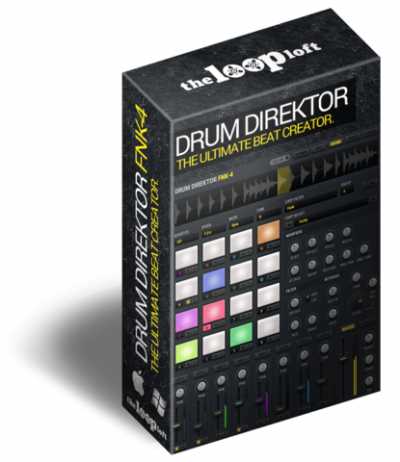
    The ultimate beat creator is here. Introducing Drum Direktor FNK-4 2.0. A revolutionary loop player, step sequencer, drum pad player, effects unit and mixing station, all in one instrument The 2.0 release features 4x more loops and samples (over 1.4 GB) than the original, along with a host of new features, presets and effects. It is also now licensed with Native Instruments to work in both the FREE Kontakt Player 5 and Kontakt 5.


    Viewed 5504 By Music Producers & DJ´s.


  • image

    How To Make Uplifting Trance 2019

    SYNTHiC4TE | Dec 06 2019 | 5.1 GB

    All-new epic 7 hour tutorial in How To Make Uplifting Trance 2019. Starting with a blank slate James meticulously builds an absolute monster of a track from scratch in FL Studio. As with all of his courses his focus is getting every single element sitting perfectly in the mix and sounding the best it possibly can. Easy to follow and understand, the techniques, tips and tricks shown here are guaranteed to raise your game. His methodical approach to perfecting a foundation loop before adding melodic elements, always layering to get that ‘blanket of sound’ before arranging and using automation to keep the track flowing by building up and breaking down seamlessly.


    Viewed 7689 By Music Producers & DJ´s.


  • Melodyne 5 Explained and Explored TUTORiAL-SYNTHiC4TE

    Melodyne 5 Explained & Explored

    SYNTHiC4TE | June 28 2020 | 347 MB

    When it comes to pitch manipulation and time correction,  Melodyne 5 is so good it’s magical. Watch this course now, and get ready to master Melodyne’s powerful features with trainer and audio engineer. With its sophisticated algorithms, Melodyne makes it possible to manipulate pitch, time, note length, attack time, formant shift and more in a very transparent way, with little or no audio artifacts. Thanks to its DNA (Direct Note Access) technology, it even lets you delve inside chords and adjust pitch for polyphonic instruments, like piano, synth and guitar. This course, by Melodyne expert Joshua Carney will show you everything you need to know about this Grammy-award-winning audio editing tool, from basic vocal tuning and quantizing to innovative sound design! Joshua starts off the course by revealing how Melodyne communicates with your DAW. He explains how to transfer your audio into Melodyne and start editing quickly. You learn about Melodyne’s six algorithms and how and when to use them.


    Viewed 8287 By Music Producers & DJ´s.


MaGeSY TeleGram Subscribe & Stay up to date with all the Posts that are published in MaGeSY MaGeSY Podcast: Subscribe & Stay up to date with all the Audio Posts that are published in MaGeSY MaGeSY Instagram Official MaGeSY-Youtube Official MaGeSY-X Official MaGeSY-Facebook Official Social Networks:MaGeSY-Pinterest Official MaGeSY-WhatsApp Channel Official  MaGeSY-TiK-TOK Channel Official

Total Posts: ❨ 🎵➡1904 ❩ | Paged: ➡ 33


ಮ್ಯಾಜೆಸ್ಯ್