Viewed 4641 By Music Producers & DJ´s.


Pro Tools 12’s bundled Effect Plug-ins are a huge part of the recording experience. They’re inserted on almost every channel strip when you’re tracking, mixing and mastering! In this rock-solid course – designed by audio engineer Joe Albano – they are explained and examined in great detail. Master your tools! Avid’s Pro Tools 12 comes with over 50 bundled plug-ins. From equalizers to amp simulators, it’s jammed with tools that can handle almost every recording and mixing situation. This course – presented in great detail by ProTools expert Joe Albano – puts these plug-ins through the rigors of pro audio processing, teaching you everything you need to know to use them confidently in your production work.
Do you want Pro Tools to run as smoothly as possible on your Mac? Well, Pro Tools master Mike Thornton has produced another amazing set of tutorials, this time explaining how to properly troubleshoot and optimize your Mac based Pro Tools system. With over 10 years of experience providing support within the industry, Mike has most likely covered it, so if you’re having a problem with Pro Tools on your Mac, there’s probably a video here to help you fix it. The series starts with important, general troubleshooting techniques, media drive selection and plug-in compatibility management. Session management and preference settings are covered, as well as showing you how to optimize your session. Mike then gets into the heart of maximizing Pro Tools’ potential, and then shows how to successfully delete preferences, databases, and volumes.
Do you record bands in your home studio? Ever wondered how aspiring artists get their songs from sounding like a garage to being Ready to Pitch to a producer, publishing company or record label? Then learn the fast-paced editing and mixing toolset of award winning engineer Kevin Ward. “Ready to Pitch” shows you the real ins and outs of drum, guitar, and vocal correction with Beat Detective, Melodyne, Pro Tools and more as you take a garage recorded rock song to a full on production that’s truly Ready to Pitch.
GET THE BEST FROM PRO TOOLS BUILT-IN SYNTHS
Are you new to Pro Tools and all of its awesome virtual synthesizers? Well Pro-Tools-Expert.com founder and synth guru Russ Hughes is going to take you on a spiritual journey of the synth kind. Learn tons of cool tips and tricks as well as production ideas from this outstanding collection of video tutorials.
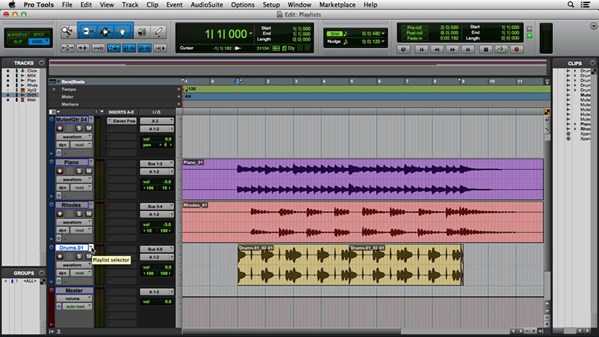
In this Avid Pro Tools 12 Fundamentals training course, expert author teaches you the tools and techniques needed to work within this digital audio workstation. This course is designed for the absolute beginner, meaning no prior experience with Pro Tools is required. You will start by learning about basic editing in the timeline, then jump into learning how to customize Pro Tools. From there, Joe will teach you how to record and edit a voice track, edit music tracks, and use elastic audio. This video tutorial also covers MIDI in Pro Tools, tracking instruments, sound design, and working with video. Finally, you will learn about mixing and automation, including automating volume, printing effects and stems, and archiving your sessions.
Pro Tools is the industry-standard software for music and post-production. Updated for version 12, this course covers the essential concepts and techniques necessary for recording, editing, mixing, and mastering in Pro Tools. Composer/producer Skye Lewin teaches you how to create music with virtual instruments and plugins, work with audio and video files, and make both basic edits and more advanced edits with tools like Elastic Time and Pitch. Plus, learn to create a musical score, write and edit automation, and mix with effects loops and more. Finally, discover how to bounce down a final master and export and archive your session. Whether you’re a producer, a sound engineer, or a hobbyist, this course can help you become proficient in Pro Tools 12.