🎵 MaGeSY® R-EVOLUTiON™⭐⭐⭐

  • Logic Pro X Making Beats TUTORiAL
    July 5th, 2021 ⚡
    Categories:

    image

    Logic Pro X Making Beats TUTORiAL

    P2P | Sept 27 2017 | 2.9 GB

    Make yourself heard. Start making music with Logic Pro X. Author and Logic Pro insider walks through every facet of basic drum programming and beat making in Logic Pro, including choosing the right drum kit for the beat, recording, arranging, and quantizing. She shows off Drummer, the intelligent drum feature, for creating beats automatically. She then moves into Ultrabeat, Logic’s built-in drum machine, and shows how to step sequence, design your own sounds, use your own samples, and create glitchy effects with the instrument. Then Dot dives deeper into making beats. She demonstrates how to make your own Apple Loops, time-stretch, quantize, and regroove audio as well as how to best add swing to your beats, fatten your sounds with drum replacement, and slice your samples. She then focuses on techniques specific to electronic music, including warping a beat with Space Designer and making DJ turntable effects with speed fades, and some retro groove tricks, including creating a human drummer feel with the Transform Editor and editing gate time. Dot wraps up the course by looking at a few more of the new beat making features in Logic Pro X, including the Arpeggiator and other MIDI plugins.


    Viewed 5528 By Music Producers & DJ´s.
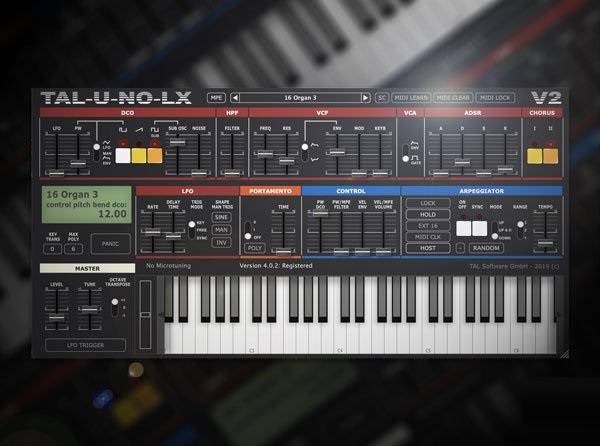

  • Making a Track With Tal-U-No-LX From Scratch

    Making a Track With Tal-U-No-LX

    FANTASTiC | 18 December 2020 | 301 MB

    Synth wiz presents comprehensive Tal-U-No-LX video tutorials! See how to make a complete song from scratch, step-by-step using only Tal-U-No-LX and some drum samples (Included along with the Tal-U-No-LX presets, Ableton Live Session, and MIDI tracks used in the videos). This is a great way to see what Tal-U-No-LX is capable of, while learning how to craft an electronic track from scratch. This course is for those who are already familiar with Tal-U-No-LX, but want to learn sound design and production techniques using it. Thomas greets you and starts with a play-through of the chillwave inspired track you’ll be creating together, and then jumps right in, showing you how to design and program the bright keyboard patch that will be used for the chord progressions for the whole song. Then, see how to make and program the drum sounds using both Tal-U-No-LX and drum samples (Included via the Course Extras download link on the product page).


    Viewed 9056 By Music Producers & DJ´s.


  • image

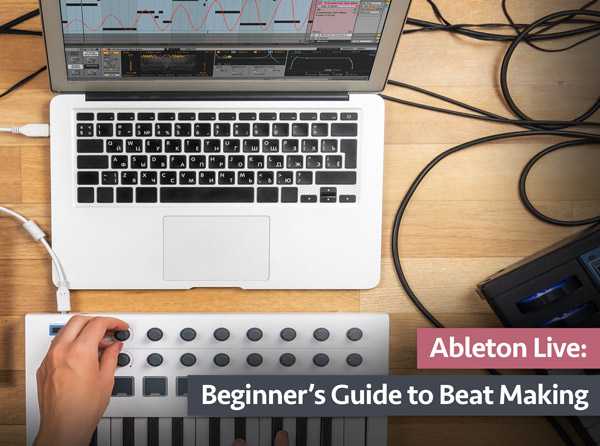
    Guide to Beat Making Ableton Live

    SYNTHiC4TE | Sept 29 2019 | 362 MB

    See how to produce your first beat from scratch, using nothing but Ableton Live, including software installation and understanding Live’s layout, all the way to exporting your finished beat and more. This series is designed for the absolute newcomer to Ableton Live. Thomas first starts with the steps to install Ableton Live on your computer, followed by a detailed overview of Ableton Live’s layout. Next, you’ll see how to set your song’s tempo and how to configure your MIDI controller and audio interface with Live, including basic routing practices. Now on to the fun stuff! Thomas shows you step by step how to add and program your drum sounds to make the backbone of your beat, followed by how to write melodic parts using chords, bass and lead sounds. Then it’s on to arranging your song structure, adding transition effects, mixing your tracks, using automation to fine tune your effects, and exporting your first beat to share with the world, and more!


    Viewed 6070 By Music Producers & DJ´s.


  • Power Progressions for Making Hits

    P2P | Jul 30, 2012 | 309 MB

    “Power Progressions For Making Hits” (PPFMH), a midi loop pack that not only will catapult your productions with instantly huge chord progressions, but will also help you unlock your own creativity and take your productions to a whole new level.  Since every loop is a midi file, you can take any progression and tweak it to make it your own using your own synths for an even more powerful creative expression of your music!


    Viewed 5856 By Music Producers & DJ´s.


  • image

    Sylenth: Making a Track TUTORiAL

    SYNTHiC4TE | Nov 24 2019 | 376 MB

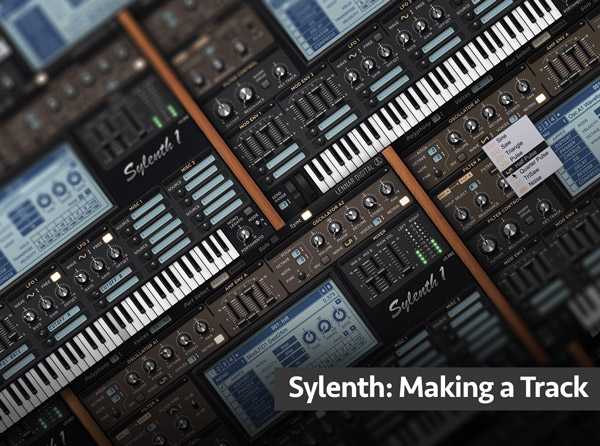
    Soundsmith delivers to you a Sylenth sound design video tutorial series! If you want to explore Sylenth’s sound design capabilities and features, as well as how it can be used to make a full production from scratch, this video series is for you. Fabio shows how to create all the tracks necessary for a complete song from a blank preset, including how to layer and arrange them for a professional, finished sound. The Sylenth presets created in the video series are also included so you can experiment with them on your own. This series is designed for those who have some Sylenth experience, but want more advanced sound design ideas and production tips. Fabio greets you and gives a brief overview of the course and the topics that will be covered in the video tutorials, followed by “kicking” things off with the kick drum, using simple but effective Synth techniques to create a great bass drum sound. Hats, Snares, Toms, Cymbals and Claps round out the percussion elements of the song, and you’ll see and hear how to make them all step by step with Sylenth’s powerful sound design features and parameters.


    Viewed 4435 By Music Producers & DJ´s.


  • Start Making Music Zero to Hero FL Studio 20

    Start Making Music Zero to Hero

    P2P | 25 January 2021 | 1.09 GB

    Why use FL Studio to create music?

    Because it’s one of the most popular software to create music, if not the most popular. This means more information and tutorials information out there, which is very useful to learn.
    It also has a very pleasant interface, and after a while it’s easy to work with. The huge quantity of stock plug in’s is a great advantage, because most of them are very high quality. This course is about fl studio 20 music production.


    Viewed 5682 By Music Producers & DJ´s.


  • Making Music in FL Studio 20: Intermediate

    Making Music in FL Studio 20

    P2P | 26 February 2021 | 2.52 GB

    So you discovered the power and convenience of FL Studio and are able to create a song. Ready to dive deeper into the world of music production? Look no further, as this intermediate class is designed to introduce you to new skills and a better understanding of arranging, mixing and finalizing your track. You will even learn how to quickly create a chord progression using a provided chord pack. Ready to level up?! In this class, you’ll gain valuable workflow and production tips and tricks, as well as a deeper understanding of FL Studio signal flow, recording, arrangement and mixing. You will gain understanding of equalization and compression as well as easy ways to improve the sound quality of your productions. Also, you will learn how to add variation and humanize your midi scores, and easily manage midi in the channel rack. This class is geared towards intermediate FL studio users, so make sure to check out my Beginner class first. Jump in and gain a new level of understanding the powerhouse music production software FL Studio 20!


    Viewed 5235 By Music Producers & DJ´s.


MaGeSY TeleGram Subscribe & Stay up to date with all the Posts that are published in MaGeSY MaGeSY Podcast: Subscribe & Stay up to date with all the Audio Posts that are published in MaGeSY MaGeSY Instagram Official MaGeSY-Youtube Official MaGeSY-X Official MaGeSY-Facebook Official MaGeSY-Pinterest Official MaGeSY-WhatsApp Channel Official

With Adblocker the page loads slower & avoid enhanced new search


ಮ್ಯಾಜೆಸ್ಯ್