🎵 MaGeSY® R-EVOLUTiON™⭐⭐⭐

  • Logic Pro How to Record Edit And Mix Drums TUTORiAL-HiDERA-MaGeSY

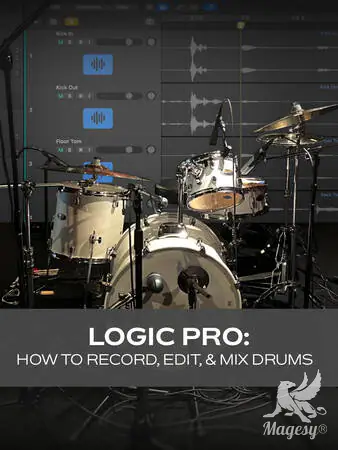
    LP: How to Record Edit & Mix Drums

    HiDERA | 08 March 2025 | 288 MB

    Curious about recording your own drums in Logic Pro but aren’t sure where to start? This is it! In this recording drums video course, Logic Pro wiz Stephen O’Connell will walk you through the process start to finish – from planning your session and selecting your mics all the way through editing, gating, processing, and more! Recording drums well is no small task, but this drum recording video course breaks down the topic into easy-to-understand concepts and techniques that are guaranteed to get great results. By the end of this Logic course, you’ll be ready to start tracking your own drums on your very next production! Stephen begins with a course overview, briefly discussing everything that’s going to be covered in the course so you’ll know what’s in store. Then it’s on to drum recording methods, where you’ll learn about various microphone techniques commonly used to record drums and the minimum amount of equipment you’ll need in order to do so. Stephen also shows you how to prepare for a drum recording session, including setting up the various tracks, using group controls, etc. Next, you’ll explore the subject of editing, including comping takes (selecting the best parts from each take), quantizing (moving mistimed hits closer to the beat), and taking advantage of Logic Pro’s tools for faster workflow. Once the rhythm’s all tidied up, Stephen turns his attention to phase, and you’ll discover two quick methods for correcting any issues that may arise.


    Viewed 19892 By Music Producers & DJ´s.

  • Logic Pro 11 Update Explained TUTORiAL-HiDERA-MaGeSY

    Logic Pro 11 Update Explained®

    HiDERA | 01 June 2025 | 480.52 MB

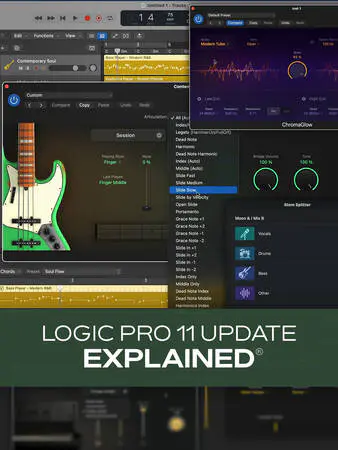
    Join Logic Pro expert Eli Krantzberg on a journey through all the amazing features in Logic Pro 11! Apple really went all out in this new version, and you’ll learn about everything that’s new and/or improved. From all the new instruments and plug-ins to the AI-driven assistant features, Eli leaves no stone unturned, and you’ll be up to speed and taking full advantage of these improvements in no time! These Logic Pro 11 videos are designed for new Logic Pro 11 users. Eli begins with a brief overview of the main updates and additions in Logic Pro 11, so you’ll know what’s to come, and then explores the new Session Players AI-based feature. You’ll learn how it allows you to quickly and easily generate realistic-sounding performances for drums, bass, and piano in numerous genres, along with the many ways in which you can customize the parts via the Session Player Editor. Next, Eli covers each of the new instruments—Studio Bass and Studio Piano – in detail, highlighting the different models, microphone combinations, and all the other tweakable parameters available that will let you dial in the exact sound and feel you need. This is followed by a look at the various ways of getting chords into the Chord Track, as well as the myriad options for sound and part customization within the Session Player Editor for Studio Bass and studio piano.


    Viewed 67429 By Music Producers & DJ´s.


  • Building Instruments With Logic Pro Samplers TUTORiAL-HiDERA-MaGeSY

    Building Instruments With Logic Pro Samplers

    HiDERA | 15 October 2024 | 528 MB

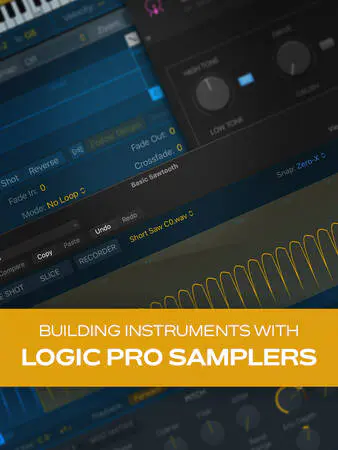
    Join Logic Pro expert Stephen O’Connell for a fun, informative video course on building your own instruments using Logic Pro’s built-in samplers! You’ll learn a ton and have a blast getting creative in new, inspiring ways—not to mention ending up with sounds and instruments that are uniquely your own. By the end of the course, you’ll be ready to start designing your own custom instruments for your very next production with sounds that can truly set your tracks apart from the crowd. Your imagination is the limit! These videos are designed for Logic Pro users that are new to using samplers. Stephen welcomes you and provides a short overview of what will be covered in the series, highlighting the three samplers we’ll be using—Quick Sampler, Drum Machine Designer, and Sampler—all of which are included in Logic Pro. Then Stephen gets down to it, starting first with Quick Sampler, covering the layout of its interface and explaining its capabilities. You’ll learn how to load samples and play them back in various modes (Classic, One Shot, Slicing) to achieve different sounds and effects. You’ll also see how to record a sound directly into Quick Sampler itself with its built-in recorder.


    Viewed 87082 By Music Producers & DJ´s.


  • Logic Pro Distortion Plugins Explained TUTORiAL-FANTASTiC-MaGeSY

    Logic Pro Distortion Plugins

    FANTASTiC | 04 May 2025 | 144 MB

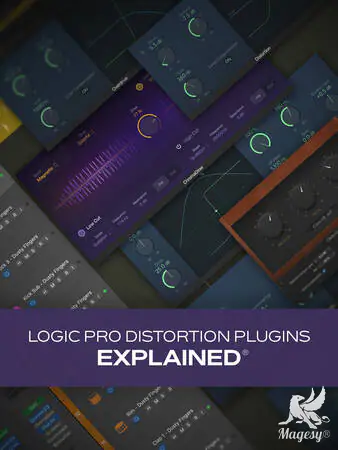
    Join Logic Pro guru Eli Krantzberg for a Logic Pro video course covering Logic Pro’s built-in distortion plugins, such as Overdrive, Distortion, Phase Distortion, ChromaGlow, and more. In this fun, engaging series, you’ll learn every feature and function of the plugins, hear demonstrations of what you can do with these sound-shaping (and mangling) tools, including plenty of tips and tricks along the way. By the end of this Logic Pro course, you’ll be a Logic Pro distortion expert yourself, ready to make use of any or all of these plugins in your very next song. These Logic Pro videos are designed for Logic Pro users interested in native distortion plugins. Eli welcomes you to the course and begins by looking at Overdrive, which is an FET-style saturator designed for milder distortion sounds, and showing you some tricks for contouring the envelope for more tonal possibilities. Then it’s on to Distortion, and Eli demonstrates how to get a fuzzier, more aggressive-sounding distortion with it.


    Viewed 16103 By Music Producers & DJ´s.


  • Logic Pro Delay Plugins Explained TUTORiAL-HiDERA-MaGeSY

    Logic Pro Delay Plugins Explained®

    HiDERA | 16 February 2025 | 117 MB

    Join Logic Pro guru Eli Krantzberg for an in-depth look at the delay plugins of Logic Pro. Eli examines all the parameters and controls for each plugin and provides plenty of demonstrations, so you can hear everything in context and get a good idea of each effect’s possibilities. Whether you just need the simplicity of Echo, the character and vibe of Tape Delay, or the routing functionality of Stereo Delay, it’s all covered here and more. These Logic Pro videos are designed for users new to these delay plugins. Eli welcomes you to the course and begins by looking at common elements to all delay plugins followed by an examination of the simpler Echo plugin in Logic Pro. Then you’ll see several uses for Sample Delay, including both creative (to stereoize a mono track by slightly offsetting the timing of one channel) and corrective (to fix frequency cancellation due to multiple mics). Next, check out how to add some retro flavor to your tracks with the Tape Delay plugin, with which you can simulate a tape-based delay unit, including parameters like tape saturation, pitch modulation, and tape speed fluctuation, etc. You’ll get to hear it in action on a Rhodes track, vocals, and bass.


    Viewed 86619 By Music Producers & DJ´s.


MaGeSY TeleGram Subscribe & Stay up to date with all the Posts that are published in MaGeSY MaGeSY Podcast: Subscribe & Stay up to date with all the Audio Posts that are published in MaGeSY MaGeSY Instagram Official MaGeSY-Youtube Official MaGeSY-X Official MaGeSY-Facebook Official MaGeSY-Pinterest Official MaGeSY-WhatsApp Channel Official

With Adblocker the page loads slower & avoid enhanced new search


ಮ್ಯಾಜೆಸ್ಯ್