🎵 MaGeSY® R-EVOLUTiON™⭐⭐⭐

  • Phase Explained TUTORiAL
    February 20th, 2014 ⚡
    Categories:

    image

    Phase Explained TUTORiAL

    Team MATRiX | Feb 18 2014 | 335.9 MB

    TIME TO ALIGN

    Phase is an incredibly important term that anyone who records or mixes audio has to know. Multi-Platinum mixer / producer Kenny Gioia is back with a series that explains everything you should know about Phase and includes audio demonstrations that make it very obvious why Phase is both a friend and foe. Kenny begins with an in-depth introduction that goes over the basics and the different types of Phase found in audio recordings. Next, Kenny explains how Phase can be an issue with Stereo Recordings when tracking Piano and Drum Overhead microphones. Multi-Mic Drum Phase is then examined and Kenny shows you how to get them all ‘In-Phase’ correctly.


    Viewed 9281 By Music Producers & DJ´s.


  • Superior Drummer 2 Explained DVDR TUTORiAL
    February 4th, 2014 ⚡
    Categories:

    image

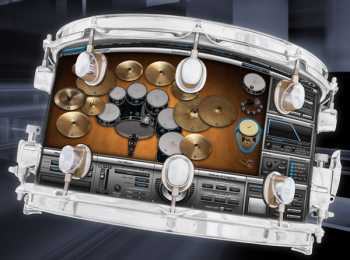
    Superior Drummer 2 Explained DVDR TUTORiAL

    Team DYNAMiCS | May 2010 | 650.32 MB

    DAW mad scientist Scott Griggs is going to take you on a Superior Drummer 2 journey that covers it all from beginning to end.
    Scott starts the S2.0 journey from the beginning showing you the basics, such as installation, registration, interface overviews, using it in the most popular DAWs, building kits, using X-Drums to more advanced topics such as using the Groove Player, mixing and effects, advanced mapping, multiple outputs, bouncing and much more. If you use Superior Drummer 2, it’s to your benefit to really know it inside and out, so you can work fast and get the best results. There are no other tutorial videos that go this in-depth into the amazing Toontrack Superior Drummer 2!


    Viewed 11256 By Music Producers & DJ´s.


  • Sylenth Explained TUTORiAL
    December 20th, 2013 ⚡
    Categories:

    image

    Sylenth Explained TUTORiAL

    SYNTHiC4TE | Dec 19 2013 | 281.4 MB

    SYLENTH IS GOLDEN

    Laurence Holcombe takes you deep into Sylenth, the amazing software synth from Lennar Digital! This synth has a cult following and sounds worthy of being worshipped. Join Laurence as he shows you all that this power-synth can do, as well as create custom sounds like deep techy chords, fat basses and huge EDM synth hooks. Laurence starts with an introduction to Sylenth, its GUI and signal flow. Next, you’ll learn all about its powerful oscillator section and waveforms, filter section and amp envelopes. Laurence then reveals the main section where you control resonance and cuttoff, as well as mix parts A & B. The modulation section is now presented, showcasing its amazing LFOs and modulation features. Laurence then turns up the master effects on Sylenth and the fun really begins. You’ll see how to use its fabulous arpeggiator, apply distortion, modulation, EQ, special effects and more!


    Viewed 9183 By Music Producers & DJ´s.


  • PSP Reverbs and Delays Explained TUTORiAL
    December 7th, 2013 ⚡
    Categories:

    image

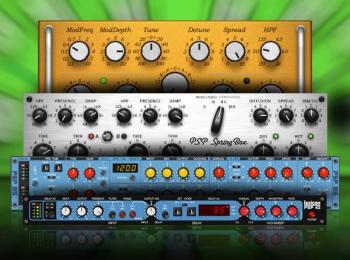
    PSP Reverbs and Delays Explained TUTORiAL

    TEAM MATRiX | 06.12.2013 | 360 MB

    PSP Audioware makes some of the finest Reverb and Delay plug-ins around. PSP guru Mark Struthers takes an in-depth look at all of the PSP Audioware Reverb and Delay plug-ins, uncovering all the features and functions, as well as how to apply them on different material. Mark starts off with PianoVerb and PianoVerb2, showing you all of their dials and buttons, and how to make them sound great. Next, EasyVerb is looked at, and Mike goes deep, exploring all the different algorithms and parameters. SpringBox is then revealed and Mark demonstrates how to tweak this amazing sounding spring reverb effect to its fullest.


    Viewed 12870 By Music Producers & DJ´s.


  • Strike 2 Explained TUTORiAL
    November 28th, 2013 ⚡
    Categories:

    image

    Strike 2 Explained TUTORiAL

    SYNTHiC4TE | Nov 27 2013 | 274.76 MB

    CREATE, CONTROL, PRODUCE

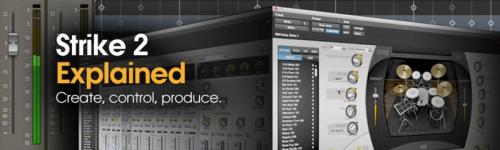
    Presented by AIR Users Blog founder and Pro Tools expert Russ Hughes, this new series explores the powerful virtual drum instrument Strike 2.
    New for version 2, “Strike 2 Explained” goes in-depth and takes you step by step, showing you all of its features and functions. Learn how to easily configure Strike, navigate its windows and menus, load and create custom kits, create grooves and patterns, export the MIDI info from your pattern and much more. If you’re new to Strike 2 or just want to polish up your skills on this amazing virtual drum instrument, this is the series for you. Get the knowledge you need to take your grooves and beats to the next level… Watch “Strike 2 Explained” today.


    Viewed 10407 By Music Producers & DJ´s.


  • SoundToys Effects Explained TUTORiAL
    November 10th, 2013 ⚡
    Categories:

    image

    SoundToys Effects Explained TUTORiAL

    SYNTHiC4TE | Nov 10 2013 | 267 MB

    DEFINITELY NOT TOYS

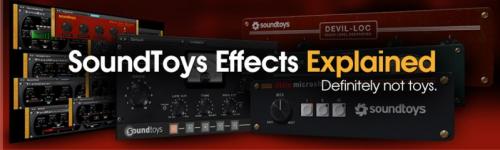
    New series of tutorials tackling the analog sounding professional effect plug-ins from SoundToys! Watch as Scottie explores the Decapitator, Devil Loc, Little Microshift, Radiator, Panman, Tremolator, FilterFreak, PhaseMistress, Crystallizer and Echoboy. They’re all here and Scottie gives you the knowledge you need to get the most out of these amazing plug-ins and more. Scottie kicks the series off with the analog saturation modeler Decapitator. From the subtle ways to use Decapitator, to dialing in a punishing effect, Scottie covers it all. Next up is the audio level destroyer Devil-Loc. Inspired by the classic Shure Level-Loc, This plug-in can burn, scorch and destroy whatever you send it, but of course it also can be used for good. Scottie demonstrates this very simple yet powerful and tasty device, its parameters and how to put it to use.


    Viewed 26186 By Music Producers & DJ´s.


  • WaveLab Montage Explained TUTORiAL
    October 19th, 2013 ⚡
    Categories:

    image

    WaveLab Montage Explained TUTORiAL

    WaveLab Montage Explained TUTORiAL | 330 MB

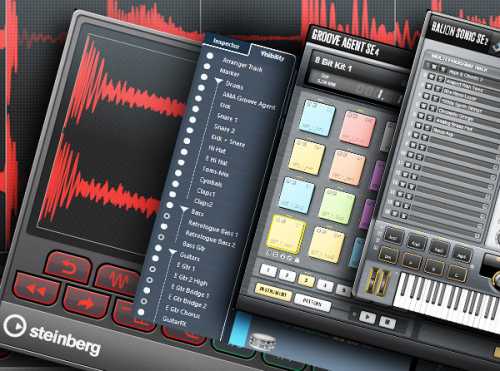
    Steinberg guru Mark Struthers is back and this time he’s tackling WaveLab 8’s Montage. Join Mark as he explores the many features and functions of this powerful application and shows you how to improve your tracks and export for delivery. Mark kicks the series off with a look at the distiction between the Montage workspace and the Audio Editing workspace. From there Mark takes a detailed look at the Montage window and Track Control Area options & menus. Moving on, Mark discusses the multiple ways of creating an audio Montage from a single audio file as well as building on the Montage and adding effects.


    Viewed 14687 By Music Producers & DJ´s.


MaGeSY TeleGram Subscribe & Stay up to date with all the Posts that are published in MaGeSY MaGeSY Podcast: Subscribe & Stay up to date with all the Audio Posts that are published in MaGeSY MaGeSY Instagram Official MaGeSY-Youtube Official MaGeSY-X Official MaGeSY-Facebook Official MaGeSY-Pinterest Official MaGeSY-WhatsApp Channel Official

With Adblocker the page loads slower & avoid enhanced new search


ಮ್ಯಾಜೆಸ್ಯ್