🎵 MaGeSY® R-EVOLUTiON™⭐⭐⭐

  • Structure Explained TUTORIAL
    May 28th, 2014 ⚡
    Categories:

    image

    Structure Explained TUTORIAL

    TEAM AudioP2P | 01-05-2010 | 203.47 MB

    Genre: eLearning

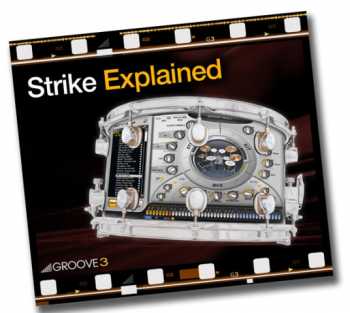
    Presented by AIR Users Blog founder and Pro Tools maven Russ Hughes, “Structure Explained” is your solution to the sometimes puzzling virtual sampler, Structure. This in-depth series is for beginner to intermediate users of the full version of Structure and will reveal many of its powerful features and functions. Learn how to easily navigate its windows and menus, load and create patches and parts, apply filters, modulation, effects, utilize “Smart Knobs”, key switching, build custom drum kits and much more.


    Viewed 5182 By Music Producers & DJ´s.


  • Reason 5 Explained TUTORIAL ESD
    May 23rd, 2014 ⚡
    Categories:

    image

    Reason 5 Explained TUTORIAL ESD

    Team AudioP2P | 01-07-2010 | 549.45 MB

    If you’re new to Reason 5, this is the ultimate guide to get up and running and making music! DAW mad man Scott Griggs takes you step by step from the beginning, all the way to making your first track. Scott teaches you the beginner the important basics such as installation, registration, authorization, audio setup and configuration, and then goes into song management, rack and sequencer overviews as well as recording and playing back MIDI, automation, routing, device and instrument overviews and so much more. If you want to incorporate the powerful Reason 5 into your production arsenal and are not sure how to use it, start here and learn it right from the beginning. Scott will have you running Reason 5 like a veteran in no time. Get Reason 5 Explained today.


    Viewed 6324 By Music Producers & DJ´s.


  • MASCHINE 2.0 Explained UPDATE TUTORiAL
    May 22nd, 2014 ⚡
    Categories:

    image

    MASCHINE 2.0 Explained UPDATE TUTORiAL

    SYNTHiC4TE | May 22 2014 | 730 MB

    All hail the mighty MASCHINE 2! Studio professional is back with an in-depth look at this wondrous hardware and software studio tool, showing you the important basics, advanced features and functions, and cool tips and tricks! If you use MASCHINE 2 software or Studio hardware, this is a must see. Tour of MACHINE 2 with an introduction laying out what you’ll learn in the series, and then important first steps like setting your preferences, GUI overviews and Browser basics. Next, Jeremy focuses on the MASCHINE Studio hardware, showing you how to accomplish the things you just learnt, using the hardware only.


    Viewed 7550 By Music Producers & DJ´s.


  • Cubase Chord Track Explained TUTORiAL
    May 21st, 2014 ⚡
    Categories:

    image

    Cubase Chord Track Explained TUTORiAL

    P2P | TUTORiAL | 211.39 MB

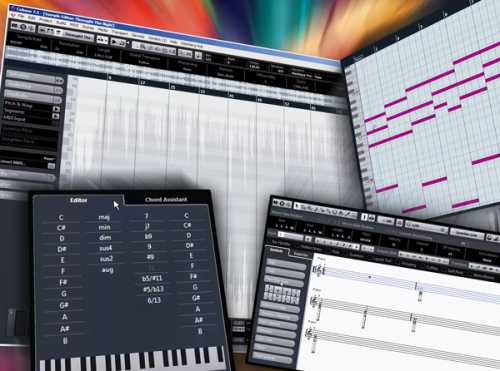
    Cubase has an awesome feature called Chord Track which makes working with chords in your Project Window easy, and allows you to transform and harmonize functions throughout the Cubase application. Steinberg guru Mark Struthers makes understanding and using this powerful feature easy and fast! Mark begins with a detailed introduction followed by how to edit and modify chords. Next he dives into using the Chord Assistant, showing you the different Modes and Types options. Live Transformers are then shown which enables you to transform chords played live into Cubase and more.


    Viewed 7122 By Music Producers & DJ´s.


  • EZdrummer for PC Explained TUTORiAL
    May 18th, 2014 ⚡
    Categories:

    image

    EZdrummer for PC Explained TUTORiAL

    SYNTHiC4TE | Sept 28 2013 | 289.83 MB

    MAKING DRUM TRACKS JUST BECAME EASIER

    Toontrack EZdrummer is a fabulous tool for creating realistic drum tracks, fast and easy. In this series, EZdrummer guru Mark Struthers shows you how to get this virtual instrument up and running on PC, as well as all of its features and functions. Mark starts out with detailed introduction and PC installation tutorials, then covers how to setup the Toontrack Solo application. Next, latency and buffer sizes are explained, followed by the EZdrummer user interface. Mark then shows you how to audition grooves, adjust humanize, velocity and tempo parameters, user grooves, expansion packs, the EZPlayer, working within a DAW and how to use multiple outputs.


    Viewed 10958 By Music Producers & DJ´s.


  • Vienna Ensemble Pro Explained TUTORiAL
    May 9th, 2014 ⚡
    Categories:

    image

    Vienna Ensemble Pro Explained TUTORiAL

    MP4 | May 08 2014 | 419 MB

    Presented by orchestral and studio wiz Eli Krantzberg, this series is the one Vienna Ensemble Pro users have been waiting for. Eli covers all the features and functions of the industry standard, world-class Vienna Instruments and Vienna Ensemble Pro , and shows you creative ways to maximize their power and sound. If you use Vienna Ensemble Pro, this series is a must see. Eli starts with an introduction welcoming you to the series and lays out the road ahead. Next he jumps right into installation and authorization of VEP, followed by an in-depth video covering the important basics. of Vienna Instruments. Switching between Articulations is then demonstrated followed by the powerful Slot Rack, where you’ll learn how to stack patches for a layered sound, transpose the slots individually, set independent velocity curves, adjust volume and pan settings and much more. Eli then reveals the Global Controls and how to work with Matricies, giving you complete control over the entire instrument as well as personalize the factory Epic Orchestra.


    Viewed 7423 By Music Producers & DJ´s.


  • Bitwig Studio Explained TUTORiAL
    May 2nd, 2014 ⚡
    Categories:

    image

    Bitwig Studio Explained TUTORiAL

    P2P | May 2014 | 753.21 MB

    Bitwig Studio is a new, dynamic software solution for music creation and performance to realize all of your musical ideas in every stage of production, and studio wiz Timothy Allan is just the man to show you how it all works! This is the most comprehensive Bitwig Studio video title available, so follow along and see just how awesome this DAW really is. Tim starts at the very beginning, showing you how to Install and Activate Bitwig Studio, and then how to set up an Audio Interface and MIDI Controller so they’re recognized by the software. Tim then rolls up his sleeves and shows you how to Navigate around the DAW, all about the Header Interface, Browser Access Panel and Tracks Overview. This will get you going fast and give you a solid operational foundation for Bitwig Studio.


    Viewed 6446 By Music Producers & DJ´s.


MaGeSY TeleGram Subscribe & Stay up to date with all the Posts that are published in MaGeSY MaGeSY Podcast: Subscribe & Stay up to date with all the Audio Posts that are published in MaGeSY MaGeSY Instagram Official MaGeSY-Youtube Official MaGeSY-X Official MaGeSY-Facebook Official MaGeSY-Pinterest Official MaGeSY-WhatsApp Channel Official

With Adblocker the page loads slower & avoid enhanced new search


ಮ್ಯಾಜೆಸ್ಯ್

MaGeSY ® R-EVOLUTiON™⭐⭐⭐