🎵 MaGeSY® R-EVOLUTiON™⭐⭐⭐

  • UAD Apollo Console Explained TUTORiAL-MATRiX
    November 13th, 2014 ⚡
    Categories:

    image

    UAD Apollo Console Explained TUTORiAL

    TEAM MATRiX | 13.11.2014 | 128.87 MB

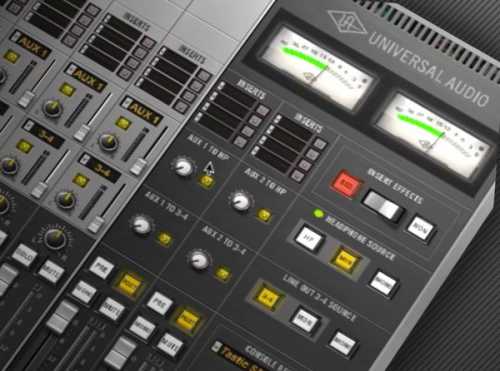
    Studio guru gives you a head start into the powerful but flexible Universal Audio UAD Apollo Console software. Learn all the basics plus cool routing and customization options that are available when recording with the awesome Apollo series interfaces. Matt first welcomes you and gives a preview of what’s to come in the series, followed by How to Install the UAD Console Software and Drivers. Apollo Console Inputs & Functions are next, and you’ll explore how they’re Controlled with both the software or via the Apollo hardware. Moving on, you’ll learn several Ways to Use the Apollo Console with your DAW, as well as Routing Techniques and Options. Wrapping it up, Matt explains what the Virtual Channels are and why you would want to use them.


    Viewed 5001 By Music Producers & DJ´s.


  • Cubase Dynamics Explained TUTORiAL-SYNTHiC4TE
    October 27th, 2014 ⚡
    Categories:

    image

    Cubase Dynamics Explained TUTORiAL

    SYNTHiC4TE | Oct 27 2014 | 296.6 MB

    DYNAMICS MADE EASY

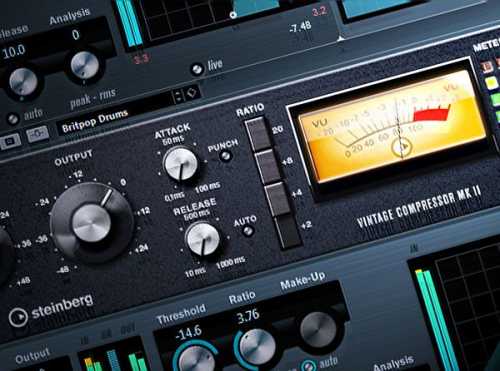
    Cubase master Dave Askew brings you the most in-depth collection of tutorials available about Cubase’s Dynamics Plug-Ins. Learn all about these essential workhorse plug-ins and how to use them to get that professional, tight, fat sound. Dave begins with an introduction welcoming you to the series and reveals all of the different Dynamics Processor Plug-Ins he’ll be explaining in the series. Next, Dave shows you different ways to access the Dynamics Plug-Ins via the Channel Settings Window and Chanel Strip Window. Moving on, Dave teaches you the Fundamentals of Dynamics, such as Dynamic Range, Compression Controls, Limiting Controls, Compression Types, Sidechaining and Limiting, so you know exactly what you’re doing when using the different Dynamic Plug-Ins on your tracks.


    Viewed 4819 By Music Producers & DJ´s.


  • iZ RX 4 Explained TUTORiAL
    October 21st, 2014 ⚡
    Categories:

    image

    iZ RX 4 Explained TUTORiAL

    SYNTHiC4TE | Oct 21 2014 | 1.49 GB

    CLEAN UP YOUR ACT

    iZ RX 4 is here and iZ guru Mike T. delivers everything you need to know to jump into RX 4 and harness its full potential! Get detailed information using real-world examples and clean up your recordings making them sound better than ever. No matter what DAW you use, iZ RX 4 Explained provides expert knowledge that allows you to reduce unwanted noise and eliminate damage to your precious audio.


    Viewed 4581 By Music Producers & DJ´s.


  • MOTU CueMix FX Explained TUTORiAL
    October 5th, 2014 ⚡
    Categories:

    image

    MOTU CueMix FX Explained TUTORiAL

    SYNTHiC4TE | Oct 05 2014 | 447.51 MB

    UNLEASH YOUR HARDWARE POWER

    Resident studio expert Todd Tatnall shows you everything you need to know about the CueMix FX Tools and Software, used to route and apply effects, using MOTU hardware such as the 828x, 828mk3 Hybrid, Track16, UltraLite-mk3 Hybrid, 896mk3 Hybrid, 2408mk3, 24IO and HD192! Todd starts with an Introduction revealing all the features and functions covered in the series. Next, Todd takes it from the beginning with Installing the CueMix FX Software, then explains in-detail, all the Audio and Data Connections that need to be made. The Front Panel is then revealed, and then How to Make Further Settings via the MOTU Audio Console. Todd now shows you How to Set Up and Use your MOTU Hardware with Various DAWs, and introduces you to the actual CueMix FX Software. Continuing on, the different Effects, Tools, Mix and I/O Tabs are shown and demonstrated, as well the Reverb and Monitor Sections.


    Viewed 7672 By Music Producers & DJ´s.


  • EastWest SSL-FX Explained TUTORiAL-MATRiX
    September 23rd, 2014 ⚡
    Categories:

    image

    EastWest SSL-FX Explained TUTORiAL

    TEAM MATRiX 22.09.2014 | 257.33 MB

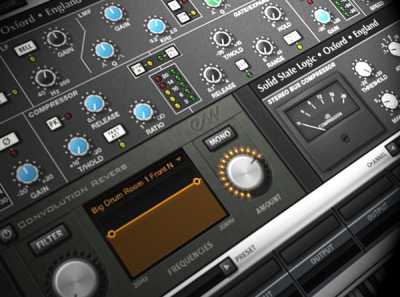
    EastWest SSL/FX provides professional recording engineers and beginners alike the chance to create the perfect sound through a variety of essential tools, including Convolution Reverb, High Quality EQ, and Traditional and Sidechain Compression that can’t be topped! In this series, veteran musician and studio professional Eli Krantzberg guides you through all of the amazing features and functions of EastWest SSL/FX suite, including How to Identify Frequency Placement for the Best Possible Sound, and Compression Tips to get your recordings Sounding Big and Full. Aside from mastering the FX Drawer in PLAY, an essential element in using the PLAY system, you’ll also receive a detailed Overview of all of the Main Sections of the EastWest SSL/FX. Once you’re familiar with the Basic Features, this series introduces information regarding EastWest SSL/FX’s EQ and Compression Modules, allowing you to truly Take Hold of the Tracks you Record and Mix.


    Viewed 7225 By Music Producers & DJ´s.


  • Addictive Drums 2 Explained TUTORiAL-SYNTHiC4TE
    September 1st, 2014 ⚡
    Categories:

    image

    Addictive Drums 2 Explained TUTORiAL

    Team SYNTHiC4TE | August 31 2014 | 336.6 MB

    YOUR NEW ADDICTION

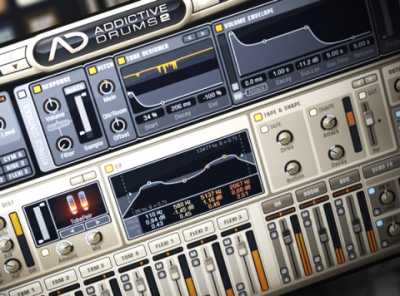
    Todd Tatnall returns with a new series on XLN Audio’s Addictive Drums 2! Learn all about this world-class virtual drum software package inside and out, as well as creative uses and tips & tricks. Todd starts with detailed videos giving you a solid Overview of the AD2 GUI, How to Register and Install it, as well as an in-depth look at the Stand Alone version of Addictive Drummer 2. Todd then breaks down the Gallery and Explore Pages, followed by the Kit, Edit, FX and Beats Pages, so you know exactly where to find all the important features and functions, and how to use them. Continuing on, Todd now reveals the Mixer Section, and How to Route, Mix and Send different signals to different places within AD2 for further Applying of Effects and Outputs. The Audio Recorder and Snapshots are then explained, allowing you to Grab Drum Hits and Loops as Audio, and Save Current Settings Using Snapshots.


    Viewed 8643 By Music Producers & DJ´s.


  • Sampletank 3 Explained TUTORiAL
    August 28th, 2014 ⚡
    Categories:

    image

    Sampletank 3 Explained TUTORiAL

    SYNTHiC4TE | August 28 2014 | 431 MB

    A WHOLE NEW WORLD

    IK Multimedia has done it again! Sporting a redesigned interface with over 33GB of sounds, this Software Sampler Workstation is a world of its own. DAW guru Eli Krantzberg leads your SampleTank 3 expedition, leaving no areas uncharted. Learn all about this killer workstation and How to Use it in Your Productions to its fullest extent. Eli begins with a Detailed Introduction, giving you a birds-eye view of the workstation and what to expect in the following videos. Next, Eli dives right in, revealing the Play Page, where you can Load, Save, Import, Create Multis, Loops, Patterns and more. The powerful Mix Page is now examined, and you’ll learn its Layout, Insert Effects, Effects Sends, Signal flow and Routing capabilities, enabling you to Tweak Your Sounds Like a Pro. The Edit Page is now looked at in-depth, and you’ll learn all about its important features and functions like the Part Strip, Sample Strip, Filter Strip, Velocity Modulation, LFO Strip, Amp, Filter, and Pitch Envelopes and much more!


    Viewed 4443 By Music Producers & DJ´s.


MaGeSY TeleGram Subscribe & Stay up to date with all the Posts that are published in MaGeSY MaGeSY Podcast: Subscribe & Stay up to date with all the Audio Posts that are published in MaGeSY MaGeSY Instagram Official MaGeSY-Youtube Official MaGeSY-X Official MaGeSY-Facebook Official MaGeSY-Pinterest Official MaGeSY-WhatsApp Channel Official

With Adblocker the page loads slower & avoid enhanced new search


ಮ್ಯಾಜೆಸ್ಯ್