🎵 MaGeSY® R-EVOLUTiON™⭐⭐⭐

  • image

    MainStage AutoSampler Explained TUTORiAL

    SYNTHiC4TE | July 09 2015 | 153 MB

    SAMPLE YOUR HARDWARE & SOFTWARE

    Doug Zangar walks you through Apple’s MainStage 3’s new secret weapon, AutoSampler. See how to sample any hardware or software instrument and create the perfect EXS instrument for the studio or live gig! Learn how to not only make a new instrument out of multiple instruments, but how to construct an instrument including all the effects and routing you need to make it really pop! Doug starts with the basics, showing you how to set up audio and MIDI in MainStage so you can use AutoSampler on either hardware or software instruments, or even layer both into one hybrid instrument! From there, Doug walks you through the AutoSampler interface and demonstrates the basics of creating an instrument using MainStage. Then see how to create more complex instruments such as a hybrid drum kit and how to loop strings. Finally, Doug explores the various looping parameters available to you in the Auto loop pop up menu.


    Viewed 3867 By Music Producers & DJ´s.

  • Numark MixTrack Pro 3 Explained TUTORiAL
    July 1st, 2015 ⚡
    Categories:

    image

    Numark MixTrack Pro 3 Explained TUTORiAL

    SYNTHiC4TE | June 30 2015 | 181 MB

    GET ALL MIXED UP

    The Numark MixTrack Pro 3 DJ Controller is as comprehensive as it gets, and master DJ tech gives you the down and dirty on this incredible DJ controller! Alex starts by introducing to you Numark’s most popular controller for Serato DJ software. That leads directly to instruction on how to download the included Serato DJ Intro and Expansion packs. From there Alex explores the various cool features, such as the Filter, Pad Modes, and Effects Controls. In the next video, Alex takes you in-depth through the Pad Modes, showing you how to creatively mix songs together. From there, you’ll see how to access all the processing power of Serato DJ from the MixTrack Pro 3 controller.


    Viewed 4542 By Music Producers & DJ´s.


  • UAD elysia mpressor Explained TUTORiAL
    June 29th, 2015 ⚡
    Categories:

    image

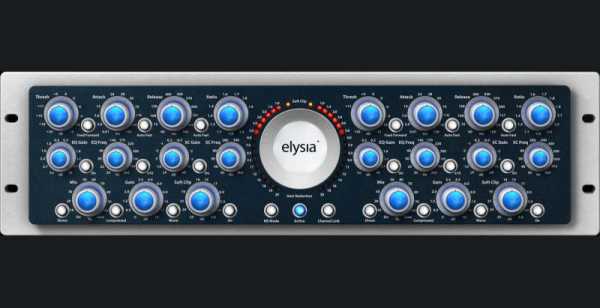
    UAD elysia mpressor Explained TUTORiAL

    SYNTHiC4TE | June 29 2015 | 282 MB

    FAT UAD DYNAMICS CONTROL

    The elysia mpressor is capable of fat and freaky sounds with maximum punch, and UAD guru shows you how to use the UAD emulation to capture that signature elysia impresser sound!Brock begins with a description of the original hardware and its signature hard knee compression and negative ratios. The next two videos take you on a thorough tour of of the controls of the UAD mpressor plug-in. After that, he uses the pop-rock track “Brave” and the Significant Others to apply the alpha to drum tracks, bass guitars, acoustic and electric guitars, vocals, and the master buss. Whether you’re new to the UAD elysia mpressor or an experienced user looking to punch up your mixes, watch “UAD elysia mpressor Explained” today!


    Viewed 5144 By Music Producers & DJ´s.


  • UAD elysia alpha Explained TUTORIAL
    June 13th, 2015 ⚡
    Categories:

    image

    UAD elysia alpha Explained TUTORIAL

    SYNTHiC4TE | June 13 2015 | 342 MB

    POWERFUL DYNAMICS CONTROL

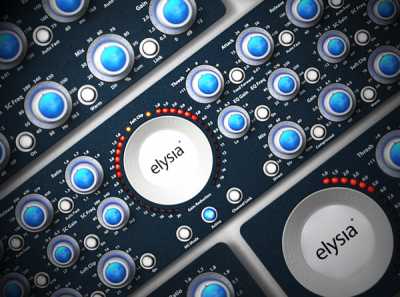
    The elysia alpha is an extremely capable professional dynamics processor, and the UAD plug-in now brings it to your desktop! UAD guru Brock Jon takes you deep into the heart of this complex and capable compressor, demonstrating just what it’s got. Brock begins with a description of the original hardware and what it’s capable of. The next three videos take you on a thorough tour of of the plug-in’s plethora of controls. After that, Brock uses the powerful rock track “Wolves” by Martha Berner and the Significant Others to apply the alpha to Drum Tracks, Guitars, Bass, Vocals, and the Master Buss. Whether it’s your first go with the UAD elysia alpha or a mixing and mastering pro looking for some useful tips and tricks, watch “UAD elysia alpha” today!


    Viewed 6881 By Music Producers & DJ´s.


  • image

    UAD Vertigo Sound VSC-2 Explained TUTORiAL

    FANTASTiC | 06 JUNE 2015 | 312 MB

    MASTERING GRADE COMPRESSION

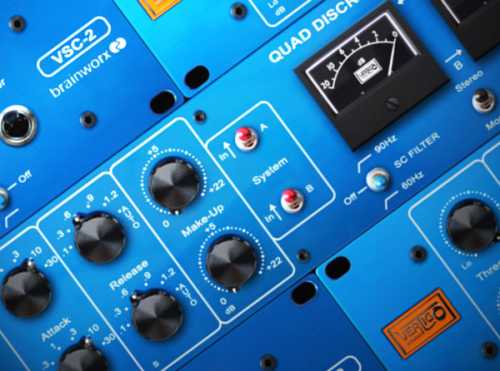
    The Vertigo Sound VSC-2 Quad Discrete Compressor has a unique sound due to its use of 4 VCA’s built by hand, and the UAD Vertigo Sound VSC-2 plug-in now brings it to your DAW! UAD guru Brock Jon shows you how to use and apply this powerful compressor to your tracks and songs. Brock begins with an introduction and overview of the original hardware. From there he dives into a thorough explanation of the UAD plug-in controls, and shows you a special workflow he’s created to quickly dial in killer sounds on the VSC-2. Using the song “See the Bright Lights” by Scott and Bethany Fritz, Brock shows you how to apply the VSC-2 to Drum Tracks, Guitars, Bass, Vocals, and the Master Buss. Whether you’re new to the VSM-3 or a mixing and mastering pro looking for some new insights and techniques with this powerful compressor, watch “UAD Vertigo Sound VSC-2” today!


    Viewed 6486 By Music Producers & DJ´s.


  • image

    MASCHINE 2.0 Explained and ALL UPDATES TUTORiAL

    Team SYNTHiC4TE/FANTASTiC | 06.06.2015 | 3 GB~

    Updates Includes: V2.1, v2.2, v2.3

    All hail the mighty MASCHINE 2.0! Studio professional Jeremy Harding is back with an in-depth look at this wondrous hardware and software studio tool, showing you the important basics, advanced features and functions, and cool tips and tricks! If you use MASCHINE 2.0 software or Studio hardware, this is a must see. Jeremy begins your tour of MACHINE 2.0 with an introduction laying out what you’ll learn in the series, and then important first steps like setting your preferences, GUI overviews and Browser basics. Next, Jeremy focuses on the MASCHINE Studio hardware, showing you how to accomplish the things you just learnt, using the hardware only.


    Viewed 5534 By Music Producers & DJ´s.


  • FM8 Expert Panel Explained TUTORiAL
    June 3rd, 2015 ⚡
    Categories:

    image

    FM8 Expert Panel Explained TUTORiAL

    P2P | 02-06-2015 | 1.17 GB

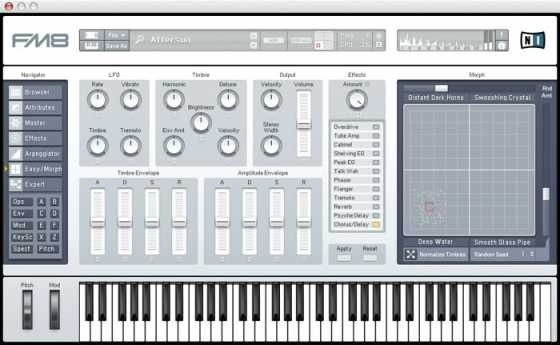
    Within minutes of downloading our new Master Class Videos, you’ll take your FM8 skills to a whole new level. If you are a heavy FM8 user like we are, you’ll want to read every word of this message. You may be a self-taught FM8 user, or maybe you’ve worked your way through our first FM8 course, and you are ready to discover the insights and shortcuts that will put you on a new plane of production skill. Our brand spankin’ new FM8 Master Class video does just that. You’ll get five in-depth videos giving you a comprehensive “over-the-shoulder” teaching approach. From the FM Matrix and Operators to Sound Design, you’ll learn how to work faster, smarter, be more effective and have more fun than you’ve ever had with any sound design software.


    Viewed 4080 By Music Producers & DJ´s.


MaGeSY TeleGram Subscribe & Stay up to date with all the Posts that are published in MaGeSY MaGeSY Podcast: Subscribe & Stay up to date with all the Audio Posts that are published in MaGeSY MaGeSY Instagram Official MaGeSY-Youtube Official MaGeSY-X Official MaGeSY-Facebook Official MaGeSY-Pinterest Official MaGeSY-WhatsApp Channel Official

With Adblocker the page loads slower & avoid enhanced new search


ಮ್ಯಾಜೆಸ್ಯ್