🎵 MaGeSY® R-EVOLUTiON™⭐⭐⭐

  • ARP 2600 V Explored TUTORiAL
    July 4th, 2021 ⚡
    Categories:

    ARP 2600 V Explored TUTORiAL

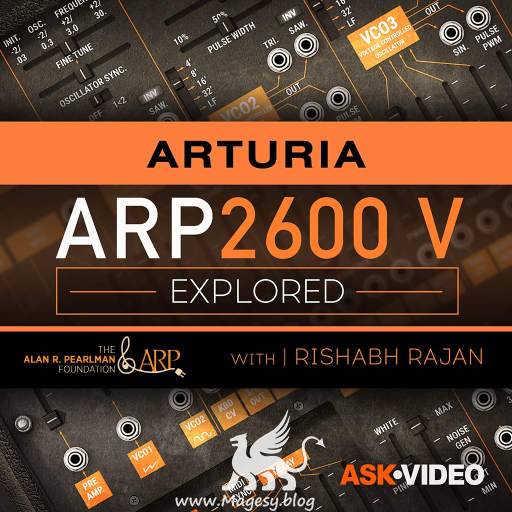
    ARP 2600 V Explored®

    FANTASTiC | 20 June 2020 | 1.6 GB

    ARP 2600 V is a faithful recreation of one of the most versatile and iconic synthesizers of all time. Learn this semi-modular synth inside and out, with this in-depth course by trainer and producer Rishabh Rajan! Created in the early ’70s by Alan R. Pearlman (his initials is where the name ARP comes from) with David Friend and Lewis G. Pollock, the ARP 2600 is considered by many to be the holy grail of analog synthesizers. Heard on countless records (Stevie Wonder, Genesis, The Who, Jean Michel Jarre, Depeche Mode to name a few), this semi-modular analog monster was even used to create the voice of R2-D2 in Star Wars. And now you too can use the ARP’s synthesis power directly in your DAW. But let’s be honest, this powerhouse synth has quite a steep learning curve. That’s why we asked synthesis master Rishabh Rajan to create this in-depth course and demystify this super deep instrument. Rishabh begins the course with an overview of various modules and explains the normalled routing of the synth. Then, he focuses on the oscillator section, revealing the differences between VCO 1, 2 and 3 and explaining how oscillator sync works. The further you dive in the course, the more you discover its infinite sound design possibilities. The Filter, the Envelopes, effects and mixer are all covered in detail and demonstrated with numerous patching examples. You also get a detailed look at the sequencer, the LFO section, the Global section and a lot more.


    Viewed 6564 By Music Producers & DJ´s.

  • MASSIVE X Explained TUTORiAL-SYNTHiC4TE
    July 4th, 2021 ⚡
    Categories:

    image

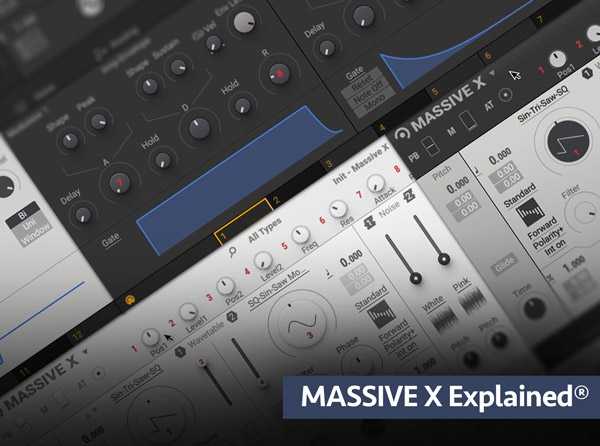
    MASSIVE X Explained TUTORiAL

    SYNTHiC4TE | Dec 20 2019 | 395 MB

    Synth master brings you comprehensive Native Instruments MASSIVE X video tutorials! Learn this beast of a synth part by part, section by section, with Groove3’s in-depth video manual, perfect for beginner or intermediate MASSIVE X users! Larry welcomes you and then starts with an overview of the MASSIVE X user interface, followed by how routing works inside this powerful VI. Then, Larry dives deep into explaining how the Oscillators and the numerous Wavetables are used to create the foundation of your synth patch. Next, the Modulation, Voice options, Noise, Amp and Filter sections are all explored and explained, so you know exactly how they work and are used to craft endless sounds. Larry then goes into MASSIVE X’s killer Insert Effects, Envelopes, Switcher & Random LFO features, including Trackers, which allow you to design complex modulations mapped to note values or note pitches, for very creative and inspiring sound design results.


    Viewed 5631 By Music Producers & DJ´s.


  • Timeless 2 Complete TUTORiAL
    July 3rd, 2021 ⚡
    Categories:

    Timeless 2 Complete TUTORiAL

    Timeless 2 Complete TUTORiAL

    P2P | 22 June 2020 | 258 MB

    This course is a in-depth tutorial on how to use Timeless. If you are someone who is trying to figure it out but couldn’t understand it better.This is the right course for you.


    Viewed 5143 By Music Producers & DJ´s.


  • image

    Progressive Trance 2019 TUTORiAL

    SYNTHiC4TE | MERRY XMAS | 7.68 GB

    Whatever genre you’re into this is one of those tracks where after listening, you’ll want to know how it’s created and luckily for you guys we get to see this one built from scratch. Completely unscripted, Nate lets his experimental side shine through along with his mastery of synths, vst tools, automation and effects, this 6 and half hour epic course will show you how a pro gets results. Easy to follow yet incredibly detailed, Nate always explains the ‘why’ as well as the ‘how’ in-depth so there’s something for everyone. A brilliant track full of different techniques and definitely one to check out!


    Viewed 6445 By Music Producers & DJ´s.


  • OZONE MASTER SAUCE
    July 3rd, 2021 ⚡
    Categories:

    OZONE MASTER SAUCE

    P2P | 06.03.2020 | 123.40 MB

    Ozone Mastering Presets + TUTORiAL XML MP4

    Ozone = Mastering Preset for instant song finishing perfection! Master your track with the Ozone 8 & 9 standalone application or plugin on your master bus in any DAW! This preset also includes an exclusive 25 minute mastering tutorial video to help you become familiarized with your preset!


    Viewed 7228 By Music Producers & DJ´s.


  • Panning Explained TUTORiAL
    July 3rd, 2021 ⚡
    Categories:

    Panning Explained TUTORiAL

    Panning Explained TUTORiAL

    SYNTHiC4TE | Jan 07 2014 | 385 MB

    KNOW RIGHT FROM LEFT

    When mixing, something as simple as positioning a sound to the left or right may seem like a simple thing, but it makes all the difference between a good mix and a great one. Multi-Platinum mixer Kenny Gioia breaks down the art of Panning, so you get a solid foundation and advanced knowledge of this basic, but incredibly important mixing technique.


    Viewed 4709 By Music Producers & DJ´s.


  • image

    Loop Based Production Explained®

    SYNTHiC4TE | Dec 27 2019 | 457 MB

    Studio guru delivers a loop based production video tutorial series! If you’re new to producing with loops, Kenny will show you how to produce a full track from scratch using only loops and basic DAW plug-ins. The loops used in the videos are also included so you can follow along with your DAW. This series is perfect for those who are just starting out producing beats and tracks. Kenny welcomes you and then plays the track you’ll be producing together, followed by how to expand the included .zip file, readying your DAW for importing loops, and setting the main song tempo. Then it’s onto the first loop, which is a piano loop, where Kenny uses elastic audio to make the loops match to the song’s tempo, with the highest quality sound possible. Kenny is using Pro Tools for this series, but many other DAWs have similar ways to stretch, warp and adjust loops as well, so you can apply what Kenny shows you to your DAW. Next, you’ll see how to add a variety of loops such as kick drums, claps, hi-hats, tambourine, shaker, synths, bass and more, so that they all work together rhythmically and melodically, creating a solid groove for your song. After the loops are all in place, Kenny jumps over to the mixing side of things and shows you how to EQ and Compress the loops to tighten them up more, and make them sound their best.


    Viewed 4892 By Music Producers & DJ´s.


MaGeSY TeleGram Subscribe & Stay up to date with all the Posts that are published in MaGeSY MaGeSY Podcast: Subscribe & Stay up to date with all the Audio Posts that are published in MaGeSY MaGeSY Instagram Official MaGeSY-Youtube Official MaGeSY-X Official MaGeSY-Facebook Official MaGeSY-Pinterest Official MaGeSY-WhatsApp Channel Official

With Adblocker the page loads slower & avoid enhanced new search


ಮ್ಯಾಜೆಸ್ಯ್