🎅 MaGeSY® R-EVOLUTiON™⭐⭐⭐
Banner promocional Thomann Music is Passion 2025
Search like: Compressor, Limiter, FX, etc


Search Results

Search Results:

  • Studio One 3.2 Update Explained TUTORiAL-SYNTHiC4TE
    Posted by Magesy.Blog On: 28 February 2016
    Categories:


    image

    Studio One 3.2 Update Explained TUTORiAL

    SYNTHiC4TE | Feb 26 2016 | 262 MB

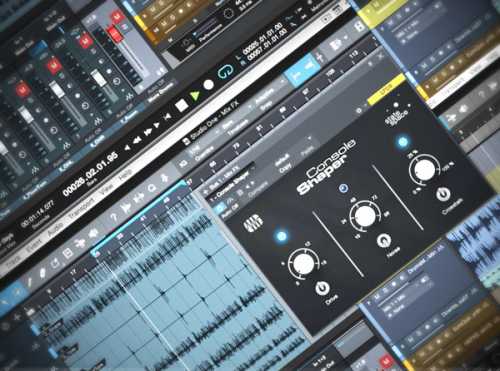
    Chock full of new features, Presonus expert Bill Edstrom walks you through all the new enhancements in Studio One 3.2 and demonstrates how you can use them in your sessions! Bill starts with an exploration of the new Console Shaper, the first new Mix Engine effects processor included with Studio One and how to use it to sweeten your sound with analog console emulation. Next, Bill demonstrates how you can use the new VCA Faders to create mixing groups and how to use the new VCA Folder Tracks feature to create a VCA for all the tracks in a folder for better control when mixing.


    3782 Views

  • Studio One 3 Tips and Tricks Vol.2 TUTORiAL-SYNTHiC4TE
    Posted by Magesy.Blog On: 21 February 2016
    Categories:


    image

    Studio One 3 Tips & Tricks Vol.2 TUTORiAL

    SYNTHiC4TE | Feb 21 2016 | 298 MB

    Another batch of creative tips and tricks when working with Presonus Studio One 3! In this video tutorial series you’ll learn classic production and mixing techniques using Studio One 3’s built-in features and effects. Michael starts with demonstrating the benefits of using the Pro EQ to clean up a mix, and then shows you how to add realism to virtual instruments by using fades. Next, Michael shows you how to use the powerful new Note FX feature to add groove to a MIDI track.


    3708 Views

  • Recording and Editing Audio in Studio One 3 TUTORiAL
    Posted by Magesy.Blog On: 1 January 2016
    Categories:


    image

    Recording & Editing Audio in Studio One 3 TUTORiAL

    YODA HAPPY NEW YEAR| Dec 31 2015 | 191.88 MB

    Presonus Studio One 3 excels in recording and editing audio thanks to its powerful new audio features. In these in-depth video tutorials DAW guru Scott Fritz shows you the important basics as well as creative, advanced techniques when recording and editing audio in Studio One.


    4608 Views

  • First Song with Studio One 3 TUTORiAL-SYNTHiC4TE
    Posted by Magesy.Blog On: 29 December 2015
    Categories:


    image

    First Song with Studio One 3 TUTORiAL

    SYNTHiC4TE| Dec 29 2015 | 876 MB

    PreSonus Studio One 3 gives you everything you need to take your musical ideas and turn them into a complete, shareable masterpiece. In this in-depth video tutorial series, computer music expert shows you how to go from idea to finished product and everything in between using just Studio One


    6087 Views

  • Studio One 3 Tips and Tricks TUTORiAL-SYNTHiC4TE
    Posted by Magesy.Blog On: 12 October 2015
    Categories:


    image

    Studio One 3 Tips and Tricks TUTORiAL

    SYNTHiC4TE | Oct 11 2015 | 479 MB

    NEW TRICKS FOR A NEW DAW

    Studio One 3 offers an incredible range of tools for recording and editing audio, and Michael Tomblin is here to show you how to get creative with them in this great video tutorial training series. Learn way cool tips and tricks to help you optimize your workflow and master Studio One 3’s processing features and more. Michael starts by showing you how to create your own Plug-In Thumbnails and Plug-In Favorites Folder to enhance plug-in selection and management. He then dives into Creative Processing Tricks like Reverse Audio, Adding White Noise to Snares, Enhancing Kicks, Mono Effects, and more. Mike then turns to Checking and Correcting Phase, as well as De-Essing techniques in Studio One 3. Moving on, Mike teaches you how to Create a Ducking Delay, and ends by showing you How to Set Up your Main Channel with a Chain of Plug-Ins.


    3949 Views

  • Studio One 3 Advanced TUTORiAL-SYNTHiC4TE
    Posted by Magesy.Blog On: 27 September 2015
    Categories:


    image

    Studio One 3 Advanced TUTORiAL

    SYNTHiC4TE | Sept 26 2015 | 530 MB

    THE NEXT LEVEL OF STUDIO ONE

    Studio One 3 includes tons of advanced features, and this series by Studio One guru digs into them. In this in-depth video series, you’ll learn how to use some of the less obvious and most powerful features that Studio One 3 offers. Marcus begins with how to use Pipeline to connect your outboard gear, how to capture IRs with IR Maker, Vocal Comping, advanced Console/Arrange Window Options, and Creating Monitor Mixes. Marcus then covers the Project Page, Mastering with Extended FX Chains and integrating Melodyne with Studio One 3. He then ends with videos on Studio One 3’s groove features, such as how to Extract Grooves, Detect Transients and place Audio Bend Markers, as well as the powerful Quantize/Slice Mode.


    4212 Views

  • Recording and Editing MIDI in Studio One 3 TUTORiAL-SYNTHiC4TE
    Posted by Magesy.Blog On: 6 September 2015
    Categories:


    image

    Recording & Editing MIDI in Studio One 3 TUTORiAL

    SYNTHiC4TE | Sept 06 2015 | 282 MB

    MAKE SOME MIDI MAGIC

    Studio One 3 adds extremely powerful new MIDI features, and Scott Fritz shows you how to use and abuse them! In these 12 videos, you’ll learn everything from MIDI basics to advanced tips & tricks and MIDI workflow techniques. Scott starts by showing you how to connect your MIDI controllers into Studio One 3, then moves to adding and controlling Virtual Instruments to your song. Next, Scott demonstrates how to use the MIDI Editor for Drum Editing, as well as the Track List in the MIDI editor for deeper editing. With the basics covered, Scott focuses on useful actions and musical functions, from the common, to the less common that can help improve your MIDI workflow in Studio One 3.


    4699 Views

  • Switching from Pro Tools to Studio One 3 TUTORiAL-SYNTHiC4TE
    Posted by Magesy.Blog On: 18 August 2015
    Categories:


    image

    Switching from Pro Tools to Studio One 3 TUTORiAL

    SYNTHiC4TE | August 17 2015 | 230 MB

    LOOK BEFORE YOU LEAP

    Studio One 3 is hot, fully featured, and getting a ton of buzz. If you’re a Pro Tools user who’s thinking of making the switch to Studio One 3, Pro Tools guru shows you what you’ll need to know to get up and running, as well as convert your Pro Tools mind into the ways of Studio One 3. Starts with the basics, explaining How to work with the Start Page and do your Basic Setup. From there, he explores differences in the way Audio Tracks, Monitoring, and Recording are handled. Next, helps you understand how to use Studio One 3’s powerful Instrument Tracks. With the basics covered, Eli now takes you into more advanced topics, like how Studio One 3 differs from Pro Tools with regard to Zooming, Editing, and working with Effects. The final three videos all dive into Mixing in Studio One 3 vs. Pro Tools, with a separate video on the Console, Sends and Effects Channels, and Busses and Bouncing.


    4732 Views

  • Studio One Remote Explained TUTORiAL-SYNTHiC4TE
    Posted by Magesy.Blog On: 4 August 2015
    Categories:


    image

    Studio One Remote Explained TUTORiAL

    SYNTHiC4TE | August 04 2015 | 178 MB

    GET AWAY FROM YOUR BOX

    Everything you need to know to control Studio One 3 from your iPad using the Studio One Remote app for iOS. From downloading to complex operations, this series takes you through the entire Remote app. Starting by introducing Studio One Remote, Scott dives right into the Mix Page, where you’ll usually spend the majority of your time. He devotes entire videos to Inserts and Sends, configuring Inputs and Outputs, Navigation and the Transport Bar. He then shows you how use the Macro Editor, and reveals the power of Studio One Remote Macros. In the next batch of videos, Scott takes you through all the various tabs on the Commands page: the Transport Tab, View Tab, Console Tab, Event and Edit Tabs, Automation and Audio Tabs, and the Instrument Tracks and Macros Tabs. After that, Scott explores Customizing and Editing Commands using Studio One Remote. And finally, he explains how to Configure Third Party Plug-Ins for Remote Control.


    4654 Views

  • Studio One Pro Effects Explained UPDATE TUTORiAL
    Posted by Magesy.Blog On: 26 May 2015
    Categories:


    image

    Studio One Pro Effects Explained UPDATE TUTORiAL

    SYNTHiC4TE | May 25 2015 | 960 MB

    MASTER YOUR EFFECTS

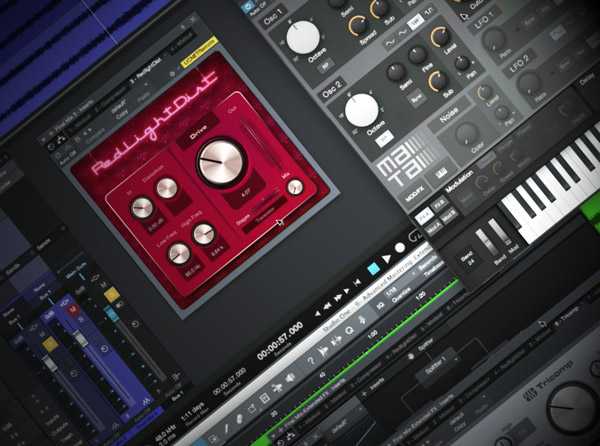
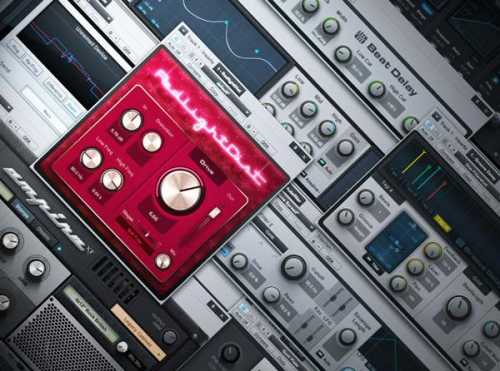
    At nearly 4 hours, let studio guru Marcus Huyskens be your guide for the most comprehensive tutorial series on how to use Studio One’s immense collection of effects available! The 34 videos in this series cover everything you could want to know about all of the built-in Studio One processors. Marcus begins with Analysis Plug-Ins, giving you overviews and practical examples of how to use the IR Maker, Level Meter, Phase Meter, Scope, Spectrum Meter, Tone Generator, and Tuner. Next, he dives into all three Delays included with Studio One Pro: the Analog Delay, Beat Delay, and Groove Delay. After that, Marcus shows you how to use the two Distortion Plug-Ins, the Ampire XT Amp Simulator and the RedLight Distortion.


    5470 Views

    Total Posts: ❨ 🎵➡6056 ❩ | Paged: ➡ 10


    Search like: Compressor, Limiter, FX, etc


    ಮ್ಯಾಜೆಸ್ಯ್

    MaGeSY ® R-EVOLUTiON™⭐⭐⭐