🎅 MaGeSY® R-EVOLUTiON™⭐⭐⭐
Banner promocional Thomann Music is Passion 2025
Search like: Compressor, Limiter, FX, etc


Search Results

Search Results:

  • Studio One 5 Complete Soundsets
    Posted by Magesy.Blog On: 10 September 2021
    Categories:


    Studio One 5 Complete Soundsets

    Studio One 5 Soundsets

    P2P | 10 July 2020 | 36.39 GB

    Record, produce, mix, master, and perform all from a single, intuitive application. Designed with ease of use at its core, Studio One® 5 is your creative partner from studio to stage. Studio One is driven by tools that enhance your creativity without getting in the way; we pioneered its drag-and-drop workflow that continues to be imitated elsewhere. Laborious tasks that take five steps in other DAWs usually only take… One. A popular example: you can convert MIDI to audio and back with a simple drag-and-drop.


    53603 Views

  • Studio One 5: MiDi Recording and Editing TUTORiAL
    Posted by Magesy.Blog On: 6 September 2021
    Categories:


    Studio One 5 MiDi Recording and Editing TUTORiAL

    SO5: MiDi Recording & Editing

    FANTASTiC | 10 October 2020 | 416 MB

    Studio One 5 is packed with powerful MIDI features and then some! Watch this in-depth course, by Studio One expert and master them all. Since its introduction, more than 10 years ago, Studio One has become a very mature DAW with powerful MIDI features. In this 27-tutorial course, trainer and producer Joshua Carney covers all the MIDI tools, techniques and workflows you need to know to create music with Studio One 5. Joshua starts the course by covering MIDI setup, creating a new song and how to best deal with audio latency. He then dives deep into MIDI recording and editing. You learn about autopunch and quantization techniques, you discover all the different MIDI editors, and you learn about Studio One’s powerful MIDI actions. Step-by-step, Joshua shows you how to master every Studio One’s MIDI feature, and how to speed up your workflow with the most important key commands. Next up is an overview of Note FX, those real-time MIDI processors that can open up lots of creative possibilities. You also learn advanced MIDI techniques, such as building complex multi-instruments, working with macros, and more. Joshua ends the course by looking at the brand new Score Editor, which merges the best features of PreSonus Notion into Studio One 5.


    8322 Views

  • Studio One 5: Recording and Editing Audio TUTORiAL
    Posted by Magesy.Blog On: 6 July 2021
    Categories:


    Studio One 5 Recording and Editing Audio TUTORiAL

    SO5 Recording & Editing Audio

    FANTASTiC | 17 October 2020 | 579 MB

    Want to master the powerful audio recording and editing features available in Studio One 5? Join trainer and producer in this course, and get recording in no time! From recording instruments to tuning and editing vocals, Studio One 5 has all the tools and features you need to get great audio recordings. In this in-depth course, audio engineer reveals everything you need to know to become a pro at recording and editing audio in Studio One 5. Explaining how to create and set up a new song from scratch. You learn about sample rate, resolution, block size, latency and other important settings and concepts. You then discover various ways to import audio and loops, and make everything conform to your song’s tempo. With a basic rhythm track in place, Joshua demonstrates how to record a song by adding and overdubbing different instruments: acoustic & electric guitars, bass, vocals and multi-tracked acoustic drums. You learn every audio features in Studio One 5, including the editing tools, punching, comping, and tuning features, quantizing audio, adding effects, exporting, and more…


    6770 Views

  • Studio One 4.6 Update Explained TUTORiAL-SYNTHiC4TE
    Posted by Magesy.Blog On: 2 July 2021
    Categories:


    image

    Studio One 4.6 Update Explained®

    SYNTHiC4TE | Dec 29 2019 | 88 MB

    DAW wiz gives you a detailed look at all the new features and functions added in Presonus Studio One version 4.6, as well as how to use them effectively. These videos are for those who already know how to use Studio One, but want more information about the new features added to version 4.6. Eli greets you and then starts with the meat of the 4.6 update, the revised Ampire guitar amp and speaker emulation. Learn all about what’s new with Ampire, as well as hear the different amp, cabinet, stomp box, and mic settings, including how to load 3rd party User Cabinet impulse responses for custom tones. Next, Eli dives deep into the updated Studio One Browser which features new Shop and Exchange tabs, a new Gallery view, and enhanced navigation options. Then it’s onto the improved copying and pasting of Arranger sections which now includes time signature and tempo changes.


    4703 Views

  • Studio One MiDi GURU GUiDE
    Posted by Magesy.Blog On: 18 June 2021
    Categories:


    Studio One MiDi GURU GUiDE

    Studio One MiDi GURU GUiDE

    FANTASTiC | 18 December 2020 | 203 MB

    Studio One pro presents comprehensive Studio One video tutorials focused on more advanced MIDI features and techniques! If you want to be a Studio One MIDI guru, you need to know these MIDI editing and performance tools found in Studio One. These videos are designed for those who are already familiar with Studio One 5, but want to learn more about the deeper MIDI features included in Studio One. If you’re new to Studio One, checkout the most comprehensive video manual available, Studio One 5 Explained® here. Gary welcomes you and gives an introduction on what is going to be covered in this Studio One MIDI tutorial series, so you know exactly what to expect. Then he hits the ground running with tutorials on ways to alternatively edit MIDI Pitch, Velocity, and Quantize, as well as ways to change the length of your MIDI notes to improve your MIDI performance. Then you’ll see how to create your own custom Drum Maps to improve your workflow and creativeness when programming MIDI drum parts.


    5080 Views

  • Quick Start Guide Studio One 5 TUTORiAL
    Posted by Magesy.Blog On: 11 June 2021
    Categories:


    Quick Start Guide Studio One 5 TUTORiAL

    Quick Start Guide Studio One 5

    FANTASTiC | 16 September 2020 | 528 MB

    Studio One 5 for Mac and PC is one of the most powerful and innovative DAW around! Discover its main features and start making music now, in this course with trainer and producer Joshua Carney. PreSonus Studio One 5 gives you everything you need to record, mix, master and even perform your music within a single app. Whether you’re discovering this amazing DAW or you’re just looking to refresh your skills, this 22-tutorial course will teach you everything you need to get the most out Studio One 5 quickly and easily. First, you learn how to install Studio One, configure your audio and MIDI devices and create your first project. You learn to record and edit your MIDI performance and you discover all the different MIDI tools at your disposal. You also get a tour of the new Score Editor introduced in Studio One 5, an invaluable feature for composers and musicians who need traditional music notation. Next, Joshua dives deep into audio recording and editing. You discover how to record and edit vocals and how to tune them with the integrated Melodyne Essentials. After demonstrating how to get great sounding guitars (thanks to the built-in Ampire amp simulator plugin), and sharing some useful arranging and mixing tips, Joshua explains how to export your completed project and share it with the world.


    6729 Views

  • Studio One 5.2 Update EXPLAiNED
    Posted by Magesy.Blog On: 9 June 2021
    Categories:


    Studio One 5.2 Update EXPLAiNED

    Studio One 5.2 Update EXPLAiNED

    HiDERA | 5 April 2021 | 349 MB

    Comprehensive Studio One video tutorials! Learn all about the new features and functions added to the 5.2 update so you can use them effectively and creatively. Keep up to date and get the most out of this amazingly powerful DAW. These videos are for those who are already familiar with Studio One 5, but want to know about the new features added to version 5.2. If you are completely new to Studio One 5, check out Studio One 5 Explained® here. Eli greets you and starts at the beginning with a video on the new Arranger Track Sync Mode settings which are used for smooth synced rearranging of the playback order based on the Arranger Track sections in your song. Then you’ll learn how to use the updated Arrow Tool to edit note velocities, mute/unmute events, split note events, split note events and their part container, as well as glue adjacent notes together.


    4269 Views

  • Studio One Template TUTORiAL-DECiBEL
    Posted by Magesy.Blog On: 28 May 2021
    Categories:


    Studio One Template TUTORiAL-DECiBEL

    Studio One Template TUTORiAL

    Team DECiBEL | 06 Feb 2021 | 312.4 MB

    1 Video 20:00 / Presets 1

    Studio One is the DAW of choice for 3x Grammy Engineer. In this course he shows you how to build his mixing template from scratch using Studio One 5. Luca teaches you how to create tracks, organize, processing, gain staging, and mastering. This course is your complete mixing and mastering template and you can download the projects to use for your next mix.


    5116 Views

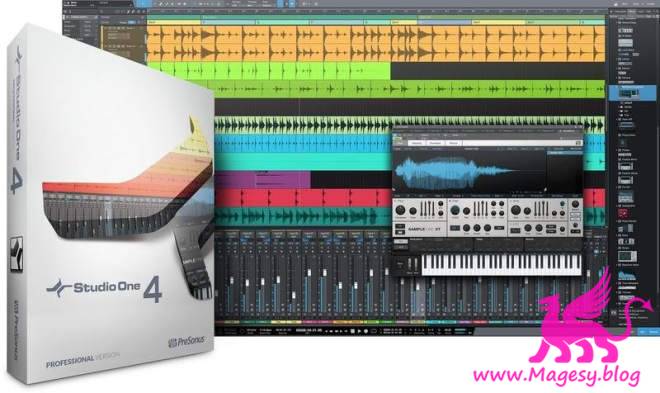
  • Studio One 4 Professional v4.6.2 WiN v4.5.1 MAC-R2R
    Posted by Magesy.Blog On: 27 May 2021


    Studio One 4 Professional v4.6.2 WiN v4.5.1 MAC-R2R

    Studio One 4 Professional v4.x.x WiN MAC

    Team R2R | 16 August 2020 | WiN: 129.98 MB | OSX: 99.1 MB

    Studio One® 4 was designed with ease of use at its core. It seamlessly combines the time-tested and proven recording studio model with today’s beat- and loop-oriented production process so you can bring musical ideas to sonic reality more quickly than ever before. An efficient, single-screen interface houses an unlimited number of tracks, intuitive editing tools, and advanced virtual instruments. Spend your precious time creating music instead of wondering what to click next. Studio One doesn’t dictate how you work or what you work on. Studio One is your creative companion from start to finish. The Start page provides what you need to kickstart your creative process—open projects, set parameters, and check for updates and tips. From there, the Song page is all about recording, arranging, editing, and mixing your music with a complete set of virtual instruments, effects, and groundbreaking arrangement tools. Then, assemble and master your music in the Project page. Even better, the Project and Song pages are linked so if you need just that one little change in your master or stems, switch to the Song page, tweak, and mix back automatically to the Project. No other program accomplishes such an effortless transition as you move from the initial creative inspiration to the finished, mastered production.


    71022 Views

  • Mixing and Mastering: Studio One 5 TUTORiAL
    Posted by Magesy.Blog On: 23 May 2021
    Categories:


    Mixing and Mastering Studio One 5 TUTORiAL

    Mixing & Mastering: Studio One 5

    FANTASTiC | 17 November 2020 | 997 MB

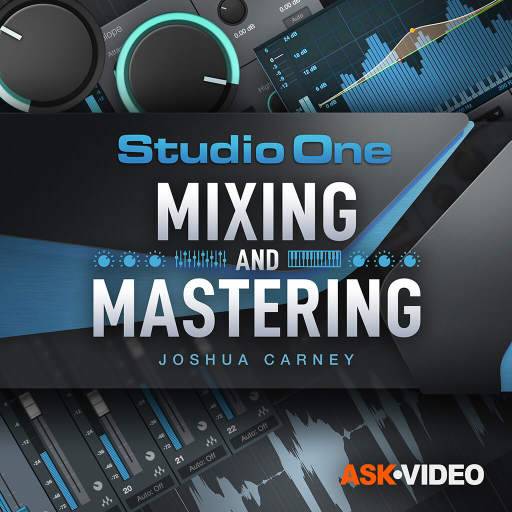
    Studio One 5 offers everything you need to mix and master any music project. Learn the fundamentals of mixing and mastering in this 30-tutorial course by trainer and audio engineer! Mixing and mastering a complete music project from scratch may seem like a daunting task, but thankfully this course by trainer and producer Joshua Carney is here to help! From setting levels and applying effects to finalizing your project and exporting it, this course will teach you everything you need to mix and master with confidence. Joshua starts by explaining how to import the audio and organize the project. He shows you how to do a rough mix using the very flexible mixer and the various metering tools included in Studio One. After explaining the differences between grouping, busses and VCA channels, Joshua jumps right into using the FX plugins. This is where you learn to use the Pro EQ2, the Compressor, the Fat Channel XT, delay, reverb, etc. There’s no better way to learn to mix than seeing and hearing these plugins in action… That’s why Joshua demonstrates them on acoustic drums, guitar, bass, synth and vocals. After applying automation and finalizing the mix, Joshua reveals how you can master your music in the Project Page, a feature very unique to Studio One.


    5535 Views

    Total Posts: ❨ 🎵➡6050 ❩ | Paged: ➡ 5


    Search like: Compressor, Limiter, FX, etc


    ಮ್ಯಾಜೆಸ್ಯ್

    MaGeSY ® R-EVOLUTiON™⭐⭐⭐