

Categories:
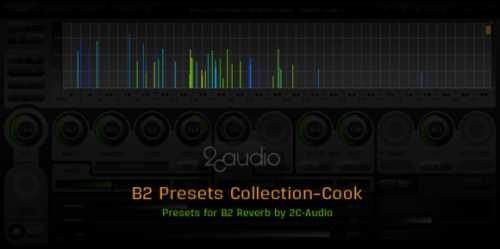
B2 Presets Collection
Cook | 2.08.2014 | 2 MB
Collected from 2012-2014
This does NOT contain the commercial Expansions!
INSTALLATION:
- 1) Open B2 in your host of choice.
- 2) Open the File menu in the upper right of the Navigation Bar.
- 3) Select “Import Package”.
- 4) Point the file dialog to the desired folder and accept the selection.
- 5) Or you can install them into your USER Presets folder
::: ENJOY! :::
B2 Presets Collection-Cook
https://beebumble.link/16477/B2-Presets-Collection.html
5299 ViewsRelated Articles:





Submit a Comment or Report Broken Links:

🎹💻🥇🔊🎶🌏🎼❤️🔥
-
 Industrial Toolbox MULTiFORMAT HOT 🔥Industrial Toolbox Team AUDiOSTRiKE | 27 June 2014 | 127 MB WAV * REX2 * APPLE AiFF *…
 -
 Apple Compressor v4.11.1 macOS-TNT HOT 🔥Apple Compressor v4.11.1 macOS TNT | 16 November 2025 | 106MB If you use finalcutpro, this is an…
 -
 KiCK 3 v1.1.8 U2B macOS-HCiSO HOT 🔥KiCK 3 v1.1.8 U2B macOS Team HCiSO | 06 October 2026 | 358.09 MB Award-winning kick drum synthesizer…
 -
 Steinberg Etude for HALion🎼Etude for HALion P2P | 16 May 2025 | TORRENT:18.13 GB The keys to inspiration This world-class grand…
 -
 Ensoniq ASR KONTAKTEnsoniq ASR KONTAKT P2P | 14 November 2011 | 433 MB The EPS (Ensoniq Performance Sampler) was manufactured between…
 -
 ACM-SA Bundle v3.4.0 WiN-R2RACM-SA Bundle v3.4.0 WiN Team R2R | 06 October 2026 | 3.6 MB PLATFORM: CLAP/VST2/VST3/AAX The ACM-SA series…
 -
 Tropical House WAV MiDi-FANTASTiCTropical House WAV MiDi FANTASTiC | 12 May 2016 | 585 MB Tropical House, a paradise of incredible…

⚠️ TRY BEFORE BUY - If you like it, support the developer.
ಮ್ಯಾಜೆಸ್ಯ್


